
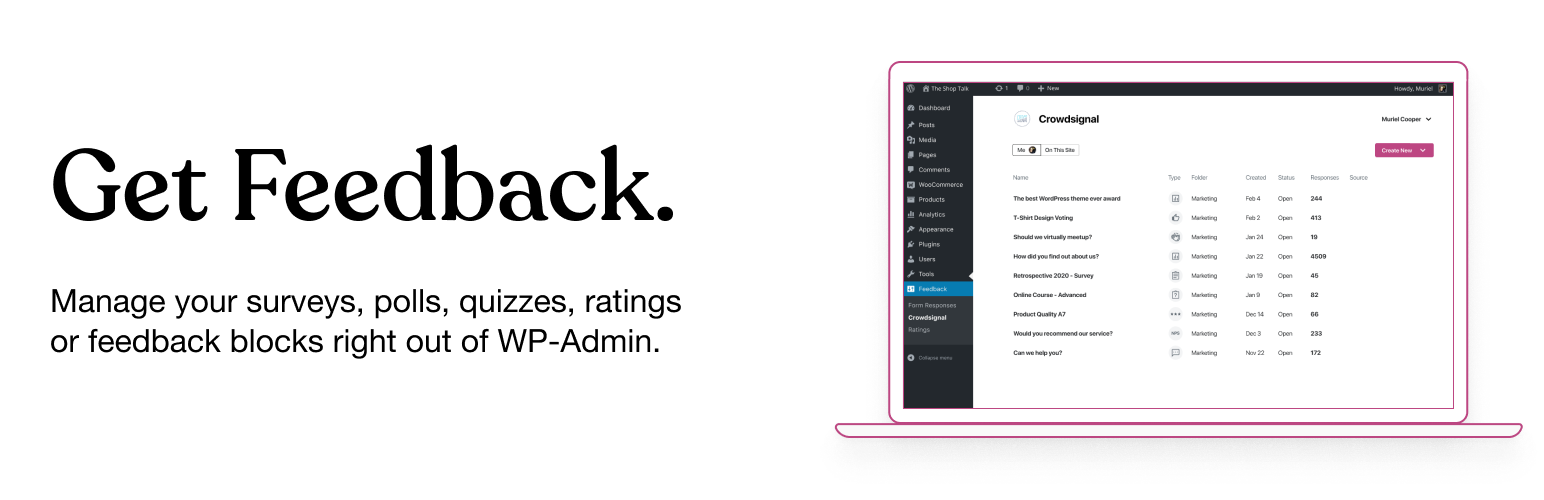
Crowdsignal Dashboard – Polls, Surveys & more

Crowdsignal Dashboard – Polls, Surveys & more

توسط

The Crowdsignal Dashboard plugin allows you to create and manage polls, surveys, quizzes, and ratings from within your WordPress admin. See all your projects in one place, be they surveys, quizzes and polls made on Crowdsignal.com or any of our poll and survey blocks using our Crowdsignal Forms plugin. With just one click view all results for your responses as they come in to analyze responses in real time and export your results everywhere!

The Block Editor

Are you using the new block editor for WordPress? Our other plugin, Crowdsignal Forms provides a number of blocks for your post editor that allow you to gather actionable feedback from your audience:
* Poll: Create polls and get your audience’s opinion.
* Survey Embed: Create surveys in minutes with 14 question types and embed them into your page.
* Feedback Button: A floating and always visible button that allows your audience to share feedback anytime.
* Measure NPS: Calculate your Net Promoter Score! Collect feedback and track customer satisfaction over time.
* Voting: Allow your audience to rate your work or express their opinion.
* Applause: Let your audience cheer with a big round of applause.

Learn more about the Crowdsignal Forms plugin here, and on crowdsignal.com.

Want to help translate the plugin or keep an existing translation up-to-date? Head on over to the translation site.

Some strings are not translated when polls and surveys are embedded. You will have to translate them using a language pack on Crowdsignal.com.

Development of the plugin takes place in this GitHub repository. Contributions are welcome!

The Classic Editor

If you are a long time user of this plugin and you still use the classic post editor, the best way to create polls is through your Crowdsignal account where you have a number of different ways to share polls (and surveys). However, up to version 2.2.6, this plugin had an “Add Poll” button above the post editor that opened a very basic poll editor. That “Add Poll” button has since been removed but if you would still like to use it, open up the wp-admin dashboard on your WordPress site. Add “admin.php?page=polls&action=create-poll” to the end of the URL, after “wp-admin/” so it looks like https://example.com/wp-admin/admin.php?page=polls&action=create-poll and you will see the old poll editor. Bookmark that URL if you still want to use that poll editor. We do not recommend using version 2.2.6 of the plugin as you will miss out on many bug fixes and new features added since then.

Upload the plugin to your blog (or search for it and install it on your plugins page), activate it, then go to Settings->Crowdsignal to configure the plugin. You’ll need a Crowdsignal API key available from your Crowdsignal account page to sync your account and pull in your existing polls and ratings.
Crowdsignal.com is now linked to WordPress.com using WordPress.com Connect which means you can use your WordPress.com username and password to login to Crowdsignal.com. If you have a WordPress.com account and have never used Crowdsignal.com you can login here to access Crowdsignal.com.

You can find further help on our support page. If you have any problems please use the support forum. The plugin also logs activity to a file using the WP Debug Logger plugin which can be useful in determining the cause of a problem.

سوالات متداول

Where do I find my Crowdsignal Dashboard?

You can find your dashboard under the Feedback top level menu. You will find Crowdsignal and Ratings menu items there. The Crowdsignal menu item leads to the dashboard. If you have ratings enabled you will see a Ratings menu item that links to a summary of your ratings.

Where do I find my Crowdsignal Settings?

You will find the settings area for this plugin under the Settings top level menu, and look for the Crowdsignal menu item.

I have multiple authors on my blog? What happens?

Each author that wants to create polls will need his or her own Crowdsignal.com account.

But, as an Administrator, can I edit my Authors’ polls

Yes. You’ll be able to edit the polls they create from your blog. (You won’t be able to edit any of their non-blog, personal polls they create through Crowdsignal.com.)

Neat! Um… can my Authors edit MY blog polls?

Nope. The permissions are the same as for posts. So Editors and Administrators can edit anyone’s polls for that blog. Authors can only edit their own.

Where are my ratings?

Check that footer.php in your theme calls the wp_footer action. The rating javascript is loaded on this action.

More info here

My ratings are gone after I reinstalled the plugin. How do I get them back?

Login to your Crowdsignal.com account and view the ratings in your dashboard. You should see ratings named “blog name – ” comments/posts/pages. You need the rating ID of each of those which is visible when you edit them. It’s the number in the URL of your browser that looks like https://app.crowdsignal.com/ratings/1234567/edit/. After you connect the plugin to your Crowdsignal account go to Settings->Ratings and make sure the ratings are displayed on your posts/pages/comments as desired. You’ll see a link at the bottom of the page saying, “Advanced Settings” that will toggle new configuration settings. One of those settings is “rating ID” which you should replace with the number you got from your Crowdsignal account. Now save the changes and the ratings on your site will be updated.

I cannot access my ratings settings, I am getting a “Sorry! There was an error creating your rating widget. Please contact Crowdsignal support to fix this.” message.

You need to select the synchronize ratings account in the WordPress options page at Settings->Polls & Ratings to make sure the ratings API key is valid.

When I try to use a rating on a page, I get a PHP warning about the post title.

Your rating uses the filter ‘wp_title’ by default when retrieving the post title, you may need to remove this by defining the constant “CS_RATING_TITLE_FILTER” to a new filter to use, or just set it to “” to diasable it and allow ratings to work with your theme. Define the constant in wp-config.php or an mu-plugin.

Why is a poll loading in the footer of my main page?

Your theme is getting the post content, without necessarily showing it. If the post has a poll, the poll javascript is loaded in the footer. To fix this, you need to enable the ‘Load Shortcodes Inline’ setting in the Polls & Ratings settings. This will load the poll shortcode inline and will only load the poll if the content of the post is actually displayed.

My API key is valid but I cannot get the plugin to link with Crowdsignal

This is possible if your server or network is blocking outgoing calls to Crowdsignal’s API.
Make sure to whitelist api.crowdsignal.com in your firewall to fix this.

×
نظری برای این آیتم موجود نیست.
0 0 رای ها
امتیازدهی
اشتراک در
اطلاع از
0 نظرات
قدیمی‌ترین
تازه‌ترین بیشترین رأی
بازخورد (Feedback) های اینلاین
مشاهده همه دیدگاه ها
هیچ نسخه‌ای برای این آیتم موجود نیست.
★★★★★
★★★★★
2.7 /5 (34 نظر)

قیمت:

رایگان

نگارش

آخرین انتشار

9 اردیبهشت 1405

آخرین بروزرسانی

2 ماه پیش

نصب های فعال

100,000+

نگارش وردپرس

وردپرس 5.5+

تست شده از نسخه

وردپرس 6.9.4

نگارش PHP

PHP 5.6+

نسخه ها

0 نسخه




