
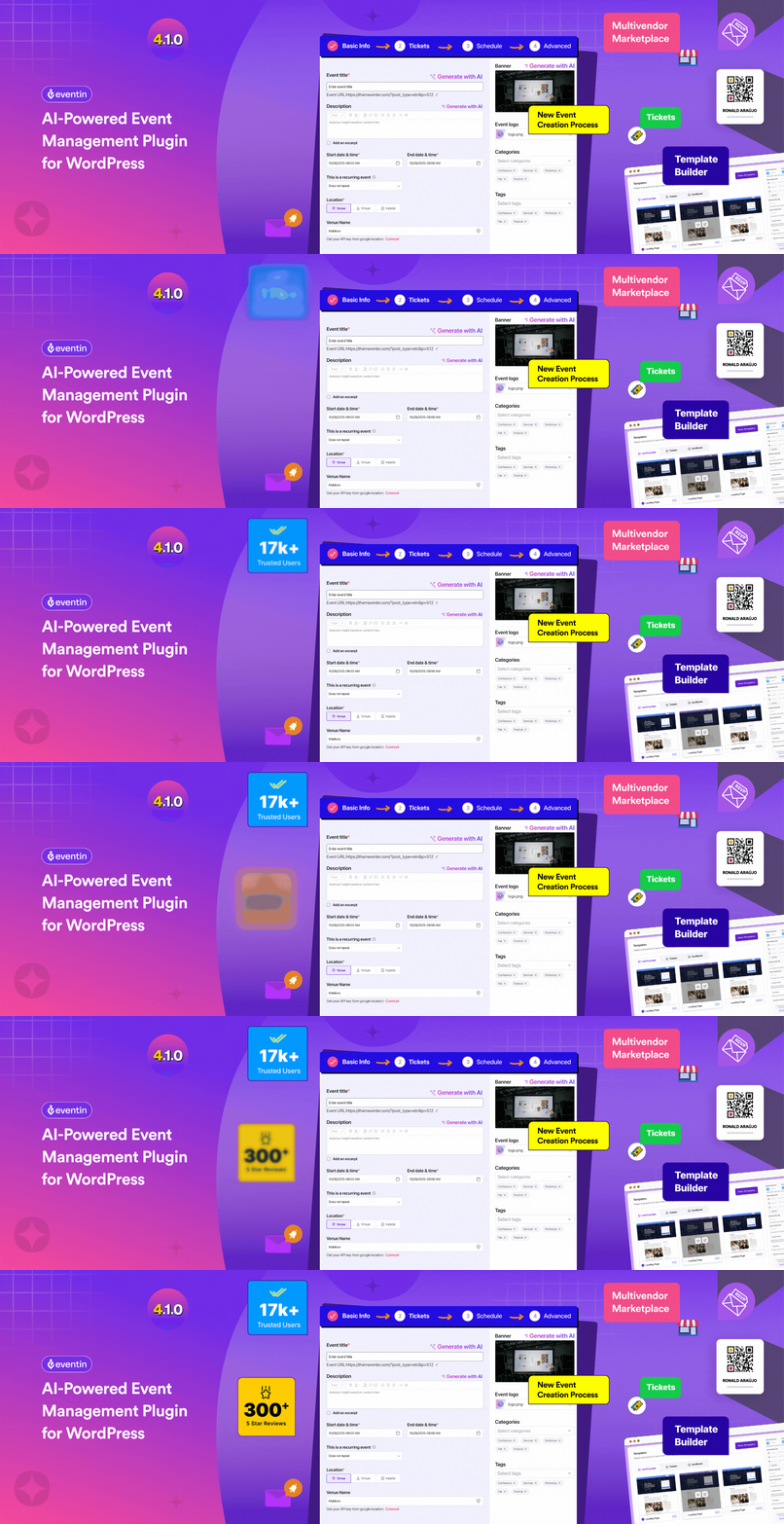

Eventin is an AI-powered WordPress events calendar and event management plugin for event planners, organizers, and businesses. Create free or paid events, manage event listings, sell tickets online, and run virtual, in-person, or hybrid events – all from one dashboard.
It’s also ideal for eLearning and LMS websites, helping you manage live classes, webinars, workshops, and cohort-based training alongside your courses.
Whether you’re hosting a one-day workshop or a multi-day conference, Eventin handles event booking, registration, RSVP, attendee management, and ticket sales via WooCommerce, Stripe, and PayPal, along with automated confirmation emails.
The free version includes Zoom integration at no extra cost, so attendees receive meeting links automatically after registration. With Google Meet support, Google Calendar sync, iCal, Outlook, and email automation, Eventin delivers a complete event management solution – free to start.
Need help setting up your first event and sell event tickets in WordPress website? 👉 Let Us Know.
More helpful links 👇
🎓 Live Demo | 📘 Documentation | 🛣️ Roadmap | 💼 Buy Pro | ⚙️ Features | 🎬 Video Tutorials
🎯 Why Eventin?
Eventin combines:
– Event Calendar
– Booking System
– Registration System
– Ticketing System
👉 One plugin. Full control.
🗓️ WordPress Event Calendar – Month, Week, Day & List Views
Eventin’s event calendar gives your visitors a beautiful, interactive way to browse upcoming events. Display events in a full monthly calendar grid, a compact list view, or a weekly agenda — all fully responsive from mobile to desktop.
🎫 Sell Event Tickets Online – Free, Paid & Early Bird
Eventin makes it easy to create and sell event tickets directly from your WordPress site. Offer free events, paid events, or mixed ticketing — no third-party platform needed.
📋 Event Registration, RSVP & Attendee Management
Eventin’s event registration system handles everything from collecting attendee information to tracking check-ins — all from one central dashboard.
💻 Virtual, Hybrid & Online Events with Free Zoom Integration
Eventin is built for the modern event organizer who runs both in-person and online events. Unlike other event plugins, Eventin includes Zoom integration completely free — no premium add-on required.
🤖 AI-Powered Event Creation for WordPress
Eventin is the only WordPress event management plugin with a built-in AI event creator. The Eventin AI tool generates complete event content in under 10 seconds.
🗃️ Event Scheduling & Speaker Management
Manage complex multi-session events, conferences, workshops, and multi-day events with Eventin’s powerful scheduling system.
🎨 Event Page Builder & Design Customization
Eventin works seamlessly with every major WordPress page builder, giving event organizers full creative control over their event pages.
📢 Who Can Use Eventin?
Eventin is designed for anyone who creates and manages events in WordPress:
- 🎉 Event Planners & Organizers – Create and manage unlimited event listings, sell event tickets, handle registrations, and track attendees.
- 🏢 Agency Owners – Manage multiple events and event organizers for clients from one dashboard.
- 🎓 Online Tutors & eLearning Creators – Schedule live classes alongside your LMS courses or independently, run cohort-based programs, manage recurring sessions, and auto-send Zoom or Google Meet links all without a separate webinar tool.
With Eventin, you can: - Manage live classes, workshops, and webinars
- Add event registration and booking to your LMS website
- Schedule cohort-based learning sessions with recurring events
- Sell access to live training sessions using WooCommerce, Stripe, or PayPal
- Automatically send Zoom or Google Meet links after registration
- Track attendees and manage event-based learning experiences
- 💻 Webinar & Virtual Event Hosts – Run professional online events with automatic Zoom integration and email automation.
- 🏆 Conference Organizers – Create multi-day event schedules with speakers, sessions, tracks, and ticketing.
- 🤝 Meetup & Community Hosts – Create RSVP events with attendee limits and optional ticket sales.
- 📚 Corporate Trainers – Organize training sessions, workshops, and learning programs with structured schedules.
- 📢 Digital Marketers – Promote events, collect registrations, automate email follow-ups, and track conversion analytics.
🔥 Eventin Free Features — Complete Event Management at $0
Eventin’s free version gives you a full event management experience with no hidden costs.
Event Creation & Calendar
- Unlimited event creation with no usage limits
- Smart admin dashboard — view all events, registrations, and bookings in one place
- Full event calendar with monthly, list, and grid views
- Session and agenda management for multi-session events
- Recurring events — daily, weekly, monthly, or custom patterns
- Event import and export for bulk management
- Upcoming and expired event tabs — auto-sorted and organized
Ticketing & Payments
- Multi-tier ticket pricing — Early Bird, VIP, General Admission, and more
- WooCommerce integration — accept payments through all WooCommerce gateways
- Stripe and PayPal direct integration for ticket sales
- Branded PDF ticket templates sent automatically after purchase
- WooCommerce coupon support for discount codes
- Currency settings with symbol position and decimal separator options
- Purchase confirmation and reminder emails
Event Registration & Attendees
- Event registration forms with custom fields
- RSVP system with response tracking and reporting
- Bulk and manual attendee registration
- Real-time attendee count and capacity management
- CSV export of attendee data and registration reports
- QR code generation for every ticket — free
- Booking management dashboard with full attendee history
Virtual Events & Integrations
- Free Zoom integration — auto-send join links after registration
- Google Meet integration for online events
- Google Calendar, iCal, Yahoo, and Outlook sync
- Hybrid event location support (online + offline)
- Timezone-aware event scheduling
Page Builder & Display
- Elementor widgets (10+ event-specific widgets). Dedicated Elementor Addons coming soon.
- Divi, Gutenberg, and Beaver Builder compatibility
- Drag-and-drop template builder
- Shortcodes for embedding events anywhere
- Social sharing buttons for Facebook, Twitter, LinkedIn
- Advanced event search by keyword, date, category, or tag
- FAQ section per event page
- SEO & Event Schema (JSON-LD structured data) for rich search results
🔥 Eventin PRO — Advanced Features & AI Capability
The free version handles complete event management. Eventin Pro adds enterprise-level tools for event planners who need more:
* Eventin AI – Generate event titles, descriptions, FAQs, tags, and banners in under 10 seconds.
* Landing Page Builder – Design custom event landing pages with pre-built templates.
* Ticket Template Builder – Design fully branded, custom PDF event tickets.
* Certificate Builder – Award attendees with branded PDF certificates for completed events or training sessions.
* QR Code – Make an easy event registration experience** with event QR codes. Scan event tickets of your event attendees in just a few seconds.
* Visual Seat Map – Create an interactive seating plan and sell tickets by seat location.
* Multi-Tier Event Tickets – Advanced tier management with VIP, Gold, group pricing, and bulk sales.
* Multivendor Event Marketplace – Build a Dokan-powered marketplace where multiple organizers can list and sell events.
Power-Packed Integrations to Make Even Better Events
- Zapier & Ottokit – Automate event workflows, trigger actions on registration or ticket purchase, and connect Eventin to 1000+ apps without writing code.
- FluentCRM – Build automated email marketing campaigns for event attendees — send confirmations, follow-ups, and promotional sequences on autopilot.
- SureCart – Handle payments, refunds, and bookings securely with a faster, modern checkout experience purpose-built for selling event tickets.
- Google Meet – Host virtual events and online webinars with Google Meet. Attendees receive their join link automatically after event registration.
- PayPal – Accept PayPal payments for event tickets with a familiar, trusted checkout flow your attendees already use.
- Stripe – Sell event tickets via Stripe with fast, secure card payments and support for multiple currencies.
- BuddyBoss – Turn your event attendees into a thriving community. Connect events to BuddyBoss groups for networking, discussions, and shared resources.
- Divi Builder – Design stunning, fully customized event pages and layouts using Divi’s visual drag-and-drop builder.
- Pabbly – Connect Eventin to your favorite tools and automate data flow between your event registrations, CRM, and marketing platforms.
- Twilio – Send SMS reminders, booking confirmations, and real-time event updates directly to your attendees’ phones.
🏆 Trusted by WordPress Experts & 17,500+ Event Organizers
Leading WordPress publications and developers recommend Eventin for professional event management:
* Elegant Themes: “Eventin is perfect for any kind of Conference, Event, Seminar, Exhibition, Meeting, Business Conference, Webinars, and Event Management website.”
* WPAstra: “With a diverse set of features, it is dedicated to simplifying event organization and ensuring a smooth, efficient process.”
* Kinsta: “The plugin’s exceptional quality is reflected in user reviews and evidenced by ThemeWinter’s long-standing commitment to delivering top-notch products.”
* InstaWP: “Eventin saves time by automating many tasks, allowing you to focus on other aspects of your event management.”
📚 Documentation & Support
- 📘 Step-by-step Documentation
- 💬 Support Forum on WordPress.org
- 👥 Facebook Community Group
- 🎬 Video Tutorials on YouTube
- ⭐ Leave a Review on WordPress.org
- 🌟 Review on Trustpilot
- 🌟 Review on G2
🚀 Also From ThemeWinter
🍔 WPCafe – Food Ordering & Reservation plugin for WordPress
📅 WPTimetics – AI-powered Appointment Scheduling plugin for WordPress
💻 Poptics – All-in-one Popup Builder plugin for WordPress
🗓️ Booktics – Booking plugin for Service Businesses in WordPress
External Services
This plugin connects to the following external services:
Arraytics FluentCRM Service
Connects to Arraytics.com’s FluentCRM service to manage contact information for marketing and communication purposes (product updates, feature announcements, support information).
Data sent: Your email address (only when you voluntarily provide it during event registration).
Service provider: Arraytics – Terms of Service | Privacy Policy
Note: This is optional and not required for core plugin functionality.
SureCart Webhook
Connects to SureCart via webhooks to synchronize order and payment information for event ticketing and related automations.
Data sent: Event and order data required to process the webhook (such as ticket/order details, amounts, currency, and customer details like name and email). Payment card details are handled directly by the payment processor, not by this plugin.
Service provider: SureCart Inc. – Terms & Conditions | Privacy Policy
Note: Optional integration, only active if you enable the SureCart integration and configure its webhooks.






