
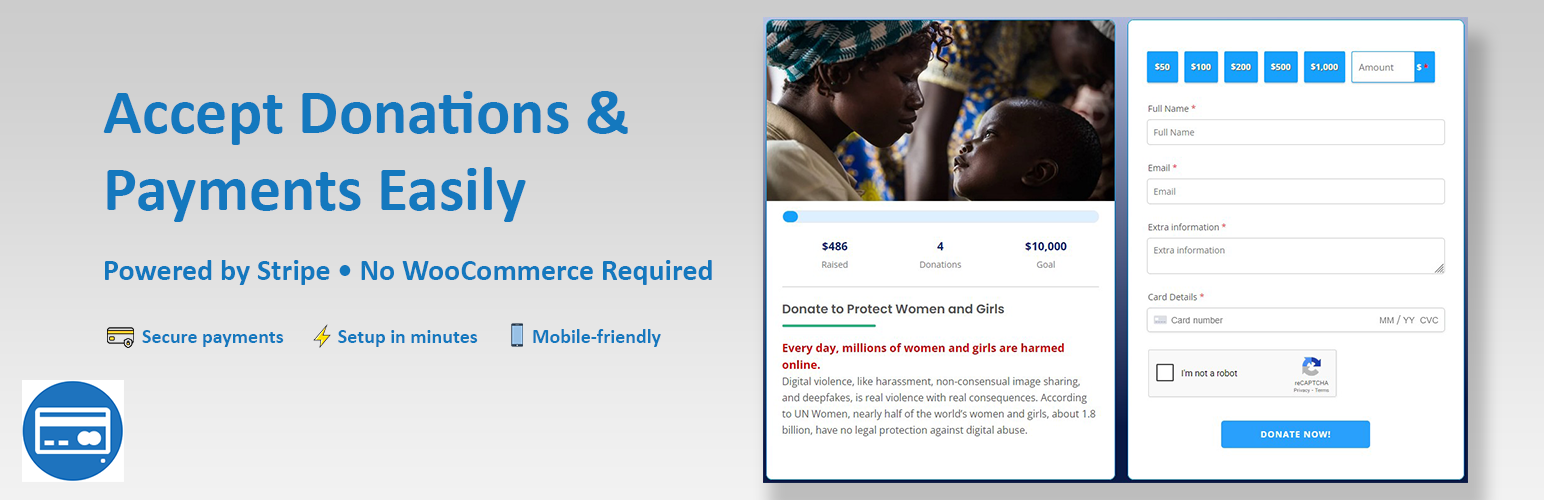

AidWP helps you create simple donation and payment forms on your WordPress site using Stripe — without WooCommerce or complex setup.
Whether you’re a nonprofit, content creator, or small business, AidWP lets you accept one-time payments in minutes with a fast, secure, and mobile-friendly checkout experience.
Designed to be lightweight and easy to use, AidWP is ideal when you just want to accept donations or payments, without turning your site into a full eCommerce store.
🔥 Why choose AidWP?
✅ Create donation & payment forms in minutes
✅ Accept one-time payments
✅ No WooCommerce required
✅ Secure Stripe-powered checkout
✅ Mobile-friendly and responsive
✅ Clean, lightweight, and fast
✅ Shortcode-based (works with any theme or page builder)
🎯 Who Is AidWP For?
AidWP is perfect for:
-
Nonprofits & charities accepting donations
-
Churches, charities & community organizations
-
Content creators & bloggers
-
Freelancers and consultants
-
Small businesses collecting payments
-
Event organizers
-
Fundraising campaigns
-
Anyone who needs a simple Stripe payment or donation form
If you need payments without complexity, AidWP is the right tool.
How It works
-
Connect your Stripe account
-
Create a donation or payment form
-
Embed the form anywhere using a shortcode
-
Start accepting payments instantly
No complex configuration. No unnecessary features.
No products, carts, or checkout pages needed.
🌟 Plugin Features:
- One-time payments
- Fixed or custom donation amounts
- Secure Stripe checkout
- Shortcode support
- Minimal settings required
- Mobile-friendly design
- Works with any WordPress theme
- Donors List Panel
- 150+ Currency Available
- Two types of email integrated: Admin and Receipient
- Strong Customer Authentication (SCA) supports for European customers
🌟 Available Form Settings:
- Form Title
- Form Description
- Form Banner
- Dropdown ‘Donation For’ options
- Set various donation amounts
- Show-Hide form Labels
- Customizable form submit button
👍 Customizable Thank You Page:
This stripe donation plugin provides a built in ‘Thank You’ page which can be customize with Elementor.
➡️ Useage of Shortcode:⬅️
To display donation form use the below shortcode in any page
[wp_stripe_donation]
🌟 Pro Features – Basic:
- Show-Hide ‘Donation For’ From Form
- Enable-Disable Admin Notice Email
- Enable-Disable Receipt Email
- Receipt Email From Name Option
- Receipt Email From Email Option
- Display All Donations in Donation List Panel
- Ability to Delete Test Data From Donation List Panel
- Apply Donation For From Url
🌟 Pro Features – Professional:
- Can Be Use For Fundraising
- Donor Address Fields Available
- Export Donation Data to CSV and Excel
- Google reCaptcha Integrated
- Number Matching Captcha to Prevent Bot Attack
- Donor Comments Field Available
- Apply a Condition to the Donors
- Receipt Email in HTML Foramat
- Display Donor List With Shortocode
- Customed “Thank You” Page
- Delete Data From Donation List Panel
- Set Form Width Option
- 3 Form Header Options Available
- Form Button Width Option Available
- Form Border Width, Color, Radius
- Form Padding, Font Color, Background Color Option Available
- Form Input Border Width, Color, Radius Option Available
- Form Input Font Color and Size Option Available
- Form Input Padding Option Available
- Form Input Background Color Option Option Available
- Display Total Donation Today
- Form Button Background, Font Color Option Available
- Enable disable receipt email from stripe
- Receipt Email Greeting Message Option Available
- Multi Panel Donation Form For Better View
Perfect for growing sites that need more flexibility and control.
SCA supports for European customers:
📋 Translation Ready:
- POT file included (/languages/)
- Bengoli
- French (France)
- Spanish (Spain)
- Italian
- German
- Dutch
- Polish
- Japanese
💡 Security & Compliance
All payments are processed securely through Stripe.
AidWP does not store credit card details on your website.
📌 Disclaimer
Stripe is a registered trademark of Stripe, Inc. This plugin is not affiliated with or endorsed by Stripe.
Support
Need help?
Use the WordPress.org support forum — we respond quickly and actively support our users.
Upgrade to Pro
If AidWP helps you accept payments or donations, consider upgrading to AidWP Pro to unlock advanced features and support ongoing development.






