
LinkCentral – URL shortener, Custom Links & Affiliate Link Shortener with Link Tracking

LinkCentral – URL shortener, Custom Links & Affiliate Link Shortener with Link Tracking

توسط

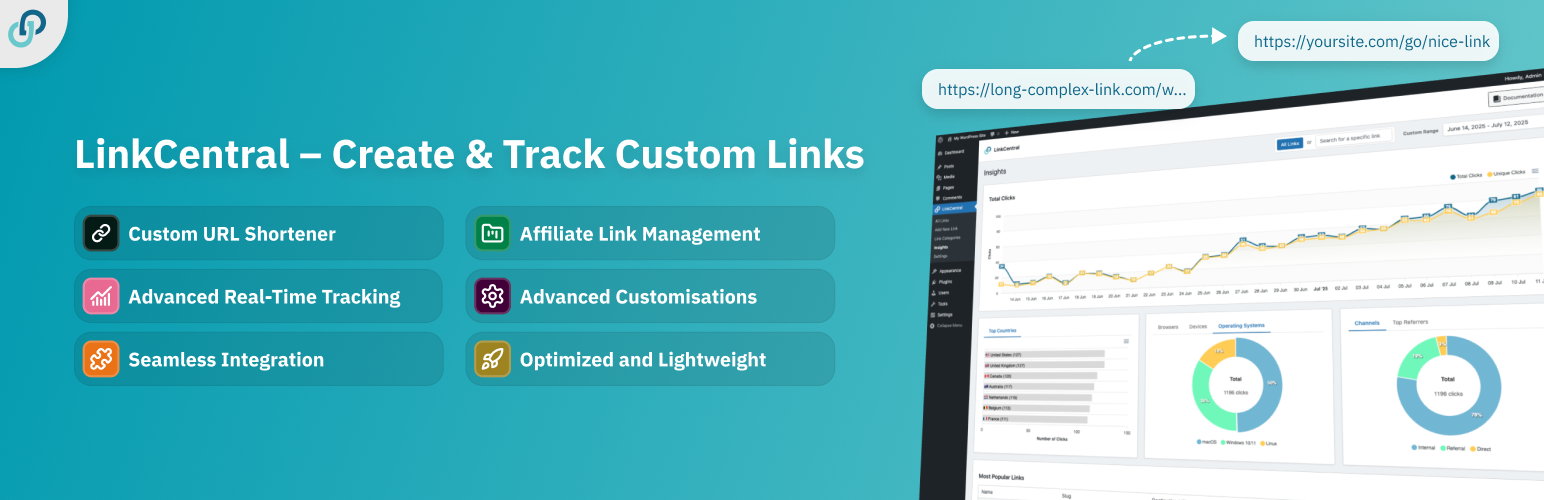
LinkCentral is your all-in-one WordPress solution to manage, track, and cloak custom links, short URLs, and affiliate links. Track link performance of all your short links with ease. From custom slugs to advanced analytics, LinkCentral is packed with many customisable features. Seamlessly integrate with page builders, and see how your links perform using the built-in insights.

Features

🔗 Custom URL Shortener: Shorten links into clean, memorable URLs. Customize with prefixes and slugs, such as www.yoursite.com/go/your-custom-slug

🔍 Advanced Link Tracking: Gain insights into your link performance with detailed link clicks analytics.

💼 Affiliate Link Management: Cloak and manage your affiliate links while staying organized with categories and private notes.

🧩 Flexible Integrations: Easily insert links using our built-in integrations with common page builders or use shortcodes.

📊 Google Analytics 4 Support: Send link tracking data to Google Analytics 4.

🔄 Redirection Settings: Choose redirection types (301, 302, 307), add nofollow, sponsored and other attributes, and more.

⏰ Plan Redirects Ahead: Schedule and manage future redirects.

🔒 Password-Protected Redirects: Secure your redirects with passwords.

🔲 QR Codes: Instantly create QR codes for any of your short links.

👥 Role Management: Control access by defining user roles that can create and edit links, view analytics, and manage settings.

🚀 Optimized and Lightweight: Built with performance in mind, using native WordPress integration for speed without bloat.

🔌 WordPress-Friendly: Utilizes a custom post type for seamless integration into the WordPress ecosystem.

📥 Easy Import: Easily import your links from other link management tools or spreadsheets.

🛡️ GDPR Compliance, 🧹 Expiry Management, 🤖 IP and Bot Filtering, 🌐 Affiliate Links management, and much more, all for free!

Learn more about everything LinkCentral has to offer.

Integrate with Ease 🪢

LinkCentral seamlessly integrates with leading page builders and WordPress plugins to make link insertion a breeze. Quickly add links through:

  • Elementor (Free and Pro)
  • Gutenberg
  • Classic Editor (TinyMCE)
  • Beaver Builder
  • and more…

More Features with LinkCentral Premium ⭐

Unlock exclusive features with LinkCentral Premium to supercharge your link management. Upgrade today and enjoy 14-day money-back guarantee.

📈 Advanced Insights: Get detailed analytics, including data on individual links, improved filtering, and geolocation (country, region, city).

🔀 Dynamic Redirects: Build dynamic redirects based on date, time, country, device, cookie, and more.

🖇️ Split testing: Enable AB split tests and rotate users between different destinations based on the number of clicks on a link.

🔄 Parameter Forwarding: Seamlessly pass URL parameters through your shortlinks.

💾 Data export: Easily backup or migrate your links and analytics.

🏷️ UTM Templates: Create and apply UTM templates to your links.

📝 Auto-keyword Linking: Automatically link keywords across your website.

🚥 Broken Links Checker: Automatically scans your links for broken URLs and sends email alerts.

🪝 Webhooks: Connect to a custom webhook and send data every time a link is clicked.

🎨 Custom styling: Add CSS classes to your links on the frontend.

♾️ Access to Updates: Enjoy access to future updates and get fast support.

See all Premium features

Privacy 🛡️

Tracking

LinkCentral respects you and your users’ privacy. You have full control over tracking settings, including the ability to anonymize or opt out of tracking completely.

3rd Party Services

  • Google Analytics 4: When enabled in the plugin settings, LinkCentral can send your analytics data directly to Google Analytics 4. Read more about Google’s Terms of Service and Privacy Policy.
  • MaxMind: LinkCentral optionally uses MaxMind’s free GeoIP database for country-based tracking and redirection. The database is updated biweekly to ensure accuracy. For more information, please see MaxMind’s Terms of Service and Privacy Policy.
  • Freemius: LinkCentral makes use of Freemius for its Premium licensing. In case of a purchase and when opted in, we may periodically validate your license with the server.

Easy installation

  1. Go to the Add New Plugin page in your WordPress admin.
  2. Search for “LinkCentral” and select the plugin from the results.
  3. Install the plugin and activate it.
  4. Find detailed instructions under Settings -> Usage once the plugin is activated.

Advanced installation

  1. Upload the linkcentral folder to the /wp-content/plugins/ directory.
  2. Activate the plugin through the ‘Plugins’ menu in WordPress.
  3. Find detailed instructions under Settings -> Usage once the plugin is activated.

سوالات متداول

Does LinkCentral work with any WordPress plugin, theme, and setup?

Yes, LinkCentral leverages WordPress’ native Custom Post Types and integrates seamlessly with the WordPress ecosystem.
It is designed to be highly compatible with WordPress plugins, themes, and setups, and works well with:

  • Any WordPress theme
  • Plugins such as Advanced Custom Fields (ACF), JetEngine, page builders, and others
  • Multisite setup

Additionally, LinkCentral is optimized for internationalization (i18n). It supports multilingual websites and is fully translatable.

Does LinkCentral integrate with any page builder?

LinkCentral offers seamless integration with many popular page builders:

  1. Look for the LinkCentral logo in your visual editor’s toolbar to quickly insert LinkCentral links.
  2. Any changes you make to these links (such as the destination URL or attributes) are automatically synced on the frontend.
  3. You can also use shortcodes in any page builder.
  4. For Elementor users, LinkCentral supports integration via Dynamic Tags.

You can, of course, manually paste LinkCentral links into your content. However, changes made to those shortlinks won’t be dynamically reflected on the frontend.

Detailed instructions on how to use LinkCentral can be found under Settings -> Usage.

Does it work with a Multisite setup?

Yes, LinkCentral is fully compatible with a WordPress Multisite setup!

Can I use an API or extend LinkCentral with hooks?

Yes, you can extend LinkCentral’s functionality through built-in WordPress hooks and REST API support. See the REST API documentation for details.

Can I import links or migrate from other plugins?

Yes, LinkCentral has a one-click import for ThirstyAffiliates, Pretty Links, and URL Shortener by MyThemeShop, plus an easy CSV import tool for migrating links from plugins like BetterLinks, ClickWhale, Lasso / Simple URLs, URL Shortify, Link Shortner, or any other plugin.

Does LinkCentral integrate with third-party services?

Yes, LinkCentral offers robust third-party integrations to enhance your workflows:

  • Tracking: Even on the free plan, LinkCentral supports Google Analytics 4 for click tracking and performance insights.
  • Automation & Webhooks: The premium version includes webhook support, allowing you to connect LinkCentral with services like Zapier, Make.com, n8n, IFTTT, and many others to send data every time a link is clicked.
  • Geo-Tracking: Premium users can also take advantage of integrations with MaxMind and Cloudflare for accurate IP-based geolocation, enabling precise geo-redirects and location-based analytics (country, region, and city).
Who can benefit from using LinkCentral?

LinkCentral is a valuable tool for a wide range of users, including:
– Website owners
– Digital marketers
– Affiliate marketers
– SEO specialists
– Content creators
Anyone who needs robust link shortening, redirection, link management, or comprehensive affiliate links tracking on their WordPress site will find LinkCentral useful.

×
نظری برای این آیتم موجود نیست.
0 0 رای ها
امتیازدهی
اشتراک در
اطلاع از
0 نظرات
قدیمی‌ترین
تازه‌ترین بیشترین رأی
بازخورد (Feedback) های اینلاین
مشاهده همه دیدگاه ها
هیچ نسخه‌ای برای این آیتم موجود نیست.
★★★★★
★★★★★
5.0 /5 (19 نظر)

قیمت:

رایگان

نگارش

آخرین انتشار

17 اردیبهشت 1405

آخرین بروزرسانی

1 ماه پیش

نصب های فعال

300+

نگارش وردپرس

وردپرس 6.0+

تست شده از نسخه

وردپرس 6.9.4

نگارش PHP

PHP 7.4+

نسخه ها

0 نسخه




