
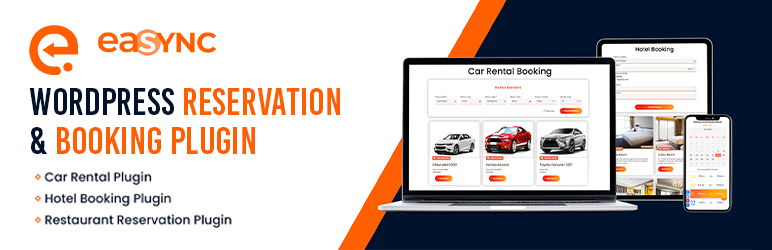

Simplify a Customer’s Booking Experience with eaSYNC Booking — a WordPress Booking Plugin for Hotels, Restaurants, and Car Rentals!
NOTE: This WordPress plugin requires a Paypal Merchant Account in order to get the Client ID
Homepage | Pricing for Car Booking | Pricing for Hotel Booking | Pricing for Restaurant Booking | Demo | Help Center
Key Benefits of eaSYNC Booking Plugin:
- Car Rentals: The car rental module simplifies management with a visual representation of available and rented vehicles, aiding in efficient fleet allocation and reducing the chances of overbooking or conflicts in reservations.
- Hotels: For hotels, the key benefit is the automation of check-in and check-out processes, allowing guests to easily find and book available rooms, which enhances the overall customer experience and operational efficiency.
- Restaurants: The restaurant module’s interactive calendar and time slot system streamline the booking process, ensuring diners can reserve a table at their convenience, thereby improving table turnover and customer satisfaction.
We have a list of eaSYNC Booking’s capabilities, starting with features that are common across all modules and then the module-specific ones:
Common Features Across All Modules
- Easy to install and use (Installation Service Available)
- Fully responsive booking forms
- Sleek UI
- Booking entries are categorized into Active, Inactive, Pending, and Trash
- Guests will receive emails once their reservation is confirmed
- Automatic sorting of pending entries
- Easy integration into posts/pages
- Payment Gateway Integration
- Option to turn specific modules on or off
- Can set currency codes for products or services
- Can customize email header and footer text
- Auto currency and price change are based on geolocation; the use of third-party service comes from Free Currency Converter (https://free.currencyconverterapi.com/)
- Free Currency Converter Terms of Service: https://free.currencyconverterapi.com/terms-of-service
Car Booking Plugin
The eaSYNC Booking’s Car Rental Module features a minimalistic yet bright design and an easy-to-follow rental process. It’s also simple for those who are starting out on WordPress.
Here are the features of the Car Rental module:
Front-end:
- Calendar View of Reservation Slots
- Confirmation Pages and Policies
- Custom Search Form Title
- Specify Car Model, Type, and Pickup Locations
- Pre-set Default Time in Rental Forms
- Input and Manage Driver Information
Back-end:
- Calendar View of Customer Bookings
- Can Manage and Cancel Bookings
- Can Set and Customize Confirmation Pages and Policies
- Can Integrate PayPal Payment Gateway
- Can Customize and Schedule Email Notifications
- Can Personalize Search Form Title
- Can Define Default Time Parameters
- Can Allow Users to Input Driver Information
Hotel Booking Plugin
The eaSYNC’s Hotel Booking Module prominently features an automated check-out date counter. It’s a display of the plugin’s automation capabilities, serving as a sneak peek of its overall convenience.
Here’s a full list of the Hotel Booking module’s features:
Front-end:
- Calendar View of Reservation Slots
- Confirmation Pages and Policies
- Custom Search Form Title
- Can Select and Customize Hotel Room Preferences (Number of Guests, Rooms, Beds, and Special Requests)
Back-end:
- Calendar View of Customer Bookings
- Can Manage and Cancel Bookings
- Can Set and Customize Confirmation Pages and Policies
- Can Integrate PayPal Payment Gateway
- Can Customize and Schedule Email Notifications
- Can Personalize Search Form Title
- Can Configure Hotel Room Settings
Restaurant Booking Plugin
The Restaurant Reservation Module features a stunning and interactive visual representation of the date and time slots. It draws customers in, inviting them to reserve a table. We acknowledge that time is a valuable resource, so the booking forms are kept simple and require only the necessary information from diners!
Here’s the list of eaSYNC Booking features for the restaurant reservation module:
Front-end:
- Calendar View of Reservation Slots
- Confirmation Pages and Policies
- Custom Search Form Title
- Choose Dishes from the Custom Menu and Select Preferred Tables
- Locate and Choose Specific Restaurant Branch Locations
- Choose Available Time Slots for Bookings
Back-end:
- Calendar View of Customer Bookings
- Can Manage and Cancel Bookings
- Can Set and Customize Confirmation Pages and Policies
- Can Integrate PayPal Payment Gateway
- Can Customize and Schedule Email Notifications
- Can Personalize Search Form Title
- Can Manage Menu and Table Configuration
- Can Configure and Manage Branch Locations
- Can Configure and Manage Restaurant’s Available Time Slots
The Best Part? It’s Absolutely Free!
Translations
- English – default, always included
3rd Party Service
- We used Free Currency Converter (https://free.currencyconverterapi.com/) for automatic price conversion based on user location.
- No personal user information is involved in this service, just the price conversion.
- Third-party terms of service:
https://free.currencyconverterapi.com/terms-of-service.
- We used geoPlugin (https://www.geoplugin.com/) to geolocate visitors. It allows you to provide customers with Geolocalised content that’s more relevant to their geographical location.
- No personal user information is involved in this service, only the location.
- Third-party Privacy Policy: https://www.geoplugin.com/privacy.






