
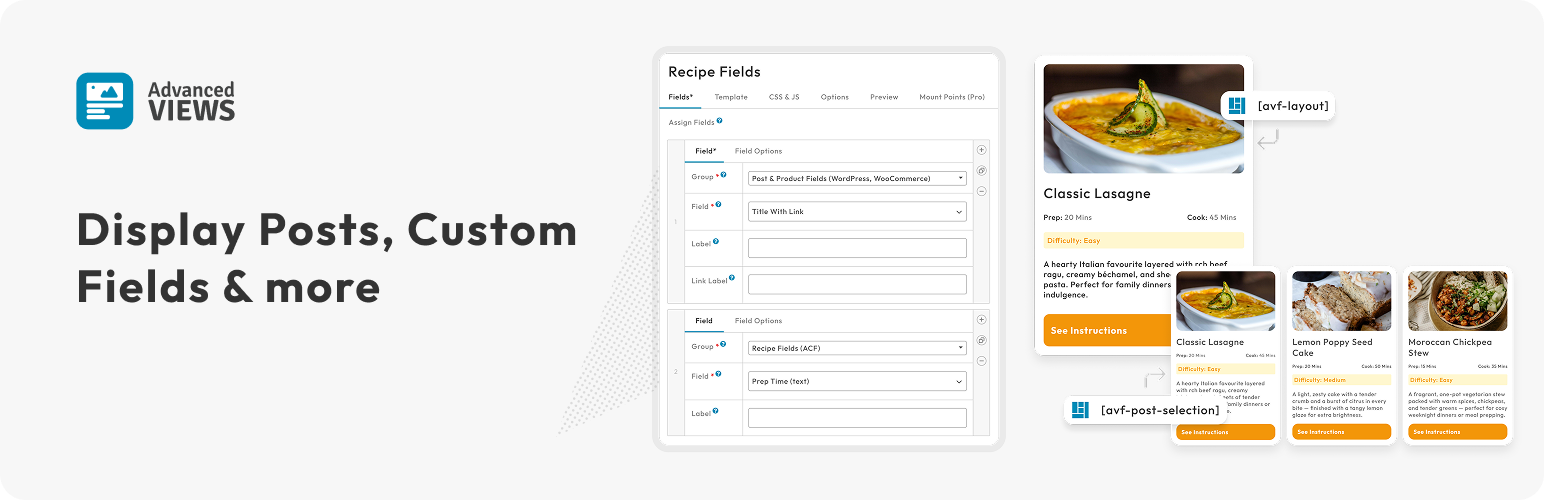

Display content with full control over selection and layout. Lightweight and compatible with any theme or page builder.
⭐ Why Choose Advanced Views?
Advanced Views is a framework that empowers you to create the layouts and selections you need, without bloatware or heavy dependencies.
✅ Solid by design: craft modular and reusable layouts. Avoid repetition, style conflicts, and messy code snippets.
✅ Content-driven: pull content dynamically, with granular filtering and sorting options, built on top of the native WordPress Query. Master advanced database queries with post fields, taxonomies, and meta values.
✅ Time-saver: automate the groundwork and data fetching. Focus on creating while leaving typical routines behind.
✅ Fully customizable: directly access the template code to create advanced elements, like Grids and Sliders, and harness your theme styles and scripts.
✅ Easy to embed: copy and paste a native WordPress shortcode to add layouts anywhere.
🧩 Plenty of Use Cases
Custom fields and Post Types are essential to WordPress. Advanced Views natively supports them – giving you the freedom to pull, mix, and combine them in a common layout.
Popular scenarios include:
Displaying custom fields:
🔹On a single page: to enrich landing page sections
🔹CPT-wide: estimated delivery time for all Products
🔹Site-wide: contact details from the Options page
🔹User-specific: fields of the current user in a custom banner or profile page
Displaying Posts, Products and CPT:
🔹Posts: blog posts from a specific category
🔹WooCommerce: related Products in a grid or carousel
🔹Event lists: Show upcoming events, hide past events
🔹Real Estate listings: properties by location, size, or type
🔹Locations map: display all pick-up location markers on a single map
🔹Reviews and Comments: product reviews or user comments
🔗 Multiple Content Sources
Advanced Views is vendor-independent and plugin-agnostic – so it will work with WordPress Posts, WooCommerce Products, and any CPT on your website.
Learn it once and use it everywhere with built-in support for:
🔹All Custom Post Types registered in WordPress
🔹WordPress post fields (title, featured image, author, taxonomy terms…)
🔹Woo Product fields (price, sku, stock status, weight…)
🔹Advanced Custom Fields (whether it’s text, select, image, gallery, repeater or relationship)
🔹MetaBox fields (like map, oEmbed, taxonomy, group… )
🔹Pods fields (from WYSIWYG, price, date and time… )
You can integrate data from any external source, including API-based, directly into Layouts using snippets.
🚀 Powerful features
Whether you’re a developer working on a child theme, a web creator using a page builder, or a tech-savvy website owner, Advanced Views makes the process easier with:
🔹Storage options: craft Layouts using the on-site editor, or edit them inside your favourite IDE, with git-friendly templates.
🔹Multilingual-friendly: translate any text or label in the Layouts using your favourite tool (like WPML or Polylang)
🔹Automatic template validation: keep all the Layouts up-to-date with bulk validation, and get prompted to update the relevant layouts when used meta fields have been changed.
🔹Template engine options: opt for the Twig or Blade template engine site-wide, or mix it up and make a per Layout decision.
🔹Just-in-time assets loader: get layout styles and scripts injected just-in-time, on a per-page basis. Make fast page loading and great speed metrics your defaults.
🔹Live reload and Dev mode: see live changes to Layouts on the page, and find used layouts without searching.
📚 Extensive Documentation & Friendly Support
🔹Helpful guides, FAQs, tips, and common use cases with code snippets
🔹Lite users are supported via the public wordpress.org forum
🔹Pro users get priority support via our website
🔹Actively maintained and tested against the latest WordPress releases
🔓 Unlock More with Advanced Views Pro
Advanced Views Pro takes your content displays to the next level with extended features:
Layouts get:
🔹Repeater, Group, and Flexible fields support – display complex nested fields — including repeaters within repeaters.
🔹Gutenberg block option – turn any layout into a Gutenberg block with a single checkbox. Same template with full markup control and zero React coding.
🔹Masonry, LightBox, Slider integrations – turn your Repeater or User fields into a slider, Gallery Images into Masonry, or enable LightBox for single images.
🔹Reusable components library – reuse existing Layouts on other websites with a single-click Git sync.
Post Selections get:
🔹Meta filters – precise post selections with filtering by meta fields: define bindings to URL arguments, current meta values, and more.
🔹Ajax pagination of results: choose between options for load more button, infinity scroll, or page numbers.
🔹Post carousels: turn queried posts into sliders.






