
Cart Popup for WooCommerce

Cart Popup for WooCommerce

توسط

Live Demo

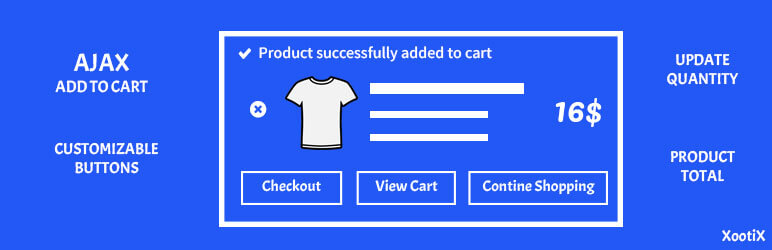
This plugin enhances the shopping experience by allowing customers to add products to the cart without reloading the page.
A clean, responsive popup appears instantly showing the added product along with View Cart and Checkout buttons.

If you prefer a slide-in cart interface, you may also like our companion plugin:
Side Cart for WooCommerce

Features

  • No page refresh — fully Ajax powered.
  • Instant popup displaying product details.
  • View Cart and Checkout buttons inside the popup.
  • Customizable button styles.
  • Supports simple and variable products.
  • Increase/Decrease quantity directly inside the popup.

  1. Upload the plugin to /wp-content/plugins/ or install it via the WordPress Plugins Add New screen.
  2. Activate the plugin through the Plugins menu.
  3. Open the Added to Cart Popup menu in your dashboard to view options.

سوالات متداول

How do I set it up?

Simply activate the plugin. No configuration is required.

How do I translate the plugin?
  1. Install PoEdit.
  2. Open the .pot file from:
    /wp-content/plugins/added-to-cart-popup-woocommerce/languages/added-to-cart-popup-woocommerce.pot
  3. Create a new translation and translate the strings.
  4. Save the file using this format:
    added-to-cart-popup-woocommerce-LOCALE.po
    Examples:

    • German: added-to-cart-popup-woocommerce-de_DE
    • French: added-to-cart-popup-woocommerce-fr_FR
      (Language codes: https://make.wordpress.org/polyglots/teams/)
  5. Place your translation files in:
    `/wp-con
تصویری برای این آیتم موجود نیست.
نظری برای این آیتم موجود نیست.
0 0 رای ها
امتیازدهی
اشتراک در
اطلاع از
0 نظرات
قدیمی‌ترین
تازه‌ترین بیشترین رأی
نسخه حجم فایل SHA256 تغییرات دانلود
1.8.2 98 کیلوبایت -
دانلود
×
★★★★★
★★★★★
4.4 /5 (70 نظر)

قیمت:

رایگان

نگارش

1.8.2

آخرین انتشار

11 اردیبهشت 1405

آخرین بروزرسانی

4 ماه پیش

نصب های فعال

9,000+

نگارش وردپرس

وردپرس 4.0+

تست شده از نسخه

وردپرس 6.9.4

نگارش PHP

-

نسخه ها

1 نسخه



