
وردپرس 118

مخزن داخلی

  • خانه
  • مخزن
    • وردپرس
    • افزونه ها
    • قالب ها
    • لودر ها
      • ionCube Loaders
      • SourceGuardian Loaders
  • پشتیبانی
  • طراحی سایت
  • درباره ما
    • قوانین و مقررات
  • خانه
  • مخزن
    • وردپرس
    • افزونه ها
    • قالب ها
    • لودر ها
      • ionCube Loaders
      • SourceGuardian Loaders
  • پشتیبانی
  • طراحی سایت
  • درباره ما
    • قوانین و مقررات
دریافت وردپرس
ورود/ثبت نام
Advanced Category and Custom Taxonomy Image

Advanced Category and Custom Taxonomy Image

توسط Sajjad Hossain Sagor

ورود به سیستم برای دانلود

گزارش خرابی

اگر با مشکلی مواجه شده‌اید،
لطفاً آن را با جزئیات برای ما ارسال کنید.

🔒 برای ثبت گزارش خرابی باید وارد سایت شوید.

ورود / ثبت نام به سایت

ثبت گزارش خرابی

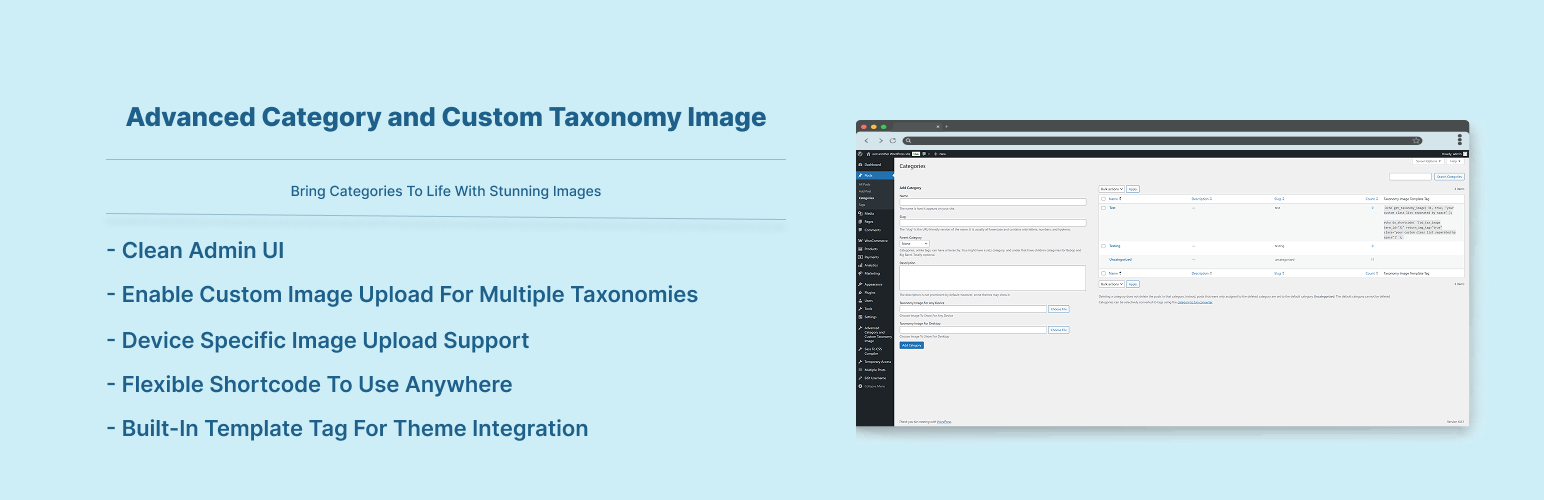
Now its easier to include category / custom taxonomy image with this plugin for different platforms. No need to overload mobile bandwidth with high pixel image size. You can now select different image for different devices. Upload Different Image For Different Devices ex: Mobile, Tablet, Desktop, iOS, Android, Windows Phone.
Built-in Template Tag To Use Anywhere You Want In Your Theme : get_taxonomy_image( $term_id, $return_img_tag, $class );

Documentation

$taxonomy_img = get_taxonomy_image( int $term_id = get_queried_object()->term_id , boolean $return_img_tag = false , string $class = '' );

get taxonomy image url if $return_html = true then return  tag

Parameters :
$term_id
(int) (Required) Taxonomy ID of the term.

$return_img_tag
(boolean) (Optional) Formatted Image with  tag for the field during output.

$class
(string) (Optional) A space separated string of CSS classes to add to the  tag. classes ex: "your custom class list separated by space" but $return_img_tag should be true to add image class.

echo $taxonomy_img; // taxonomy image url

where $term_id is ‘category / term id’

Shortcode : use the shortcode anywhere to get taxonomy image. If you don’t provide “term_id” value then it will be current queried page taxonomy automatically.

echo do_shortcode( '[ad_tax_image term_id="" return_img_tag="true" class="your custom class list seperated by space"]' ); // keep term_id empty if you want to show current visited taxonomy archive image.

Features

  • Option To Enable Custom Image Upload for different taxonomies
  • Option To Enable Custom Image Upload for different devices
  • Very simple to use & WP Default Media Uploaded to upload image
  • Built-in Template Tag to use in your theme template
  • Shortcode to use anywhere.
  1. Go to WordPress plugin page
  2. Click Add New & Upload Plugin
  3. Drag / Click upload the plugin zip file
  4. The resulting installation screen will list the installation as successful or note any problems during the install.
    If successful, click Activate Plugin to activate it, or Return to Plugin Installer for further actions.
  5. Go to your Dashboard -> Settings -> Advanced Category & Taxonomy Image.
  6. There You Will Find Fields To Enable Taxonomy & Device Filters.
  7. After Enabling Go To Your Taxonomy Add/Edit Page To Upload Image

سوالات متداول

  1. How can i use the image i uploaded?
    Get Your Taxonomy tag_ID and use get_taxonomy_image( $term_id ) to get the image url and use it in your theme’s template area where you want to show it. (Note : In the taxonomy list there you will find already created template tag to use see screenshot 3)
اسکرین‌شات 1 از Advanced Category and Custom Taxonomy Image
اسکرین‌شات 1
اسکرین‌شات 2 از Advanced Category and Custom Taxonomy Image
اسکرین‌شات 2
اسکرین‌شات 3 از Advanced Category and Custom Taxonomy Image
اسکرین‌شات 3
اسکرین‌شات 4 از Advanced Category and Custom Taxonomy Image
اسکرین‌شات 4
×
❮
❯
نظری برای این آیتم موجود نیست.
0 0 رای ها
امتیازدهی
اشتراک در
وارد شدن
اطلاع از
0 نظرات
قدیمی‌ترین
تازه‌ترین بیشترین رأی
نسخه حجم فایل SHA256 تغییرات دانلود
2.0.9 122 کیلوبایت -
دانلود برای دانلود باید وارد سایت شوید
ورود / ثبت نام

عنوان

×
★★★★★
★★★★★
5.0 /5 (5 نظر)

قیمت:

رایگان

نگارش

2.0.9

آخرین انتشار

14 اردیبهشت 1405

آخرین بروزرسانی

4 ماه پیش

نصب های فعال

1,000+

نگارش وردپرس

وردپرس 5.6+

تست شده از نسخه

وردپرس 6.9.4

نگارش PHP

PHP 8.0+

تگ ها

category-image category-logo featured-image taxonomy-image term-image

نسخه ها

1 نسخه

نیاز به پشتیبانی دارید ؟

کارشناسان ما آماده پاسخگویی هستند

افزونه های مرتبط

Cache by Folium

★★★★☆ 84.0/۱۰۰

(10 امتیاز)

Fast, easy to use cache for WordPress with option for up-to 3 separate CDN’s – for js, css & images from 3 providers. Added

  • jody nesbitt
  • 200+
  • وردپرس 7.0

Dienstplan

Dienstplan is a self-hosted shift and duty roster planner for WordPress. It is built for organisations that run on volunteers — fire departments, emergency

  • Alexander Nusselt
  • وردپرس 7.0

Cashu For WooCommerce

A secure Cashu payment gateway for your WooCommerce store. This plugin adds a checkout that accepts Lightning or Cashu ecash, paying out to your

  • Rob Woodgate
  • وردپرس 7.0

Quote & Cut

Quote & Cut connects WooCommerce to the Quote & Cut cloud service for laser-cutting and sheet-optimization workflows. With this plugin you can: Accept DXF

  • quoteandcut
  • وردپرس 7.0

Simple Stopwatch Easy to Use

Simple Stopwatch Easy to Use lets you embed a fully functional stopwatch anywhere on your WordPress site using a simple shortcode. Features: Start, Stop,

  • Ajay K
  • وردپرس 6.7.5

RoidNet URL Shortener and Link Tracker

A lightweight, secure, and self-hosted solution to shorten URLs, track link clicks, and generate WhatsApp chat links. RoidNet URL Shortener and Link Tracker is

  • RoidNet
  • وردپرس 7.0
دسترسی سریع
  • افزونه ها
  • قالب ها
  • دانلود وردپرس
راهنما
  • نحوه دانلود
  • پشتیبانی
  • درباره ما
قوانین
  • قوانین و مقررات
منابع
  • ابر فرتاک
  • wordpress.org

© تمامی حقوق محفوظ است. طراحی با ❤️ توسط ابر فرتاک

Eaparat Ebale Telegram Instagram
wpDiscuz




