
Advanced Cron Manager – debug & control

Advanced Cron Manager – debug & control

توسط

Take full control of your WordPress cron system. Advanced Cron Manager gives you complete visibility into every scheduled task running on your site — so you can find problems, fix them, and keep your site running smoothly.

WordPress relies on WP-Cron for critical background tasks: sending emails, publishing scheduled posts, running backups, syncing data, and more. But by default, you have zero visibility into what’s happening. Events fail silently, schedules pile up, and debugging is guesswork. Advanced Cron Manager changes that.

What you can do with the free version:

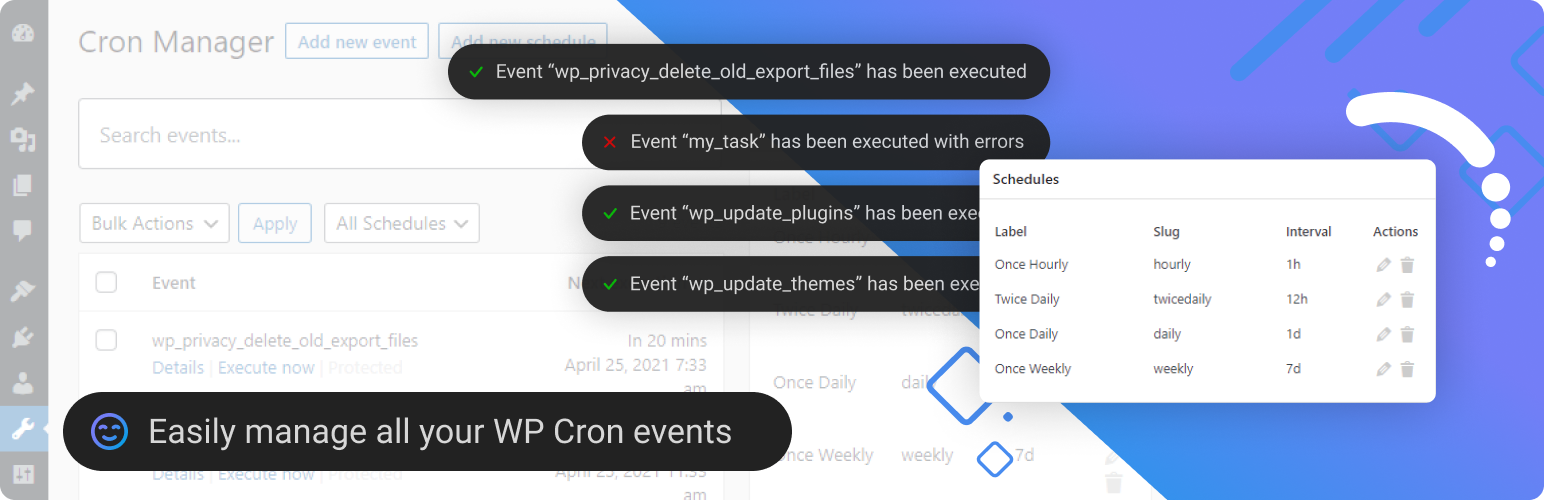
  • See every scheduled event — view all registered cron events with their hooks, arguments, schedules, and next execution times, all in one clean dashboard
  • Search and filter — quickly find the event you’re looking for, even on sites with hundreds of cron jobs
  • Run events manually — trigger any cron event on demand to test it or force an immediate execution
  • Pause and resume events — temporarily disable events without losing their configuration, perfect for troubleshooting
  • Add and remove events — create new cron events or unschedule ones you no longer need
  • Copy-paste PHP implementation — get ready-to-use code snippets for each event’s action hook and callback
  • Bulk actions — manage multiple events at once: remove, pause, or unpause in batch
  • Manage schedules — view, add, edit, and remove custom cron schedules (intervals)
  • Server Scheduler — disable WP-Cron’s default page-load triggering and get instructions for setting up a real server cron job for more reliable execution

Advanced Cron Manager PRO

The free version shows you what’s scheduled. PRO shows you what actually happened.

Without logging and diagnostics, cron issues are invisible until something breaks. PRO gives you the tools to monitor, debug, and optimize every cron job on your site.

  • Cron Logger — full execution history with timestamps and status for every event. Know exactly what ran, when it ran, and whether it succeeded or failed.
  • Performance Stats — execution time and peak memory usage tracked per event. Spot slow or resource-heavy cron jobs before they become a problem.
  • Error Catcher — automatically catches fatal errors thrown by cron callbacks and displays them in the log. No more silent failures.
  • Debug Tool — log custom data from inside your cron callbacks using do_action('advanced-cron-manager/log'). Get full visibility into what your code is doing during cron execution.
  • Event Rescheduling — change the next execution date and schedule of any event. Shift heavy tasks away from peak hours to balance server load.
  • Event Listeners — see every function and method hooked into each cron event. Understand exactly what code runs behind each hook.
  • Advanced Scheduling (Schyntax) — go beyond simple intervals. Schedule events for specific times like noon on the last day of the month, only on weekdays, every Tuesday and Friday, and more.

14-day money-back guarantee — no risk, no questions asked.

Get Advanced Cron Manager PRO

Good to know about WP-Cron

WordPress Cron is triggered by page visits, which means scheduled tasks may not run exactly on time on low-traffic sites. For precise timing, use the Server Scheduler feature to set up a real system cron job. Note: custom schedules added by this plugin are only available while the plugin is active. Events you create will continue to exist after deactivation.

Custom Development

BracketSpace — the company behind this plugin — provides custom WordPress plugin development services. We can build any custom plugin for you.

Download and install this plugin from Plugins -> Add New admin screen.

Plugin’s page sits under Tools menu item.

سوالات متداول

Tasks and schedules will be still working after plugin deactivation/removal?

Tasks yes. Schedules no.

How does the pausing/unpausing work

When you pause an event it’s really unscheduled and stored in the wp_option. If you unpause it, it will be rescheduled. All paused events are rescheduled on plugin uninstall.

What is the Event hook?

It’s used for action. For example if your hook is hook_name you’ll need to add in PHP:
add_action( ‘hook_name’, ‘function_name’ )

Does this plugin allow to add PHP to events like in WP Crontrol plugin?

No. This is not safe. You can, however, copy the sample implementation and paste it into your own plugin or theme’s function.php file.

Can this plugin block WP Cron and help hooking it into Server Cron like WP-Cron Control plugin?

Yes, but WP-Cron Control is quite old and it’s tactics is not needed anymore. Advanced Cron Manager can disable spawning WP Cron on site visit and will give you useful information about added Server Cron task.

Can you create a plugin for me?

Yes! We’re offering a custom plugin development services. Feel free to contact us to find out how we can help you.

How does Advanced Cron Manager compare to WP Crontrol?

WP Crontrol is a popular and well-maintained plugin — it’s a solid choice for basic cron management. Both plugins let you view, edit, add, remove, pause, and manually run cron events, as well as manage custom schedules.

Where Advanced Cron Manager stands out in the free version: you get copy-paste PHP implementation snippets for every event’s action hook and callback, plus bulk actions to manage multiple events at once.

The biggest difference is in the PRO upgrade. Advanced Cron Manager PRO adds cron execution logging, per-event performance stats, automatic error catching, and a debug tool for logging custom data from inside your callbacks. These diagnostic features are not available in WP Crontrol.

Switching between the two is seamless — both plugins read from the same underlying WP-Cron system, so there’s nothing to migrate. You can install Advanced Cron Manager and immediately see all your existing events and schedules.

What about Action Scheduler? Do I need both?

Action Scheduler and Advanced Cron Manager solve different problems. Action Scheduler is a background job queue designed for processing large batches of tasks — it’s used by WooCommerce and other plugins to handle things like webhook delivery, subscription payments, and bulk data operations. It has its own database-backed queue separate from WP-Cron.

Advanced Cron Manager focuses on WP-Cron — the built-in WordPress scheduling system that handles recurring tasks like checking for updates, publishing scheduled posts, sending emails, and running backups. If you need visibility into what WP-Cron is doing and tools to debug it, that’s what Advanced Cron Manager is for.

The two plugins complement each other. Action Scheduler manages its own job queue, while Advanced Cron Manager gives you control over WP-Cron events and schedules. Many sites run both without any conflict.

How does Advanced Cron Manager compare to WP Cron Status Checker?

WP Cron Status Checker is a monitoring-only tool — it checks whether WP-Cron is running, logs hook executions, and sends email alerts when something fails. It does not let you view, edit, add, remove, or run cron events.

Advanced Cron Manager is a full management tool. You get a complete dashboard for all your cron events and schedules, with the ability to search, add, edit, remove, pause, and manually run any event. With the PRO version, you also get execution logging, performance stats, and error catching — covering the monitoring side as well.

If you only need a simple health check for WP-Cron, WP Cron Status Checker does the job. If you want both management and diagnostics in one plugin, Advanced Cron Manager (especially with PRO) replaces the need for a separate status checker.

×
نظری برای این آیتم موجود نیست.
0 0 رای ها
امتیازدهی
اشتراک در
اطلاع از
0 نظرات
قدیمی‌ترین
تازه‌ترین بیشترین رأی
هیچ نسخه‌ای برای این آیتم موجود نیست.
★★★★★
★★★★★
4.7 /5 (38 نظر)

قیمت:

رایگان

نگارش

آخرین انتشار

10 اردیبهشت 1405

آخرین بروزرسانی

4 ماه پیش

نصب های فعال

30,000+

نگارش وردپرس

وردپرس 5.0+

تست شده از نسخه

وردپرس 6.9.4

نگارش PHP

PHP 5.3+

نسخه ها

0 نسخه




