
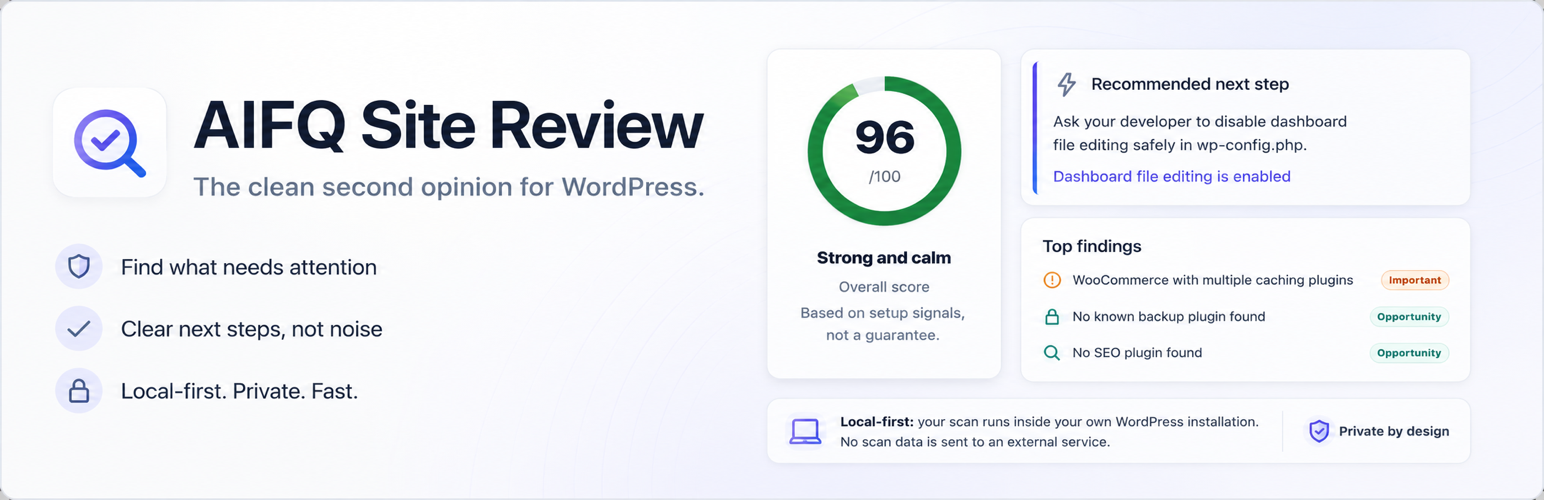
AIFQ Site Review

AIFQ Site Review

توسط

AIFQ Site Review is the clean second opinion for WordPress.

It helps site owners understand what needs attention, why it matters, and who should handle it — the site owner, a developer, or the hosting provider.

AIFQ Site Review is especially useful when a WordPress site has many plugins, Elementor, WooCommerce, caching questions, maintenance pressure or unclear technical responsibility.

Instead of giving you a long technical checklist, AIFQ Site Review focuses on practical clarity:

  • a recommended first or next step
  • clear attention points and improvement opportunities
  • plain-language explanations
  • “Best handled by” labels for each finding
  • a copyable summary
  • a copyable message for your developer or hosting provider

AIFQ Site Review works as a calm layer on top of WordPress Site Health. It does not replace security plugins, caching plugins, SEO plugins, backup solutions, professional maintenance or hosting support.

Use it when you want to understand what is going on and prepare a better question for the right person.

Privacy

AIFQ Site Review is local-first:

  • No external API calls are made by this version.
  • No telemetry or tracking is included.
  • No website visitor data, user account details, WooCommerce customer data, orders or payments are scanned.
  • No passwords, API keys, salts or secrets are scanned.
  • Scan results are stored locally in WordPress options.

Important limits

AIFQ Site Review provides practical indications, not guarantees.

It is not:

  • a full security audit
  • a malware scanner
  • a speed test or PageSpeed tool
  • a speed guarantee
  • an automatic fixer
  • a vulnerability database scanner
  • a replacement for a developer, hosting provider or maintenance provider

AIFQ Site Review helps you understand setup signals and prepare better questions for your developer or hosting provider. It does not provide custom support for fixing individual websites.

Translation status

AIFQ Site Review 1.7.0 is English-first. The plugin shell, Copy Summary, finding titles, recommendations, previews, helper explanation strings and natural issue text are translation-ready.

  1. In your WordPress dashboard, go to Plugins > Add New.
  2. Search for “AIFQ Site Review”.
  3. Click Install Now, then Activate.
  4. Open AIFQ Site Review from the admin menu.
  5. Click Scan website.

Manual installation:
1. Download the plugin ZIP from WordPress.org.
2. Upload it via Plugins > Add New > Upload Plugin, or upload the extracted folder to /wp-content/plugins/.
3. Activate AIFQ Site Review in WordPress.
4. Open AIFQ Site Review from the admin menu and click Scan website.

سوالات متداول

Does AIFQ Site Review send scan data externally?

No. This version runs local checks inside WordPress and does not send scan data to an external service.

Does AIFQ Site Review fix issues automatically?

No. AIFQ Site Review is a clarity and second-opinion tool. It explains signals and next steps, but it does not automatically change your website.

Who is AIFQ Site Review for?

AIFQ Site Review is for WordPress site owners, WooCommerce store owners, freelancers, agencies and hosting/support teams who want a clearer second opinion before making changes or asking for help.

Does AIFQ Site Review provide custom support for my website?

No. AIFQ Site Review helps you understand setup signals and prepare better questions for your developer or hosting provider. It does not provide custom support for fixing individual websites.

What should I do after a scan?

Start with the recommended first or next step. Then use the “Best handled by” label to decide whether the item is best handled by you, your developer, your hosting provider, or both.

Is AIFQ Site Review a security scanner or malware scanner?

No. AIFQ Site Review can show basic security-related setup signals, but it is not a vulnerability scanner, malware scanner, firewall or full security audit.

Is AIFQ Site Review a speed test?

No. AIFQ Site Review does not run live speed tests or replace tools such as PageSpeed Insights, WebPageTest or GTmetrix. It reviews setup signals that can affect maintainability, complexity and performance expectations.

Does AIFQ Site Review guarantee that my site is secure, fast or fully optimized?

No. AIFQ Site Review provides practical indications based on local WordPress data. It does not guarantee security, performance or complete optimization.

Can AIFQ Site Review detect hosting backups, server-side caching or CDN behavior?

Not reliably from inside WordPress. Where those signals are uncertain, AIFQ Site Review should present them as things to verify rather than hard facts.

×
نظری برای این آیتم موجود نیست.
0 0 رای ها
امتیازدهی
اشتراک در
اطلاع از
0 نظرات
قدیمی‌ترین
تازه‌ترین بیشترین رأی
هیچ نسخه‌ای برای این آیتم موجود نیست.
بدون امتیاز

قیمت:

رایگان

نگارش

آخرین انتشار

21 خرداد 1405

آخرین بروزرسانی

2 ماه پیش

نصب های فعال

-

نگارش وردپرس

وردپرس 6.0+

تست شده از نسخه

وردپرس 7.0

نگارش PHP

PHP 8.1+

نسخه ها

0 نسخه




