
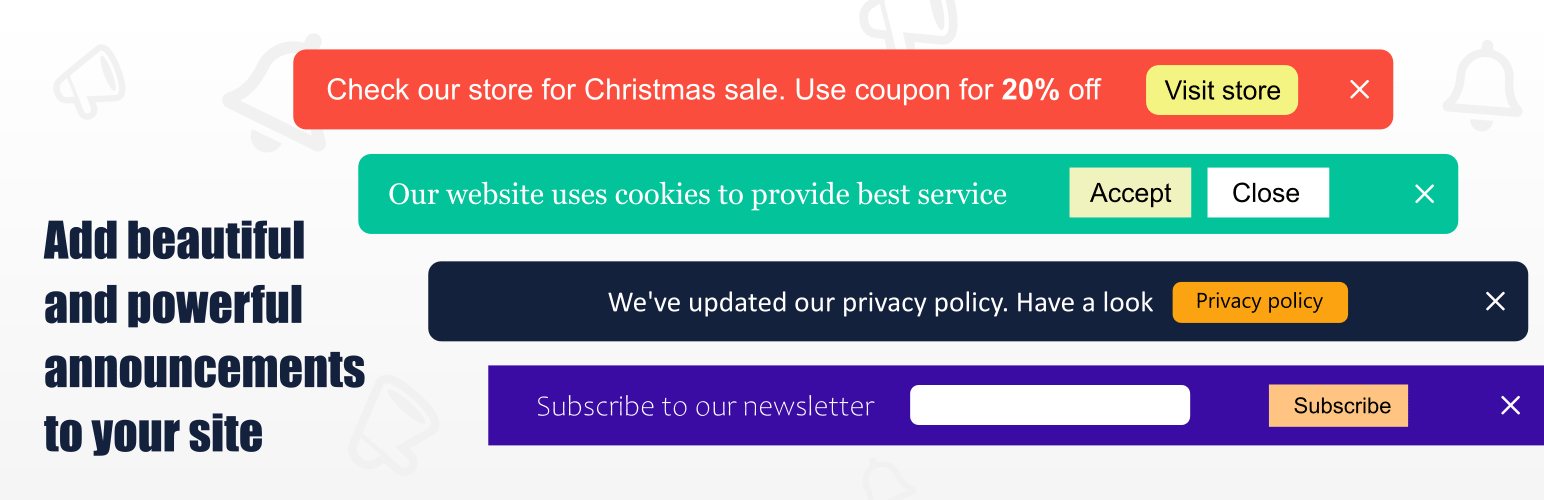

Announcer is the ultimate WordPress notification bar plugin designed to help you display important messages, promotions, cookie notices, and alerts anywhere on your site. Whether you want to welcome new visitors, drive traffic to a seasonal sale, or ensure GDPR compliance with a cookie banner, Announcer makes it incredibly easy.
Built to be lightweight and user-friendly, you can create eye-catching sticky bars that capture attention without slowing down your site. Add powerful Call-To-Action (CTA) buttons, set up customized display rules, and start boosting your user engagement and conversion rates in minutes.
See it in action: View the Live demo of the plugin!
⭐ Why Choose Announcer? (Core Features)
Announcer is packed with market-leading features to give you complete control over your website banners:
- Unlimited Announcements: Create and manage multiple notification bars at the same time.
- Flexible Positioning: Display messages at the top or bottom of your site.
- Smart Stacking: Neatly stack multiple banners if more than one announcement is active on a single page.
- Sticky & Fixed Layouts: Keep your message in view as users scroll, or fix it to the top of the page.
- Advanced Scheduling: Automate your promo bars by scheduling a start and end date/time.
- Call-To-Action (CTA) Buttons: Drive clicks with customizable buttons that can open links or dismiss the banner.
- Horizontal Ticker: Display longer text beautifully with a smooth scrolling news-ticker effect.
- Smart Cookie Control: Allow users to permanently close notices, or set them to re-display after a specific time.
- Rich Content Support: Insert any content into your banner, including images, HTML, or shortcodes from other plugins (like forms).
- Conditional Display Rules: Target specific audiences by showing banners only on certain pages, posts, or categories.
- 100% Mobile Responsive: Designed mobile-first to ensure your announcements look perfect on any screen size.
- Customization Made Easy: Choose from multiple layout options and unlimited color palettes to match your brand.
- Trigger Options: Automatically display banners based on a time delay or user page scroll.
- Smooth Animations: Engage users with sleek open and close transition effects.
- Multilingual Ready: Target announcements based on your WPML translated post language.
- Lightweight & Secure: Clean code that won’t bloat your site, fully GDPR compliant.
🚛 Popular Use Cases & Ideas
You can use the Announcer plugin to create a wide variety of sticky messages, including:
- Promo Bars: Highlight sales, discount coupons, and seasonal offers.
- Compliance: Display a GDPR-friendly cookie consent banner or privacy policy updates.
- Lead Generation: Embed newsletter sign-ups (Mailchimp, WPForms) directly into the banner via shortcodes.
- Alerts & Updates: Share important site-wide notices, business hours.
- Content Promotion: Drive traffic to new blog posts, product launches, or special events.
- Welcome Messages: Greet new visitors with custom introductory notes.
- Social Proof & Feedback: Share quick links, social icons, or ask for customer feedback.
💎 PRO version
Ready to take your announcements to the next level? The PRO version offers advanced marketing tools designed to maximize your conversions and give you pinpoint targeting capabilities:
- Multiple Messages (Ticker/Slider) – Maximize your screen real estate. Add a slider or auto-playing ticker to display multiple messages within a single announcement bar, complete with next/prev navigation.
- Urgency Countdown Timers – Skyrocket your sales! Embed fully customizable countdown timers right into your promo bars to create FOMO (Fear Of Missing Out) for limited-time offers.
- Advanced Animations – Grab instant attention with eye-catching entrance animations for your banners and funky effects for your CTA buttons.
- Smart Visitor Targeting – Show the right message to the right user. Conditionally display banners based on traffic source (referrer), device type, OS, browser, user login status, user role, or even visit count!
- Shortcode Placement – Need a banner inside a specific post? Use shortcodes to place your announcements exactly where you want them, inside pages, posts, or theme templates.
- One-Click Duplicate – Save time by instantly cloning your favorite announcement setups.
Check out the PRO version | View PRO Demo
👋 Feedback & Support
We love hearing from our users! If you run into any issues, have questions, or want to share a feature request, please reach out to us in the Official Support Forum.






