

✨ NEW IMPROVED ATUM v1.9 ✨
💻 NEW ATUM REST API
📖 NEW ATUM’s KNOWLEDGE BASE
💬 FOR ANY QUESTIONS, VISIT OUR OFFICIAL FORUMS
DESCRIPTION
If you have an online store, you need ATUM, the most powerful stock management solution for Woocommerce.
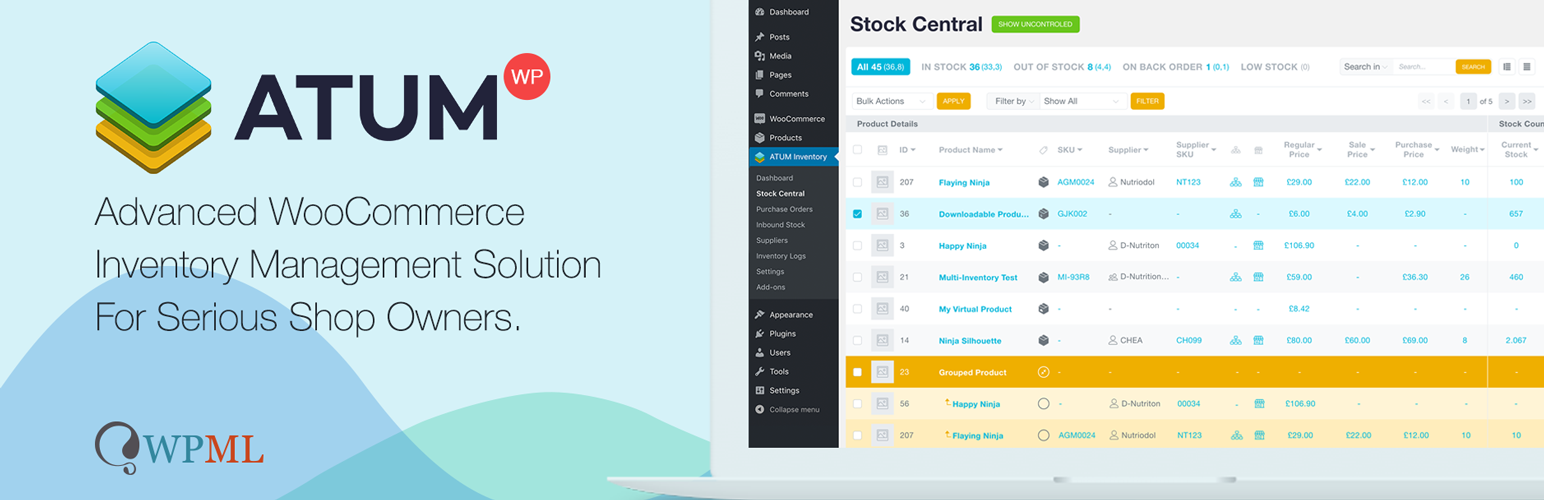
ATUM is now the most advanced FREE WooCommerce inventory management tool in the WordPress plugins repository. Good WooCommerce inventory solution is an absolute must for every serious shop owner. The Dashboard Statistics or the breath-taking Stock Central, the heart of ATUM, gives you the full control of your WooCommerce stock. Get the ability to quickly edit every aspect of your WooCommerce inventory, suppliers, SKUs, locations, weight, or even prices. Beautifully carved into the WordPress interface, the system feels very familiar and user-friendly.
ATUM Dashboard creates an entirely new, and we felt a necessary connection between the creators and users. The dashboard aims to become an everyday screen with a quick link to support, documentation, and most importantly, business stats. We have developed a brand-new widget section that can be personalized from every corner.
Each section of ATUM has an intuitive layout to favor the experience of store owners, facilitating stock management, and contributing to the optimization of time and resources. We understand that shop owners need to focus their efforts on growing their online business, so our aim is to help our clients through our add-ons to get to the top.
Stock Management Labs™, creators that have combined over 25 years of experience in inventory management, working very closely with a bunch of professional WordPress developers since October 2016. The aim is to create the complete WooCommerce solution that will take care of all your business needs.
In addition, in the preparation process for the development stage, we have tested and tried the most popular WooCommerce inventory management and cloud inventory management plugins in the world. With full confidence, we believe that ATUM will become unrivalled in every category.
AVAILABLE FEATURES
Most Advanced FREE WooCommerce Inventory Management – Inventory Statistics (Periodical Sales, Inventory Levels, Lost Sales, Promo Sales), Stock Central with Data Export, Inventory Logs (Reserved Stock, Lost In Post, Customer Returns, Inbound Stock, Warehouse Damages), One Page Updating, Quick Price Changes, Stock Levels Indicators, Suppliers, Purchase Orders, and Premium Add-ons.
- ATUM ground-breaking Stock Control system.
- All WooCommerce products on one screen with a smooth mouse wheel or touchpad scrolling.
- Image thumbnails for easier identification of your WooCommerce Inventory.
- Short product names overview including the products’ ID and SKU. Change SKUs on the fly from one screen. Now with direct edit links.
- Purchase prices are now included with direct edit from the Stock Central page. WooCommerce inventory management was never easier.
- Suppliers column and fully filtered product list by Suppliers name.
- Quickly edit the Product Price and Product Sale Price, including the date ranges of your sales. Now bulk editing is available.
- Change, edit, or update the inventory of every WooCommerce product in your database. Changes immediately reflect the front-end of your site.
- Weekly and Fortnightly Sales, Lost Sales, and Inventory Level Indicators to help you with re-ordering plan.
- Customise the visual appearance of Stock Central with the ability to add or remove any columns according to your business needs.
- Complete “HELP” sections with the detailed explanation of every feature.
- Advanced search with an autofill feature and fine-tuned performance.
- Inventory / Stock filters, new product category filters, extra drop-down filters and new column sorting.
- Intelligent settings for easy inventory/stock management.
- Advanced WooCommerce inventory controlling and monitoring features.
- Faultless approach to all product types, including WooCommerce subscriptions.
- Full support for WooCommerce variable products.
- Bulk product Actions to activate or deactivate WooCommerce stock management at product level.
- Bulk Actions within Stock Central to Control/Uncontrol products in bulk.
- Full inventory PDF export directly from Stock Central.
- Complete WPML compatibility for all WooCommerce inventory.
- Clear, effective, and branded ATUM fields.
- See inventory count totals for selected products.
- Complete location hierarchy tracking.
- URL hash navigation for filters in Stock Central.
- Navigating through filters history with the browser’s back/forward buttons.
- Easy page reload without losing filters.
- Sticky header in Stock Central to stay always in control even when scrolling through hundreds of WooCommerce products.
- WooCommerce business statistics of revenue and product sales. The user can filter the performance per period and choose from three graphical views.
- Widgets for Sales, Lost Sales, Orders, and Promo Sales.
- Stock Control Widget for a better WooCommerce summary of In Stock, Low Stock, and Out of Stock Products.
- Latest News – direct link to our new blog where we discuss functions and new features coming to ATUM.
- Full feed of our YouTube channel and video Tutorials that can be viewed directly in your WP admin.
- Build for unlimited widget additions. Our team will develop widgets for every feature, so the user has the full freedom.
- Inventory logs now allow you to increase or reduce WooCommerce stock.
- Product Locations feature lets you create several storage locations per item.
- Location hierarchy available too – create custom storage places within a location.
- Add Suppliers feature – add new suppliers and save their data for more natural inventory management and ordering.
- Set default and assign users or locations to individual suppliers.
- Pair products with suppliers for quick selling stock re-ordering.
- Set different suppliers to each variation.
- Add decimals to your WooCommerce stock quantities.
Purchase orders with PDF export
- Add Purchase Orders – create purchase orders for your sellable WooCommerce inventory.
- Easy Supplier locking feature – a quick search for products has never been easier.
- Add products to stock when you receive them at storage locations. Be notified if another user has already stocked selected WooCommerce products.
- Purchase Order notes to control the change log of each PO.
- Add Purchase Prices – add individual purchase prices and prepare your shop for monitoring of your gross profits.
- Purchase prices can be attached to the Purchase Orders directly. No need to jump back to product edit.
- Inbound Stock overview – keep an eye on all your inbound WooCommerce products.
- Pending incoming stock reflects in Stock Central.
- Direct Purchase Order editing from the inbound stock page.
Every user may create an account on our website stockmanagementlabs.com. To get the most out of ATUM






