
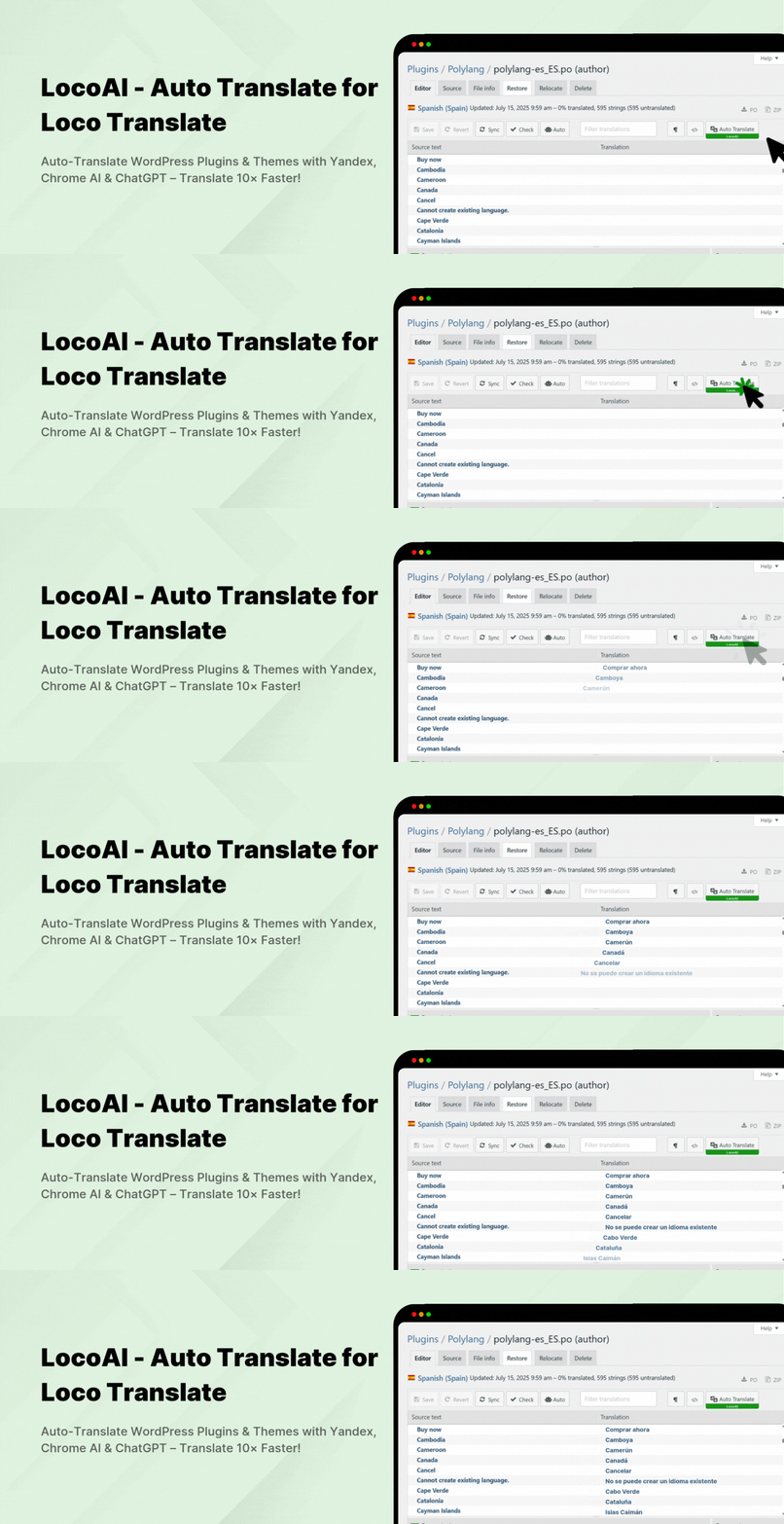

LocoAI – Auto Translate For Loco Translate
LocoAI – Auto Translate For Loco Translate is a WordPress plugin extension that enhances the functionality of the popular Loco Translate plugin by adding automatic translation capabilities using third-party machine translation services like Google Translate, DeepL, ChatGPT, Gemini AI, and Chrome Built-in AI.
Loco Translate is primarily a manual translation tool for translating WordPress themes and plugins from within the WordPress admin. However, it doesn’t include built-in support for automatic translations. That’s where our Automatic Translate Addon comes in.
Key Features
-
AI-powered Translators: Support advanced AI-powered translators like Chrome AI, ChatGPT, and Gemini AI to provide highly accurate, natural, and context-aware translations without any paid API.
-
Machine Translators: Utilize popular machine translation services like Yandex, DeepL to automate the plugin/theme string translation process and deliver fast and reliable bulk translation.
-
Enhanced Accuracy: This addon supports advanced AI-powered and machine translators for improved accuracy and context understanding.
-
One-Click Automatic Translation: Easily translate all translatable strings in any plugin or theme within a single click without any manual input.
-
NO API Key Needed: Translate unlimited characters without needing to configure or pay for any API keys. Just install the addon and start translating instantly.
-
Edit Translations: Refine and improve machine-translated strings directly within Loco Translate’s built-in editor for better accuracy and readability.
“If you spend too much time thinking about a thing, you’ll never get it done. Stop wasting time, complete work smartly & quickly!”
FREE v/s Premium Addon Comparison
Free License
✅ Yandex Translate Widget Support: Available
✅ Unlimited Free Translations: Available (Only via Yandex)
✅ API Key Required: Not Required (Yandex Widget Support)
✅ OpenAI Translator Support: Available
❌ Google Translate Widget Support: Not Available
❌ DeepL Doc Translator Support: Not Available
❌ Premium Support: Not Available
❌ ChatGPT Translation Support: Not Available
❌ Gemini Translation Support: Not Available
Premium License
✅ Chrome Built-in AI Translation Support: Available
✅ ChatGPT Translation Support: Available
✅ Gemini Translation Support: Available
✅ Google Translate Widget Support: Available
✅ Unlimited Free Translations: Available
✅ API Key Required: Not Required
(Chrome Built-in AI, Yandex, OpenAI, Google & DeepL Support)
✅ DeepL Doc Translator Support: Available
(Limited free docs translations/day or purchase DeepL Pro)
✅ Translation Context & Tone (Pro): Improve translation accuracy by adding your business context, tone, and target audience. This helps generate translations that match your brand voice and sound more natural and relevant to your users.
✅ Premium Support: Quick Support
(Support time:- 24-48 hours)
DeepL Doc Translator provides a limited number of free docs translations per day, you can purchase their pro license to increase this limit.
Important Notice: This addon only provides settings to use third-party auto-translation widgets and services(Yandex, Google, DeepL, Gemini, etc.), it does not provide any translation service. So we don’t guarantee 100% correctness, please check all translated text carefully before making it live on your production site. If any auto-translate provider stops providing auto-translation widgets or services in the future, in that case, the plugin will not support that translation provider.
Check out our other advanced Automatic Translate Addons
-
AutoPoly – AI Translation For Polylang duplicates your page or post titles, content, images, galleries, or meta fields, and automatically translates them into the selected language. Whether you’re using Elementor or Gutenberg, this addon makes the translation process easier.
-
AI Translation for TranslatePress is a powerful addon that enhances the functionality of the TranslatePress plugin. This addon uses advanced translation services, like Google Translate, Yandex, and Chrome AI translator, to provide accurate and instant translations for your web pages automatically.
-
Linguator – Multilingual AI Translation is a powerful multilingual plugin that helps you create and manage multilingual content on your WordPress website. Easily translate your posts, pages, menus, and categories into different languages using AI and connect with visitors worldwide.
Use of 3rd Party Services: This plugin connects to the Cool Plugins feedback server only for optional usage data sharing and voluntary feedback submission (for example, during plugin deactivation). Data is transmitted solely after explicit user consent. No hidden tracking is performed, and no frontend visitor or site user data is collected. For more details, please review our Data Usage Policy, TOS, and Privacy Policy.
Special THANKS!
Special thanks to the famous Loco Translate plugin author, Tim Whitlock, for creating an awesome plugin for translations and also thanks to Yandex for providing a translate widget for websites.
All automatic translations are powered by third-party auto-translate providers(Google, Yandex, DeepL, Gemini, ChatGPT, or Chrome built-in AI), so we don’t guarantee 100% correctness. Please check all translated text carefully before making it live on your production site.
Important Links & Information
- Yandex Translate Terms
- Yandex Privacy Policy
- Google Translate Data Usage Policy
- DeepL Privacy Policy
- DeepL Translate Supports 24 languages:- English, German, French, Spanish, Portuguese, Portuguese (Brazilian), Italian, Dutch, Polish, Russian, Japanese, Chinese (simplified), Italian, bulgarian, Czech, Danish, Greek, hungarian, Slovak, Swedish, Norwegian Bokmål, Korean, Turkish & Ukrainian






