
Backuply – Backup, Restore, Migrate and Clone

Backuply – Backup, Restore, Migrate and Clone

توسط

Backuply is a WordPress backup plugin that helps you backup your WordPress website, saving you from loss of data because of server crashes, hacks, dodgy updates, or bad plugins.

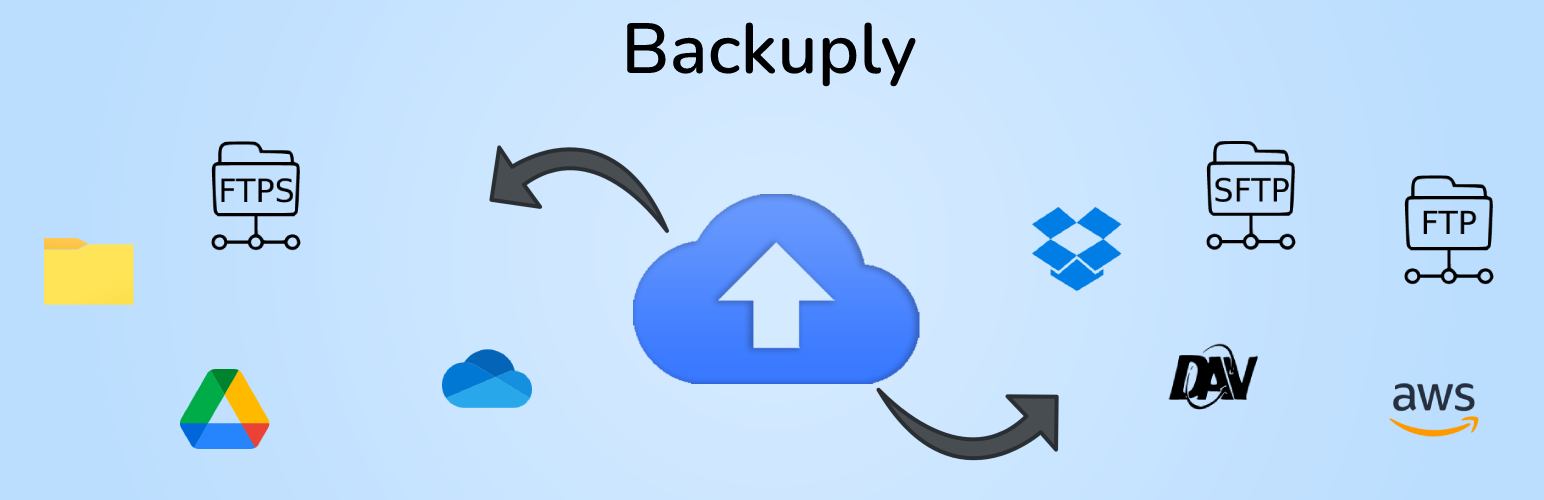
Backuply comes with Local Backups and Secure Cloud backups with easy integrations with FTP, FTPS, SFTP, WebDAV, Google Drive, Microsoft OneDrive, Dropbox, Amazon S3 and easy One-click restoration.

Your website is your asset and it needs to constantly be protected from various security issues, server issues, hacking, etc. While you take all precautionary steps to protect your website, backups are the best form of security. With Backuply, you can be confident that your data is protected and is always available for restore during any disaster. Backuply creates full backups of your website and you can restore it to the same or a new WordPress website with the click of a button.

Our backup and website cloning technology have been in use for more than a decade and we have now ported it to WordPress.

You can find our official documentation at https://backuply.com/docs. We are also active in our community support forums on wordpress.org if you are one of our free users. Our Premium Support Ticket System is at https://softaculous.deskuss.com/open.php?topicId=17

Home Page | Support | Documents

Features

  • Local Backups: Backup your complete website locally on your server with just one click.
  • FTP: Easily backup and restore your backup using FTP.
  • Backup to Google Drive
  • One-Click Restore: Restore your website files and databases with a one-click restore.
  • Migration: Stress-free migration to any domain or host.
  • Database Backups: Backup your website’s database only.

Premium Features

  • Automatic Backups: Choose to back up your website at regular intervals like Daily, Weekly, or Monthly. You can also customize the interval.
  • One-click Restore: With Backuply, restoring your website is simple. Just click on the restore button next to the backup you want to restore from. Your entire backup will be downloaded and the changes will be applied to the website.
  • Selective Backup: You have the option to choose from whether only files or database backups or full backups should be performed.
  • Website Migration: You can easily migrate your website by restoring from one of the Cloud Backup options on the new website.
  • Website Cloning: If you would like to clone your website for any purpose, Backuply can do that for you. Backuply will restore the data but replace the URLs and information as per the existing website. In this way, you can create multiple clones.
  • Backup to FTPS: You can back up your site to an FTPS i.e. FTP over SSL / TLS.
  • Backup to SFTP: Supports the SFTP protocol.
  • Backup to Dropbox
  • Backup to Microsoft One Drive
  • Backup to Amazon S3
  • Backup to WebDAV
  • Backup to S3 Compatible Storages: Added support for DigitalOcean Spaces, Linode Object Storage, Vultr Object Storage, and Cloudflare R2.
  • Support for WP-CLI: You can use Backuply through WP-CLI
  • Professional Support: Get professional support and more features to make backup your website with Backuply

Backups

Backup is a way of copying your data or files to a secure place, which can be used to restore your website in case of data loss. Backups are vital in securing the data that you have published or written. Backups with Backuply are easy and secure with support for multiple options of storage like local storage using FTP or using third-party services like Google Drive, Dropbox, Microsoft OneDrive, AWS S3 and WebDAV.
To make it even easier we support Automatic Backups with a customizable backup schedule.

Restores

Restoring is just a One-Click process using Backuply. If the selected backup is available then Backuply will restore your backups safely. Restoring a backup will roll back your site in the exact same state as it was when the backup was created.

Migration

Backuply creates a tar file of your whole WordPress install with the Database, so you can migrate your site to any host or location where WordPress can be installed. All you need to do is create a Backup of your WordPress install on a remote location, and that’s it, It can be synced on any WordPress install with ease so you just need to restore the synced backup on the new location for Migration to happen.

How to install Backuply

Go To your WordPress install -> Plugins -> Add New Button -> In Search Box search For Backuply -> Click on Install.

راهنمای نصب برای این آیتم موجود نیست.

سوالات متداول

Do you have questions related to Backuply? Use the following links :

  1. Docs
  2. Help Desk
  3. Support Forum
×

نظرات کاربران

5/5
★★★★★

ONLY backup plugin that worked

By marketingandcreative on April 2, 2026

I tried 6 different backup plugins. This is the only one that worked. I've used it twice with no issues. I recommend!

GREAT

By jsanchezbaqa on March 12, 2026

This is a great tool to have. One nice feature is the notification to remind you to backup your website!

Doesn't work - hangs at 65% on small site

By geldner on January 18, 2026

Sorry guys but this plugin just doesn't work for me. I have not been able to create a backup. The process hangs at 65% even with a small site like mine. I've let it run for 1 hour and had to kill the process.

Excellent!

By thisdawn10 on January 9, 2026

Keep it up!

Works well, excellent support

By Nigel Harpur (nigelharpur) on December 24, 2025

Been running this for over a year now and it has been very solid and reliable. I had one non critical issue arise in this time (to do with deleting old backups) and the support was really excellent. They were so prompt and diligent in getting it fixed and kept me well informed.

I self host and every server/installation has its differences. They were able to add my 'wrinkle' to their fix list for the next update, so anyone else with the aforementioned wrinkle will not see the issue arise.

When you factor in that I am only on the free tier as well, the level of help and support I received is truly outstanding. Definitely would recommend.

Prático e funcional

By vortic on November 21, 2025

Me surpreendeu na praticidade

One of the Best Plugins Ever

By agreenwo on November 16, 2025

I use Backuply to backup my WordPress site every time I change anything big or small. I use Backuply to load the backup of my WordPress site into a test site so I am working on an exact copy when I develop and test things. It takes care of creation a new database, moving images etc. If you take the time to make and keep your backups current you golden if something goes south on your website.

The Backup doesn't even start

By Shawn (kboyjoon) on October 22, 2025

The backup doesn't even start. Stuck at 0%. I tired other backup plugins, they all worked kinda. I thought use Backuply since it was made by a reputable company but it failed me instantly lol.

Do not waste your time it doesn't work at all.

Backup process hung

By amitkgupta on September 26, 2025

The backup hung for a few hours,

Reliable and Simple Backup Solution

By RaeShantael on September 22, 2025

I use this plugin for backing up my WordPress sites and it’s been solid. The interface is straightforward, backups run without issue, and it gives me peace of mind knowing I can restore if something ever goes wrong. Definitely worth 5 stars.

0 0 رای ها
امتیازدهی
اشتراک در
اطلاع از
0 نظرات
قدیمی‌ترین
تازه‌ترین بیشترین رأی
نسخه حجم فایل SHA256 تغییرات دانلود
1.5.2 696 کیلوبایت
دانلود
1.5.1 694 کیلوبایت -
دانلود
1.5.1 694 کیلوبایت -
دانلود
1.5.0 694 کیلوبایت -
دانلود
1.3.9 687 کیلوبایت -
دانلود
1.0.9 583 کیلوبایت -
دانلود
1.3.9 687 کیلوبایت -
دانلود
1.3.7 687 کیلوبایت -
دانلود
1.4.0 687 کیلوبایت -
دانلود
1.4.0 687 کیلوبایت -
دانلود
1.4.1 688 کیلوبایت -
دانلود
1.4.2 689 کیلوبایت -
دانلود
1.4.2 689 کیلوبایت -
دانلود
1.4.3 689 کیلوبایت -
دانلود
1.4.3 689 کیلوبایت -
دانلود
1.4.4 690 کیلوبایت -
دانلود
1.4.5 690 کیلوبایت -
دانلود
1.4.5 690 کیلوبایت -
دانلود
1.4.6 691 کیلوبایت -
دانلود
1.4.7 692 کیلوبایت -
دانلود
1.4.8 693 کیلوبایت -
دانلود
1.4.8 693 کیلوبایت -
دانلود
1.4.9 694 کیلوبایت -
دانلود
1.4.9 694 کیلوبایت -
دانلود
1.3.6 687 کیلوبایت -
دانلود
1.1.1 585 کیلوبایت -
دانلود
1.1.2 586 کیلوبایت -
دانلود
1.1.0 585 کیلوبایت -
دانلود
1.1.0 585 کیلوبایت -
دانلود
1.1.2 586 کیلوبایت -
دانلود
1.1.3 619 کیلوبایت -
دانلود
1.1.4 619 کیلوبایت -
دانلود
1.1.4 619 کیلوبایت -
دانلود
1.1.6 619 کیلوبایت -
دانلود
1.1.8 620 کیلوبایت -
دانلود
1.2.1 674 کیلوبایت -
دانلود
1.2.1 674 کیلوبایت -
دانلود
1.2.2 674 کیلوبایت -
دانلود
1.2.2 674 کیلوبایت -
دانلود
1.2.6 1 مگابایت -
دانلود
1.2.6 1 مگابایت -
دانلود
1.3.4 686 کیلوبایت -
دانلود
1.3.4 686 کیلوبایت -
دانلود
1.3.5 687 کیلوبایت -
دانلود
1.3.5 687 کیلوبایت -
دانلود
1.3.8 687 کیلوبایت -
دانلود
×
★★★★★
★★★★★
4.5 /5 (129 نظر)

قیمت:

رایگان

نگارش

1.5.2

آخرین انتشار

6 اردیبهشت 1405

آخرین بروزرسانی

4 ماه پیش

نصب های فعال

700,000+

نگارش وردپرس

وردپرس 4.7+

تست شده از نسخه

وردپرس 6.9.4

نگارش PHP

PHP 5.5+

نسخه ها

48 نسخه




