
Block Plugin Update

Block Plugin Update

توسط

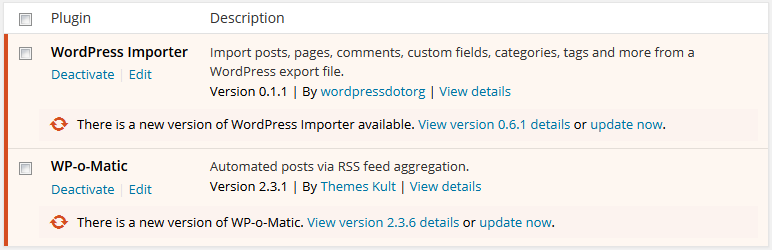
This Plugin blocks updates from a specific plugin.

You can select the plugins you want to block for updates from Block Plugin Update under Settings or tick them all to remove all plugin updates.

If you still any problem visit our support forum or you can write to us directly using our contact form.

Plugin you may like
* Use Any Font
* WP Armour Anti Spam Plugin
* jQuery Validation for Gravity Forms
* jQuery Validation For Contact Form 7
* Any Mobile Theme Switcher
* Featured Image In RSS Feed
* Add Tags And Category To Page


  1. Search Block Plugin Updates and click on Install.
  2. Activate the plugin through the ‘Plugins’ menu in WordPress.
  3. Tick the plugins to block updates from Block Plugin Update under Settings

سوالات متداول

After I save the plugin settings, all updates are gone.

You need to logout and login to get the proper effect.

×
نظری برای این آیتم موجود نیست.
0 0 رای ها
امتیازدهی
اشتراک در
اطلاع از
0 نظرات
قدیمی‌ترین
تازه‌ترین بیشترین رأی
نسخه حجم فایل SHA256 تغییرات دانلود
3.3.2 136 کیلوبایت -
دانلود
×
★★★★★
★★★★★
4.4 /5 (19 نظر)

قیمت:

رایگان

نگارش

3.3.2

آخرین انتشار

11 اردیبهشت 1405

آخرین بروزرسانی

4 ماه پیش

نصب های فعال

6,000+

نگارش وردپرس

وردپرس 3.0+

تست شده از نسخه

وردپرس 6.7.5

نگارش PHP

-

نسخه ها

1 نسخه



