
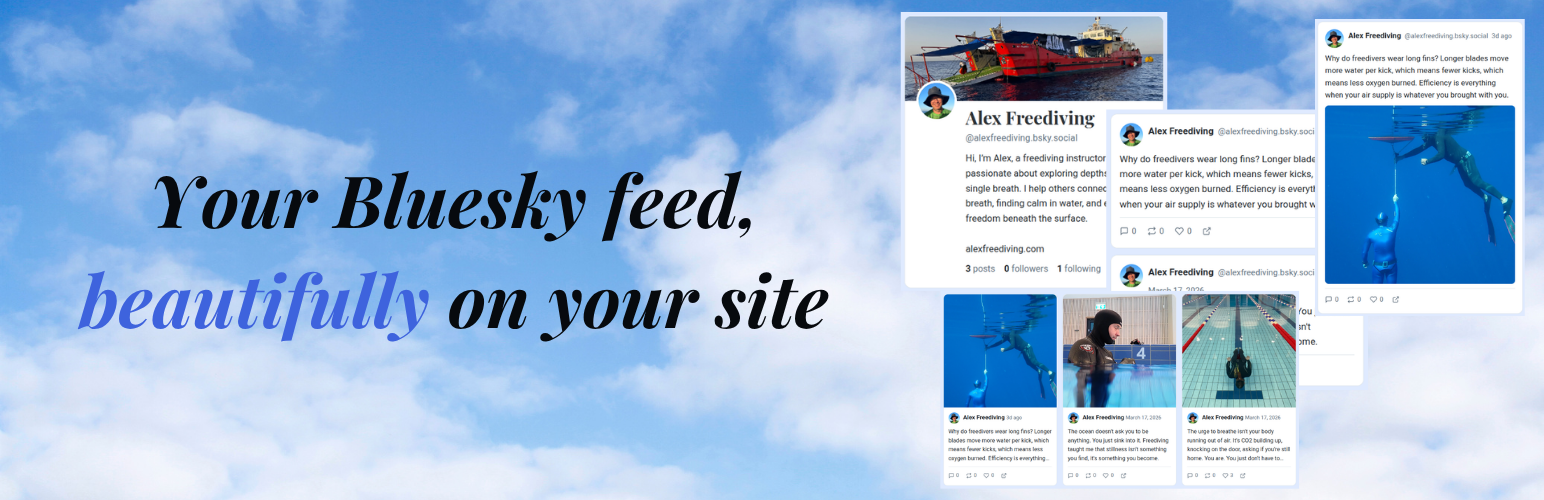

BlueFeed lets you embed your Bluesky feed anywhere on your WordPress site using the [bluefeed] shortcode. Choose from four beautiful layouts:
- Classic – A familiar social-media timeline look
- Cards – A responsive card grid, great for visual content
- Compact – A minimal, space-efficient list view
- Images – An image grid, square image grid showing only posts with images, with hover overlays for likes and comments
Features
- 4 layout styles (classic, cards, compact, images)
- Gutenberg block with live preview and full settings panel
- Configurable column count for grid layouts
- Profile header with avatar, banner, bio, and stats
- Clickable links and @mentions auto-linked
- Follow button linking to the Bluesky profile
- Color customization via admin settings or per-shortcode attributes
- Automatic caching with configurable duration for fast page loads
- Stale-cache fallback. Serves cached content if the API is temporarily unreachable
- Test Connection button in admin to diagnose API connectivity
- Compatible with page builders (Breakdance, Elementor, Beaver Builder, etc.)
- Responsive design for all screen sizes
- Translation-ready
- Works with the public Bluesky API. No authentication required
Shortcode Examples
[bluefeed]
[bluefeed layout="images" columns="4" count="12"]
[bluefeed layout="compact" count="5" show_header="false"]
[bluefeed handle="other.bsky.social" layout="classic"]
Shortcode Parameters
Layout & Display:
layout– classic, cards, compact, or images (default: classic)count– Number of posts (default: 9, max 100)handle– Override the Bluesky handle from settingscolumns– Grid columns for images/cards (default: 3)gap– Space between posts/cards in pixels (default: auto per layout)border_radius– Corner rounding in pixels (default: 12, use 0 for square)border_width– Border thickness in pixels (default: 1, images layout defaults to 0)show_header– Show profile header: true/false (default: true)show_replies– Include replies in the feed: true/false (default: false)show_images– Show images in classic/cards layouts: true/false (default: false)show_follow– Show follow button: true/false (default: true)show_caption– Show post caption on hover in images layout: true/false (default: false)show_avatar– Show post author avatar: true/false (default: true)show_name– Show post author display name: true/false (default: true)show_handle– Show post author @handle: true/false (default: true)show_time– Show post timestamp: true/false (default: true)show_stats– Show stats bar (replies, reposts, likes) on all layouts including images overlay: true/false (default: true)
Color Overrides (hex values, e.g. #ffffff):
card_bg,placeholder_bg,post_text,meta_text,card_borderlink_color,link_hover,row_hover_bg,header_namefollow_text,follow_bg,follow_border,follow_hover_text,follow_hover_bg
External services
This plugin connects to the Bluesky public API to retrieve and display Bluesky social media content on your WordPress site. It is required for all plugin functionality. Without it, no feed or profile data can be displayed.
What data is sent and when
- Profile requests – When a page containing the
[bluefeed]shortcode is loaded, the plugin sends the configured Bluesky handle to the endpointhttps://public.api.bsky.app/xrpc/app.bsky.actor.getProfileto retrieve the user’s profile information (display name, avatar, banner, bio, and follower/following/post counts). - Feed requests – On the same page load, the plugin sends the Bluesky handle along with display parameters (post count, filter type) to the endpoint
https://public.api.bsky.app/xrpc/app.bsky.feed.getAuthorFeedto retrieve the user’s posts.
No visitor personal data, cookies, or tracking information is sent to the API. Responses are cached locally on your server (default 15 minutes, configurable) to reduce the number of external requests.
Service provider
This service is provided by Bluesky PBC (bsky.app).




