
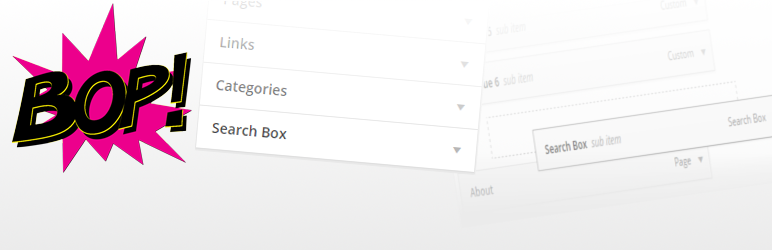
Bop Search Box Item Type For Nav Menus

Bop Search Box Item Type For Nav Menus

توسط

Adds search box as a choice of item in navigation menus admin area.

Features include:

  • now compatible with the WordPress appearance customizer,
  • search box available as a choice in the admin area for navigation menus,
  • as many boxes can be added to a nav menu as one likes,
  • search boxes can be added as children of other menu items (useful for, e.g., mega-menus),
  • capacity to change button text, placeholder and css classes from the admin area to each search box,
  • hooks to modify output (see FAQ and/or code comments),
  • very lightweight,
  • in keeping styles, html, behaviour, etc., with wordpress defaults,
  • works straight out of the box, no configuration needed.

Those wanting to translate this plugin, please do.

I believe the plugin is in a translatable state and I’ll do everything I can to help in translation. It should be relatively quick as there isn’t much text to the plugin.

Simply install and search box should appear as an option in the Appearance > Menus section of the admin area upon activation. No configuration needed.

If it fails to appear, open the screen options tab in your Menus admin page and check Search Box.

N.B. The search box may not appear stylistically as desired in your menu. This would be because of a conflict between display of the search form and the display of the menu in the theme you are using. This plugin does not assume anything of your theme, nor try to impose anything upon your theme (i.e. no added frontend CSS or JS). It only provides the functionality as stated.

For assistance in how you can change/fix the outputted design, see this support post.

For suggestions on designs, see this codepen collection. Thanks to (Das)[https://wordpress.org/support/profile/adwaitatechnologies].

سوالات متداول

Installation Instructions

Simply install and search box should appear as an option in the Appearance > Menus section of the admin area upon activation. No configuration needed.

If it fails to appear, open the screen options tab in your Menus admin page and check Search Box.

N.B. The search box may not appear stylistically as desired in your menu. This would be because of a conflict between display of the search form and the display of the menu in the theme you are using. This plugin does not assume anything of your theme, nor try to impose anything upon your theme (i.e. no added frontend CSS or JS). It only provides the functionality as stated.

For assistance in how you can change/fix the outputted design, see this support post.

For suggestions on designs, see this codepen collection. Thanks to (Das)[https://wordpress.org/support/profile/adwaitatechnologies].

Q: The items are behaving weirdly in the WordPress appearance customizer?

A: The customizer is still in active development, especially for menus, at the time of writing this and any odd behaviour is likely because of that. Nonetheless, if you do experience any issues, let me know on the support forum. I still recommend using Appearance > Menus

Q: The search box menu items are being called custom links in the editor?

A: This is a known issue with the customizer (at the time of writing). Ignore it, they still work just fine.

Q: This plugin is causing my site to fail an HTML validator. Why is that?

A: It is not this plugin but WordPress itself that is causing this issue. When using more than one WordPress HTML4 search form, there is a conflict as id attributes are repeated in the same document (not allowed in HTML). The only solutions to this are to only use one search form per page, or add support for HTML5 search forms to your theme. I advise the latter, see here to find out how this is done.

Alternatively,

A: There is an issue with your theme’s nav walker class. Probably worth getting another theme/if it’s yours, fixing it.

Q: I’d like a placeholder in my search input field, how would I go about this?

A: This is set via the Attribute Title field in the menu item editor in the admin area. However, if your theme doesn’t support html5 search forms, this won’t work. See here for a support post on how to enable HTML5 support. Note that there are a few id and class changes when going to HTML5 and that if your theme’s css/js uses the old ones, you made need to make a few small fixes.

Q: Annoying html class change in version 1.4.0?

A: This has been rectified, but depending on when you downloaded v1.4.0, it may be incorrect on your system.

See this support question for more info and a fix: https://wordpress.org/support/topic/please-dont-modify-prev-used-classes-in-the-plugin-it-breaks-developed-theme

Q: How do I modify the output of the search box?

A: There are a number of filters available for the output of the search box and they are written about below. The most comprehensive method is to use the filter hook get_nav_search_box_form and return the html you want to see. For example:

add_filter( 'get_nav_search_box_form', function( $current_form, $item, $depth, $args ){
  $new_form = '...my_html...';
  return $new_form;
}, 10, 4 );

Keep in mind that this is being accessed as part of a walk and that $item, $depth and $args are the same as in Walker_Nav_Menu::start_el(). Try to use some of the features demonstrated in the code there.

Q: How do I hide/remove the search submit button (i.e. use enter key to submit only)?

A: The filter hook bop_nav_search_show_submit_button will do the job of removing. Use:

add_filter( 'bop_nav_search_show_submit_button', function( $bool, $item, $depth, $args ){
  $bool = false;
  return $bool;
}, 10, 4 );

in your theme’s functions.php file – or other similarly suitable php file.
If you wish to strictly hide the button (i.e. keep outputting html but have it invisible), use

.bop-nav-search input[type="submit"]{
  display: none;
}

in your theme’s style.css – or other similarly suitable css file. Note that bop-nav-search is the default class applied list item, so if it’s changed, the style rule will need changing accordingly.

Q: How do I hide/change/remove the screen reader text (i.e. the possibly invisible text before the input box)?

A: The filter hook bop_nav_search_screen_reader_text will do the job of removing or changing the text. Use:

add_filter( 'bop_nav_search_screen_reader_text', function( $text, $item, $depth, $args ){
  $text = ''; //for nothing
  $text = __( '<span class="screen-reader-text">The text you want</span>', 'myslug' ); //to change - the __() is for theme translation
  return $text;
}, 10, 4 );

in your theme’s functions.php file – or other similarly suitable php file.
The output should be hidden in a well written theme as it has screen-reader-text class. However, if this is not the case, you may well wish to add

.bop-nav-search .screen-reader-text {
    clip: rect(1px, 1px, 1px, 1px);
    height: 1px;
    overflow: hidden;
    position: absolute !important;
    width: 1px;
}

or simply,

.screen-reader-text {
    clip: rect(1px, 1px, 1px, 1px);
    height: 1px;
    overflow: hidden;
    position: absolute !important;
    width: 1px;
}

in your theme’s style.css – or other similarly suitable css file. Note that bop-nav-search is the default class applied list item, so if it’s changed, the style rule will need changing accordingly. Also note that, as per WP defaults, the default output for this filter is different depending on whether your theme supports html5.

Q: Why isn’t Search Box appearing as a possible item for menus?

A: It is most likely that you have it turned off in the Screen Options tab on your Menus admin page.

Q: Why can’t I modify certain fields for my Search Box menu item, e.g., css classes?

A: It is most likely that you have it turned off in the Screen Options tab on your Menus admin page.

Q: I’m experiencing conflicts between this plugin and my caching plugin, what should I do?

A: Your caching plugin is likely being naughty by misusing WP Object Cache. Many of these plugins allow you to turn this on or off; I recommend off. However, you are also likely using an older version of this (BSBITFNM) plugin and you should update. Versions 1.3.1 and above no longer use WP Object Cache and should fix the conflict.

×
نظری برای این آیتم موجود نیست.
0 0 رای ها
امتیازدهی
اشتراک در
اطلاع از
0 نظرات
قدیمی‌ترین
تازه‌ترین بیشترین رأی
نسخه حجم فایل SHA256 تغییرات دانلود
1.6.0 15 کیلوبایت -
دانلود
×
★★★★★
★★★★★
4.7 /5 (23 نظر)

قیمت:

رایگان

نگارش

1.6.0

آخرین انتشار

14 اردیبهشت 1405

آخرین بروزرسانی

4 ماه پیش

نصب های فعال

1,000+

نگارش وردپرس

وردپرس 3.4+

تست شده از نسخه

وردپرس 4.8.28

نگارش PHP

-

نسخه ها

1 نسخه




