
Canvas Image Resize

Canvas Image Resize

توسط

If you host your site in a poor environment, WordPress may fail uploading large images as the process of creating the different sizes and thumbnails takes a large amount of CPU usage.

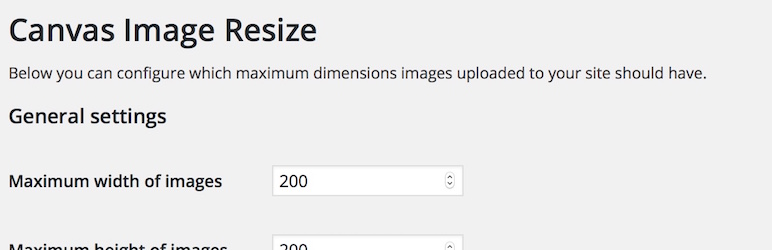
With this Plugin the images are simply resized to a maximum dimension (of for example 1600 x 1600 pixels) right in your browser before uploading them.
The nice side effect is that unnecessary big images are resized to a fine size to still provide a usable, qualitative image.

Logo credits: Picture graphic by Flaticon from Freepik.

  1. Upload the folder “canvas-image-resize” to the /wp-content/plugins/ directory of your installation, or install the plugin through the WordPress plugins screen directly.
  2. Activate the plugin through the ‘Plugins’ screen in WordPress.

سوالات متداول

پرسش و پاسخی برای این آیتم موجود نیست.
×
نظری برای این آیتم موجود نیست.
0 0 رای ها
امتیازدهی
اشتراک در
اطلاع از
0 نظرات
قدیمی‌ترین
تازه‌ترین بیشترین رأی
نسخه حجم فایل SHA256 تغییرات دانلود
1.0.1 86 کیلوبایت -
دانلود
×
★★★★★
★★★★★
4.6 /5 (10 نظر)

قیمت:

رایگان

نگارش

1.0.1

آخرین انتشار

13 اردیبهشت 1405

آخرین بروزرسانی

4 ماه پیش

نصب های فعال

1,000+

نگارش وردپرس

وردپرس 3.3.2+

تست شده از نسخه

وردپرس 6.9.4

نگارش PHP

-

نسخه ها

1 نسخه




