
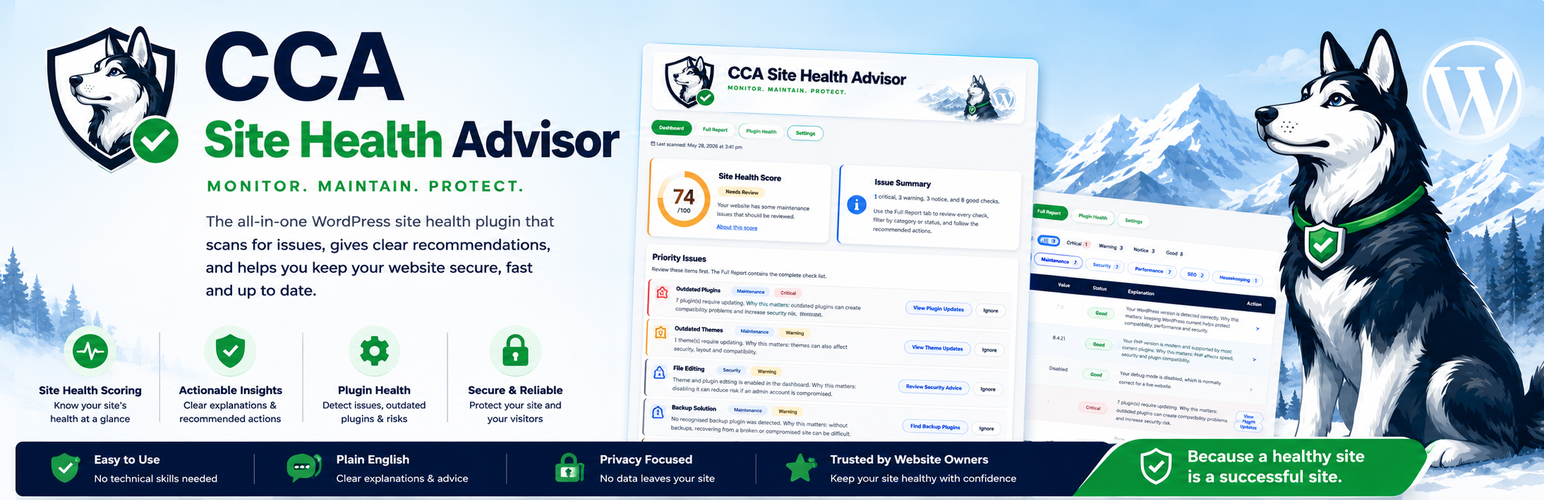
CCA Site Health Advisor

CCA Site Health Advisor

CCA Site Health Advisor helps WordPress website owners understand common maintenance, security, SEO, performance and plugin health issues without unnecessary jargon.

It is designed for DIY website owners, small businesses and freelancers who want a clear overview of their site health without being overwhelmed by technical warnings.

CCA Site Health Advisor scans for common issues, explains why they matter, and suggests practical next steps in plain English.

Current features include:

  • Site Health Score
  • Priority issue summaries
  • Full Report with clear explanations
  • Plugin Health checks
  • Inactive plugin detection
  • Outdated plugin and theme checks
  • PHP version check
  • WordPress version check
  • Debug mode check
  • File editing check
  • Backup plugin detection
  • SEO plugin detection
  • Caching plugin detection
  • Search engine visibility check
  • Admin username checks
  • Default content detection
  • Plugin complexity and overlap guidance
  • Ignored recommendation controls

CCA Site Health Advisor is advisory. It does not automatically delete plugins, change settings or make destructive changes to your website.

  1. Upload the plugin files to the /wp-content/plugins/cca-site-health-advisor/ directory, or install the plugin through the WordPress Plugins screen.
  2. Activate the plugin through the Plugins screen in WordPress.
  3. Open CCA Site Health Advisor from the WordPress admin menu.
  4. Review the Dashboard, Full Report and Plugin Health tabs.

سوالات متداول

Does CCA Site Health Advisor make changes to my website?

No. CCA Site Health Advisor is advisory. It checks your site and provides recommendations, but it does not automatically delete plugins, change settings or modify your website files.

Is CCA Site Health Advisor suitable for beginners?

Yes. CCA Site Health Advisor is designed to explain common WordPress issues in plain English, with practical recommendations for non-technical users.

Does CCA Site Health Advisor replace a security plugin?

No. CCA Site Health Advisor is not intended to replace a dedicated security plugin. It provides simple health and maintenance guidance and highlights common risks worth reviewing.

Does CCA Site Health Advisor collect data from my website?

No. This version of CCA Site Health Advisor runs locally inside WordPress and does not send site data to an external service.

Why does CCA Site Health Advisor flag inactive plugins?

Inactive plugins are not running, but they can still add clutter and may still need updates. CCA Site Health Advisor recommends reviewing inactive plugins so your site stays easier to maintain.

What does Plugin Health mean?

Plugin Health looks at plugin complexity, possible overlap and maintenance risks. It is advisory, not a warning that something is definitely broken.

Can I ignore recommendations?

Yes. Recommendations can be ignored from the Dashboard and Plugin Health summaries. Ignored items still appear in the Full Report so you can review them later.

×
نظری برای این آیتم موجود نیست.
0 0 رای ها
امتیازدهی
اشتراک در
اطلاع از
0 نظرات
قدیمی‌ترین
تازه‌ترین بیشترین رأی
هیچ نسخه‌ای برای این آیتم موجود نیست.
بدون امتیاز

قیمت:

رایگان

نگارش

آخرین انتشار

21 خرداد 1405

آخرین بروزرسانی

2 ماه پیش

نصب های فعال

-

نگارش وردپرس

وردپرس 6.0+

تست شده از نسخه

وردپرس 7.0

نگارش PHP

PHP 7.4+

نسخه ها

0 نسخه




