
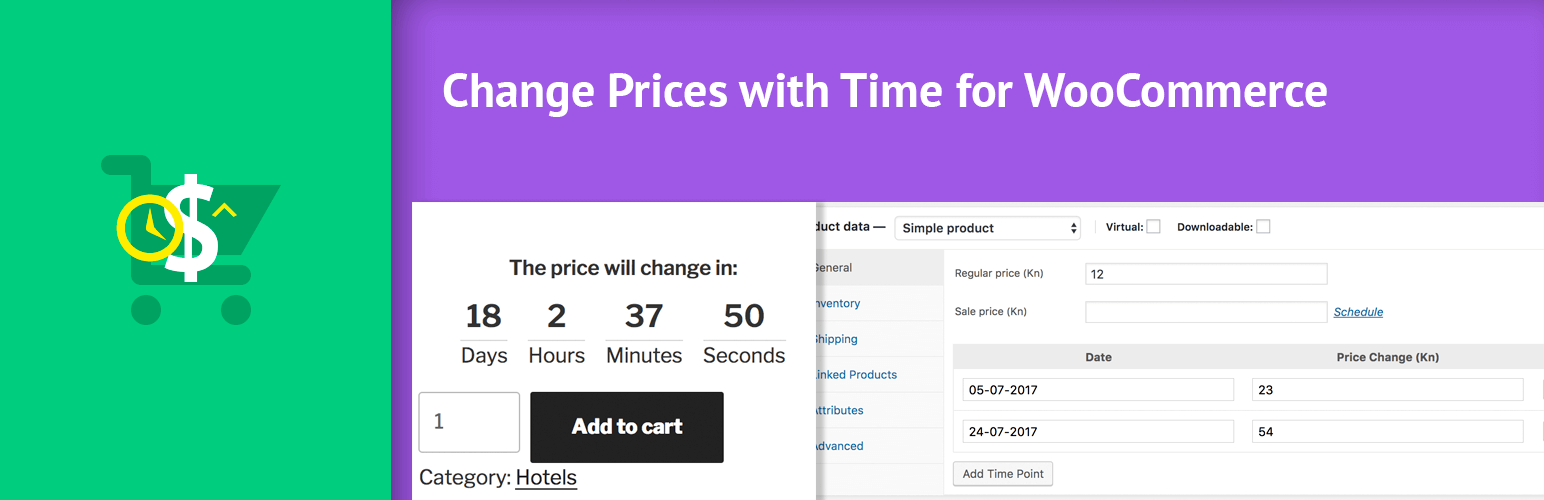

Create a Fear of Missing out (FOMO) with your WooCommerce products and start getting more sales by providing a nice countdown to when your prices change.
With this plugin you can set different set of times when the prices of the product will change. For each defined date, the product price will change into the price that you’ve defined.
WooCommerce 3.0 is requested. It won’t work on version below 3.0.
This plugin will directly change the Regular Price of your product, it won’t save the regular price since it will be changed directly. This is done so that you may also delete all the sales points but retain the last price change of your product.
There will be a countdown displayed below the product summary. This countdown will then build up scarcity so that your customers can’t resist into buying your product.
Perfect when launching your next WooCommerce product or membership!
Create your launch and define the early bird price. Then create different time points and the price that will then become available.
In case you use the new layout with prices, your visitors will see to which price it will increase.
Since it works with the product regular prices (or sale prices), you can use it with:
– WooCommerce Simple Product
– WooCommerce Variable Products (Premium)
– WooCommerce Subscription Products (Simple ones)
– WooCommerce Memberships
Features:
- Define Time points that will change the Simple Product Regular Price
- Countdown on the front page to build scarcity
- Automatic restart of the countdown if there are more than 1 time point. Hiding it otherwise.
- Shortcode [rpt_wc_countdown id={PRODUCT_ID}]
Premium Features:
- Variations can have timed price points as well
- Timed Incremental on Simple Product. Example Scenario: Increase price every hour from today until a maximum price has been met.
If you want to change prices with each or several sales (instead of time), I have another plugin for you so be sure to check my plugins on my page. Click on my profile at the bottom of this page.






