
Code Profiler – WordPress Performance Profiling and Debugging Made Easy

Code Profiler – WordPress Performance Profiling and Debugging Made Easy

توسط

A profiler to measure the performance of your WordPress plugins and themes.

Code Profiler helps you to measure the performance of your plugins and themes at the PHP level and to quickly find any potential problem in your WordPress installation.

You can profile the frontend and backend of WordPress, as well a cron events, a custom URL, send a POST payload, custom cookies and HTTP headers to profile a contact form, a checkout process or an AJAX action among many other possibilities.

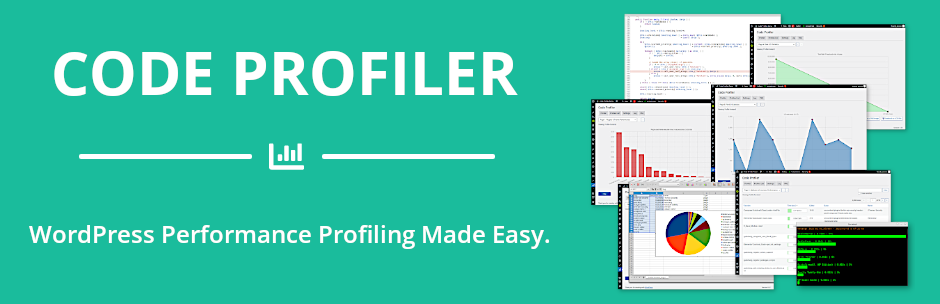
It generates an extremely detailed and easy to read analysis in the form of charts and tables that shows not only which plugin or theme, but also which PHP script, class, method and function is slowing down your website. It displays many useful additional information such as database queries, file I/O operations and disk I/O usage as well.

It makes it very simple to locate any bottleneck problem in your themes or plugins in order to solve it and speed up your website.
Install, activate it and you can start profiling your site right away.

Features

  • Plugins & themes performance profiling.
  • [Pro] Scripts performance profiling.
  • [Pro] Methods & functions performance profiling.
  • [Pro] Database queries performance.
  • [Pro] Remote connections monitoring.
  • [Pro] File I/O operations monitoring.
  • File I/O statistics.
  • Disk I/O monitoring.
  • WP-CLI integration.
  • Export charts in PNG image format.
  • GET/POST methods, custom cookies and HTTP headers.
  • [Pro] Export all tables and charts in CSV file format.
  • [Pro] Filtering options

Learn more about Code Profiler Pro.

  1. Upload the ZIP file from the WordPress “Plugins > Add New” menu.
  2. Activate the plugin.
  3. Plugin settings are located in the ‘Code Profiler’ menu.

سوالات متداول

What are the differences between Code Profiler and services such as Google PageSpeed or GTmetrix?

They are completely different: Code Profiler analyzes the code performance of your plugins and themes on your server, at the PHP level. Google PageSpeed and GTmetrix, instead, analyze the content of a web page from a browser’s perspective.

Do I need to deactivate Code Profiler when I’m not using it ?

There’s no need to deactivate Code Profiler when you don’t use it, it has no performance impact on your site.
Because an update can affect the performance of your site, you should consider running it after every plugin or theme update.

Is Code Profiler multisite compatible?

Code Profiler is multisite compatible. Note however that for security reasons, only the superadmin can run it.

What are the requirements for running Code Profiler?
  • WordPress >=5.0.
  • PHP >=7.1 or 8.x.
What is your Privacy Policy?

Code Profiler does not collect any private data from you or your visitors. It does not use cookies either. Your website can run Code Profiler and be compliant with the General Data Protection Regulation (GDPR) or other similar privacy laws.

×
نظری برای این آیتم موجود نیست.
0 0 رای ها
امتیازدهی
اشتراک در
اطلاع از
0 نظرات
قدیمی‌ترین
تازه‌ترین بیشترین رأی
نسخه حجم فایل SHA256 تغییرات دانلود
1.9.2 1 مگابایت -
دانلود
×
★★★★★
★★★★★
4.4 /5 (34 نظر)

قیمت:

رایگان

نگارش

1.9.2

آخرین انتشار

11 اردیبهشت 1405

آخرین بروزرسانی

4 ماه پیش

نصب های فعال

8,000+

نگارش وردپرس

وردپرس 5.0+

تست شده از نسخه

وردپرس 6.9.4

نگارش PHP

PHP 7.1+

نسخه ها

1 نسخه




