
Code Snippets

Code Snippets

✂ Code Snippets provides an effortless way to enhance your WordPress site.

🚀 Upgrade to Code Snippets Pro for complete CSS, JavaScript, Gutenberg, Elementor and cloud synchronisation integrations. Elevate your snippets experience now!

Say goodbye to the hassle of tweaking your theme’s functions.php file and downloading endless plugins – Code Snippets simplifies the process!

A snippet is like a mini-plugin for your WordPress site, providing added functionality without the clutter.

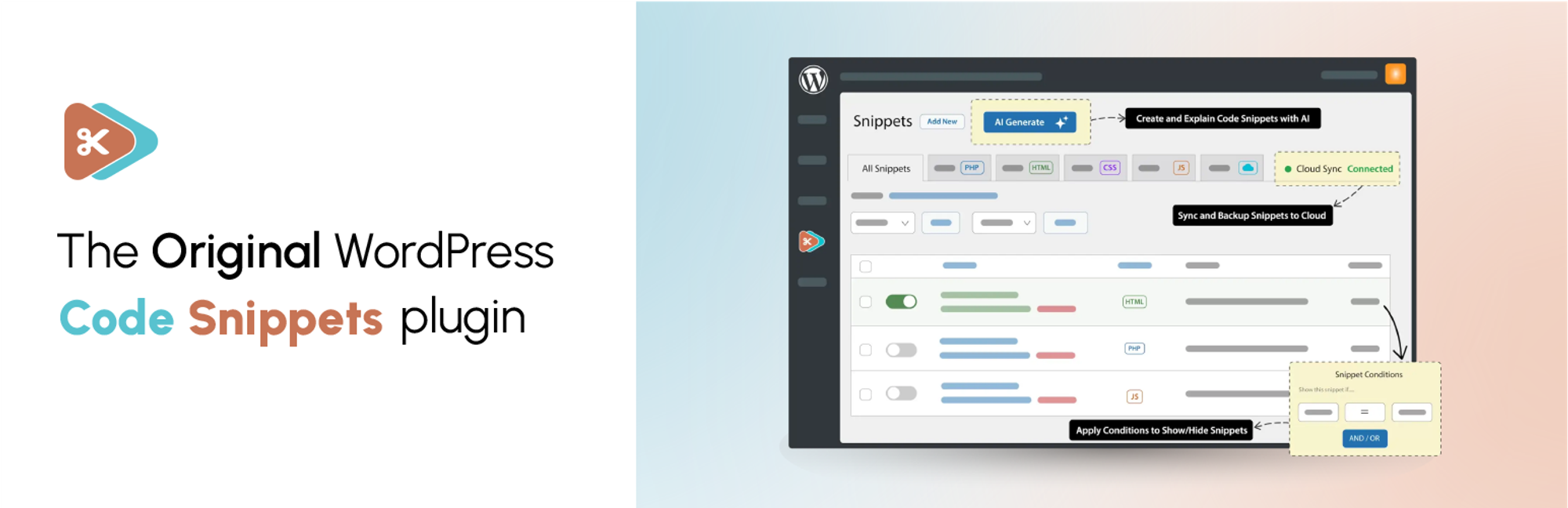
Unlike other solutions that involve dumping code into your functions.php file, Code Snippets offers an intuitive graphical interface for seamless integration and real-time execution. Managing snippets is as easy as activating and deactivating plugins, only without the bloat and overhead.

🎥 Watch a quick overview by Imran Siddiq:

☁️ Each copy of Code Snippets includes full integration with the community-powered Code Snippets Cloud platform, providing easy access to hundreds of tweaks and enhancements ready to power-up any WordPress site.

🌐 Connect with us:

🌟 Like our plugin? Find it useful? Please consider sharing your experience by leaving a review on WordPress.org. Your feedback is instrumental to shaping our future growth!

🌍 We’d like to thank the wonderful people who have helped contribute translations to allow Code Snippets to be used in different languages. You can find a full list here.

Automatic installation

  1. Log into your WordPress admin
  2. Click Plugins

  3. Click Add New

  4. Search for Code Snippets

  5. Click Install Now under “Code Snippets”

  6. Activate the plugin

Manual installation

  1. Download the plugin
  2. Extract the contents of the zip file
  3. Upload the contents of the zip file to the wp-content/plugins/ folder of your WordPress installation
  4. Activate the Code Snippets plugin from ‘Plugins’ page.

Network Activating Code Snippets through the Network Dashboard will enable a special interface for running snippets across the entire network.

سوالات متداول

A full list of our Frequently Asked Questions can be found at codesnippets.pro.

How can I recover my site if it is crashed by a buggy snippet?

You can recover your site by enabling the Code Snippets safe mode feature. Instructions for how to turn it on are available here: https://codesnippets.pro/doc/safe-mode/.

Will I lose my snippets if I change the theme or upgrade WordPress?

No, the snippets are stored in the WordPress database, independent of the theme and unaffected by WordPress upgrades.

Can the plugin be completely uninstalled?

If you enable the ‘Complete Uninstall’ option on the plugin settings page, Code Snippets will clean up all of its data when deleted through the WordPress ‘Plugins’ menu. This includes all stored snippets. If you would like to preserve the snippets, ensure they are exported first.

Can I copy snippets that I have created to another WordPress site?

Yes! You can individually export a single snippet using the link below the snippet name on the ‘Manage Snippets’ page or bulk export multiple snippets using the ‘Bulk Actions’ feature. Snippets can later be imported using the ‘Import Snippets’ page by uploading the export file.

Can I export my snippets to PHP for a site where I’m not using the Code Snippets plugin?

Yes. Click the checkboxes next to the snippets you want to export, and then choose Export to PHP from the Bulk Actions menu and click Apply. The generated PHP file will contain the exported snippets’ code, as well as their name and description in comments.

Can I run network-wide snippets on a multisite installation?

You can run snippets across an entire multisite network by Network Activating Code Snippets through the Network Dashboard. You can also activate Code Snippets just on the main site, and then individually on other sites of your choice.

Where are the snippets stored in my WordPress database?

Snippets are stored in the wp_snippets table in the WordPress database. The table name may differ depending on what your table prefix is set to.

Where can I go for help or suggest new features?

You can get help with Code Snippets, report bugs or errors, and suggest new features and improvements either on the WordPress Support Forums or on GitHub.

How can I help contribute to the development of the Code Snippets plugin?

The best way to do this is to fork the repository on GitHub and send a pull request.

How can I report security bugs found in this plugin?

You can report security bugs found in the source code of this plugin through the Patchstack Vulnerability Disclosure Program. The Patchstack team will assist with verification, triage, and notification of security vulnerabilities.

×

نظرات کاربران

5/5
★★★★★

Great for low code websites

By Quentin Le Duff (quentinldd) on April 23, 2026

Excellent for websites that need some additional tweaks without diving in functions.php :) Thanks !

An absolute must!

By angeljs on April 8, 2026

I can't imagine how I've survived Wordpress over the years without this plugin! I wish I'd known about it a lot sooner, it's a fantastic alternative to using plugins or altering files for small amounts of code. Love it!

Very usefull

By tibornebel on March 28, 2026

I dont need to add a child theme to edit functions.php

Essential tool for safe and flexible WordPress development

By mawuart on March 26, 2026

I’ve been using Code Snippets extensively while building custom functionality for my WooCommerce setup, and it has become an essential tool in my workflow.

It provides a clean, safe, and structured way to manage custom code without touching theme files, which is incredibly valuable — especially when you’re experimenting, iterating, and refining features.

As someone building more advanced systems (including a custom reverse auction setup), I really appreciate how reliable and flexible this plugin is. It simply works, and it makes development inside WordPress much more efficient.

Highly recommended for anyone who wants to go beyond basic configurations and start building properly within WordPress.

Better than editing functions php

By Sharonq on March 26, 2026

If you use php by copy pasting and don't have the skills for creating your own functions php this plugin is essential - its on every one of my site.

Simple but Useful

By timothy210 on March 9, 2026

Been using Code Snippets for a while. Makes adding small PHP tweaks super easy without touching theme files. Works smooth most of the time. Would be nice if a few more management options were there tho. Still pretty handy.

Super Helpful Tool

By thomas452 on February 25, 2026

Really love this plugin. Makes adding custom PHP so easy without touching theme files. Clean UI, works smooth, no issues so far. Saved me a lot of time tbh. Big tnx to the devs. Highly recommended 👌

Extremely helpful and getting better each update

By Kim White (KimWhite) on February 24, 2026

I've been using this plugin for over 5 years and it's smarter each update.
This helps me test custom code quickly. I can either keep itn in Code Snippets or create a custom plugin when I am done. Bravo!

Solve many of my problems…

By regi.siti on January 15, 2026

CodeSnippets has become the most important software for my projects. I've eliminated many plugins and developed code (also thanks to chatgpt), and with CodeSnippets everything works perfectly.

The interesting thing is the separation of each function, allowing me to activate, deploy, or modify the functions I need. I've created a system that duplicates posts, a global search and replace, a product filter for e-commerce, clamp management, and many other features.

For me, it's the best plugin for WP.

Great Plugin!!!

By Fred (fredatpixlmania) on January 13, 2026

Easy to use and works great.

0 0 رای ها
امتیازدهی
اشتراک در
اطلاع از
0 نظرات
قدیمی‌ترین
تازه‌ترین بیشترین رأی
بازخورد (Feedback) های اینلاین
مشاهده همه دیدگاه ها
نسخه حجم فایل SHA256 تغییرات دانلود
3.6.6.1 444 کیلوبایت -
دانلود
3.5.0 405 کیلوبایت -
دانلود
3.5.0 405 کیلوبایت -
دانلود
3.5.0-beta.1 405 کیلوبایت -
دانلود
3.6.0 412 کیلوبایت -
دانلود
3.6.1 412 کیلوبایت -
دانلود
3.6.2 411 کیلوبایت -
دانلود
3.6.2 411 کیلوبایت -
دانلود
3.6.3 412 کیلوبایت -
دانلود
3.6.3 412 کیلوبایت -
دانلود
3.6.4 411 کیلوبایت -
دانلود
3.6.5 432 کیلوبایت -
دانلود
3.6.5.1 432 کیلوبایت -
دانلود
3.6.6 444 کیلوبایت -
دانلود
3.9.5 631 کیلوبایت
دانلود
3.6.7 448 کیلوبایت -
دانلود
3.6.7 448 کیلوبایت -
دانلود
3.6.8 449 کیلوبایت -
دانلود
3.6.8 449 کیلوبایت -
دانلود
3.7.0 482 کیلوبایت -
دانلود
3.7.0-beta.5 479 کیلوبایت -
دانلود
3.7.0-beta.5 479 کیلوبایت -
دانلود
3.7.0-beta.7 481 کیلوبایت -
دانلود
3.6.0 412 کیلوبایت -
دانلود
3.6.1 412 کیلوبایت -
دانلود
3.7.1-beta.1 550 کیلوبایت -
دانلود
3.5.0-beta.1 405 کیلوبایت -
دانلود
3.9.0 554 کیلوبایت -
دانلود
3.7.1-beta.3 561 کیلوبایت -
دانلود
3.7.1-beta.3 561 کیلوبایت -
دانلود
3.7.1-beta.2 561 کیلوبایت -
دانلود
3.7.1-beta.1 550 کیلوبایت -
دانلود
3.7.0-beta 479 کیلوبایت -
دانلود
3.8.0 561 کیلوبایت -
دانلود
3.8.0 561 کیلوبایت -
دانلود
3.8.1 561 کیلوبایت -
دانلود
3.8.2 561 کیلوبایت -
دانلود
3.9.0 554 کیلوبایت -
دانلود
3.9.0-beta.1 562 کیلوبایت -
دانلود
3.9.0-beta.2 553 کیلوبایت -
دانلود
3.9.0-beta.2 553 کیلوبایت -
دانلود
3.9.1 554 کیلوبایت -
دانلود
3.9.1 554 کیلوبایت -
دانلود
3.9.2 568 کیلوبایت -
دانلود
3.9.3 569 کیلوبایت -
دانلود
3.9.3 569 کیلوبایت -
دانلود
3.9.4 631 کیلوبایت -
دانلود
3.9.4 631 کیلوبایت -
دانلود
3.1.1 570 کیلوبایت -
دانلود
3.0.0 1 مگابایت -
دانلود
3.1.0 570 کیلوبایت -
دانلود
3.1.1 570 کیلوبایت -
دانلود
3.2.1 651 کیلوبایت -
دانلود
3.2.1 651 کیلوبایت -
دانلود
3.2.2 324 کیلوبایت -
دانلود
3.3.0 326 کیلوبایت -
دانلود
3.3.0 326 کیلوبایت -
دانلود
3.4.0 370 کیلوبایت -
دانلود
3.4.0 370 کیلوبایت -
دانلود
3.4.1 371 کیلوبایت -
دانلود
3.4.2 371 کیلوبایت -
دانلود
3.4.2 371 کیلوبایت -
دانلود
3.0.1 570 کیلوبایت -
دانلود
3.0.1 570 کیلوبایت -
دانلود
3.0.0 1 مگابایت -
دانلود
2.10.0 361 کیلوبایت -
دانلود
2.14.5 591 کیلوبایت -
دانلود
2.10.0 361 کیلوبایت -
دانلود
2.12.0 388 کیلوبایت -
دانلود
2.12.1 391 کیلوبایت -
دانلود
2.10.1 362 کیلوبایت -
دانلود
2.12.1 391 کیلوبایت -
دانلود
2.13.0 458 کیلوبایت -
دانلود
2.13.1 466 کیلوبایت -
دانلود
2.13.2 466 کیلوبایت -
دانلود
2.13.2 466 کیلوبایت -
دانلود
2.13.3 467 کیلوبایت -
دانلود
2.14.0 489 کیلوبایت -
دانلود
2.14.1 499 کیلوبایت -
دانلود
2.14.1 499 کیلوبایت -
دانلود
2.14.2 588 کیلوبایت -
دانلود
2.14.2 588 کیلوبایت -
دانلود
2.14.4 591 کیلوبایت -
دانلود
2.14.5 591 کیلوبایت -
دانلود
2.14.3 588 کیلوبایت -
دانلود
2.14.3 588 کیلوبایت -
دانلود
2.14.6 591 کیلوبایت -
دانلود
×
★★★★★
★★★★★
4.7 /5 (499 نظر)

قیمت:

رایگان

نگارش

3.9.5

آخرین انتشار

6 اردیبهشت 1405

آخرین بروزرسانی

2 ماه پیش

نصب های فعال

1,000,000+

نگارش وردپرس

وردپرس 5.0+

تست شده از نسخه

وردپرس 6.9.4

نگارش PHP

PHP 7.4+

نسخه ها

88 نسخه




