
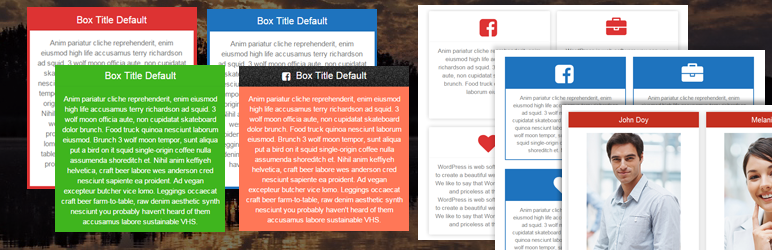

Colorbox panels is based on bootstrap framework, so box is responsive and friendly to any mobile devices. Colorbox is integrated with masonry/isotope effect. You can add multiple content box and icon box on multiple pages and post. There unlimited colour scheme and font style available for content.
This is not a popup box or lightbox plugin, this is a content box or icon box plugin, which is display your content in column layout. You can add service page or, team page using colorbox plugin. There Widget option also available, just paste your shortcode [WPSM_COLORBOX id=xx] in text widget for display your content in widget area.
Features Of Plugin
- Responsive Design
- Colorbox is responsive and friendly to any mobile devices
- Limitless Colorbox/panels anywhere in the theme
- Drag and Drop builder Api integrated.
- Draggable box items for easy sorting
- Use via short-codes
- Awesome input field for box content
- Unlimited colour option
- Bootstrap framework based
- Less for quick customization
- Font Awesome Icon Support
- Font Awesome Icon Picker Integrated
- Two different styles Integrated
- Hide All Colorbox on page load or display all
- Five box layout available
- Masonry/Isotope effect integrated
- Box Same height js integrated
- Gulp for instant workflow
- Display iconbox
- Display only description
- Highly customized for User Experience
- Slick Frontend and backend UI
- Add and remove box item from backend.
- Multiple Advanced Custom Field Available
- All browser compatible
Colorbox Pro Features
- Responsive Design
- Colorbox is responsive and friendly to any mobile devices
- Limitless Colorbox/panels anywhere in the theme
- Drag and Drop builder Api integrated.
- 8 Types Of Loading Animation
- External Link Option
- Individual Box Color Settings
- 10 types of Box Layout
- 500+ Google Fonts Integrated
- Box Border Customization
- Box Shadow Generator
- Box Radius Customization
- Use via short-codes
- Awesome input field for box content
- Unlimited colour option
- Bootstrap framework based
- Less for quick customization
- Font Awesome Icon Support
- Font Awesome Icon Picker Integrated
- Two different styles Integrated
- Hide All Colorbox on page load or display all
- Five box layout available
- Masonry/Isotope effect integrated
- Box Same height js integrated
- Gulp for instant workflow
- Display iconbox
- Display only description
- Highly customized for User Experience
- Slick Frontend and backend UI
- Add and remove box item from backend.
- Multiple Advanced Custom Field Available
- All browser compatible
Check Demos
Translators
Please contribute to translate our plugin. Contact at wpshopmart(at)gmail(dot)com.






