
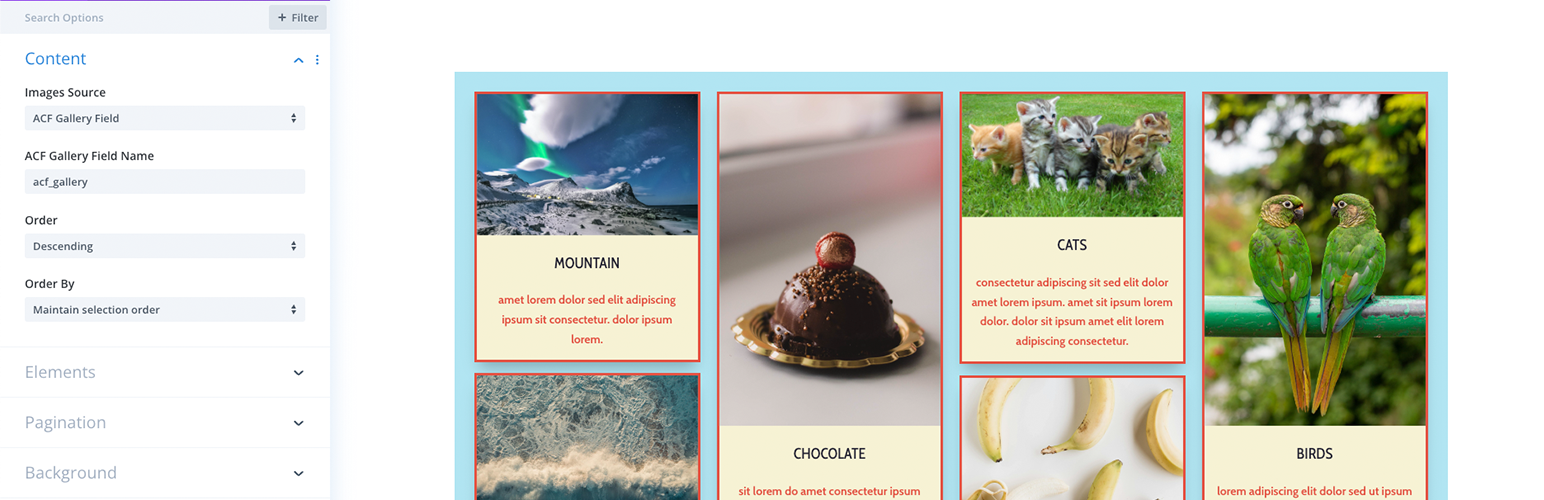
CT Divi ACF Masonry Gallery

CT Divi ACF Masonry Gallery

توسط

This plugin is an extension of the Divi theme by Elegant Themes. It includes a visual builder module that can output the content of an Advanced Custom Field Gallery field.

This module can be utilized on a single page, post, custom post type, or any Divi Builder template to enhance your content display. You can choose from various options, including displaying the image title, caption, and description. Additionally, you can set a lightbox action to display the image or a gallery of all images. The module has been designed to be responsive and offers setting controls for the masonry layout.


  1. Navigate to the WordPress admin area and visit Plugins » Add New page.
  2. This will reveal the plugin upload form. You need to click the ‘Choose File’ button and select the plugin file you downloaded earlier to your computer.
  3. After you have selected the file, you need to click on the ‘Install Now’ button. WordPress will now upload the plugin file from your computer and
    install it for you. You will see a success message like this after the installation is finished.
  4. Once installed, click on the Activate Plugin link to start using the plugin.

Full documentation can be found here Divi ACF Masonry Gallery

سوالات متداول

Full documentation can be found here Divi ACF Masonry Gallery

تصویری برای این آیتم موجود نیست.
نظری برای این آیتم موجود نیست.
0 0 رای ها
امتیازدهی
اشتراک در
اطلاع از
0 نظرات
قدیمی‌ترین
تازه‌ترین بیشترین رأی
نسخه حجم فایل SHA256 تغییرات دانلود
1.0.6 117 کیلوبایت -
دانلود
×
★★★★★
★★★★★
5.0 /5 (1 نظر)

قیمت:

رایگان

نگارش

1.0.6

آخرین انتشار

21 اردیبهشت 1405

آخرین بروزرسانی

3 ماه پیش

نصب های فعال

200+

نگارش وردپرس

وردپرس 6.0+

تست شده از نسخه

وردپرس 6.7.5

نگارش PHP

PHP 7.4+

تگ ها

نسخه ها

1 نسخه


