
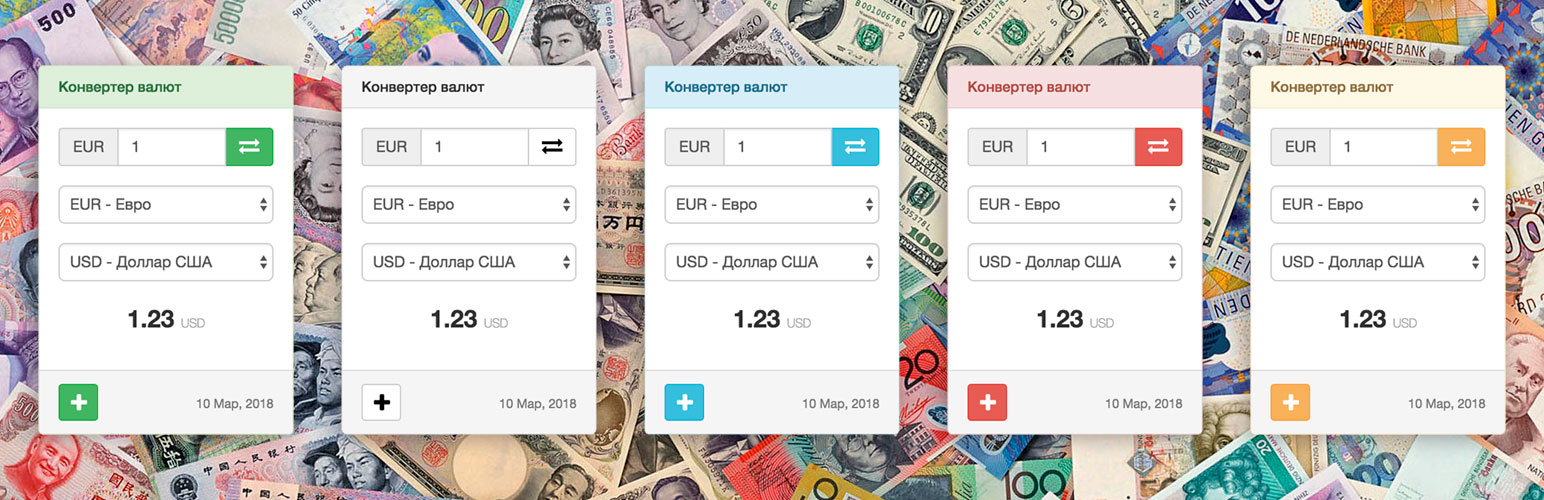

❤️ Is a magic real-time and easy-to-use with beautiful UI widget. Included 195+ world currencies with popular cryptocurrencies.
📌 About
Simple and powerful real-time Currency Converter widget for your website or blog. Included 195+ world currencies with popular cryptocurrencies. Automatically update exchange rates. Multi Language support: English, Русский, Italiano, Français, Español, Deutsch, 中国, Português, 日本語, Bahasa Indonesia, हिन्दी.
🔔 Note
Note: This plugin is compatible with newer versions of WordPress only when used alongside the Classic Widgets plugin. Please ensure the Classic Widgets plugin is installed and activated for proper functionality.
⭐️ FEATURES ⭐️
- 195+ Currencies and Popular CryptoCurrencies;
- You can use the plugin on any page using shortcode;
- Does not create a load on the site, all data is processed on a third-party server;
- Updates automatically;
- Multi languages and SSL support;
- Responsive design.
📌 Installation
= From your WordPress dashboard =
1. Visit “Plugins > Add New”
2. Search for “Exchange Rates Widget”
3. Activate Exchange Rates Widget from your Plugins page.
4. Add widgets on yourdomain.com/wp-admin/widgets.php page.
📌 From WordPress.org
- Download Exchange Rates Widget.
- Upload the “Exchange Rates Widget” directory to your “/wp-content/plugins/” directory, using your favorite method (ftp, sftp, scp, etc…).
- Activate Exchange Rates Widget from your Plugins page.
- Add widgets on yourdomain.com/wp-admin/widgets.php page.
📌 From WordPress “Add Plugins”
- Download Exchange Rates Widget.
- Go to yourdomain.com/wp-admin/plugin-install.php
- Press button “Upload Plugin”
- Choise “Exchange Rates Widget” zip archive and press button “Install Now”.
- Add widgets on yourdomain.com/wp-admin/widgets.php page.
🍩 Donations
ℹ️ Official website & 💹 Source: CurrencyRate
💰 Your might like it:
🔵 Exchange Rates Widget
🟢 Crypto Converter ⚡ Widget
🟡 Cryptocurrency Price Widget






