
وردپرس 118

مخزن داخلی

  • خانه
  • مخزن
    • وردپرس
    • افزونه ها
    • قالب ها
    • لودر ها
      • ionCube Loaders
      • SourceGuardian Loaders
  • پشتیبانی
  • طراحی سایت
  • درباره ما
    • قوانین و مقررات
  • خانه
  • مخزن
    • وردپرس
    • افزونه ها
    • قالب ها
    • لودر ها
      • ionCube Loaders
      • SourceGuardian Loaders
  • پشتیبانی
  • طراحی سایت
  • درباره ما
    • قوانین و مقررات
دریافت وردپرس
ورود/ثبت نام
Custom Image Login Logo

Custom Image Login Logo

توسط Volodymyr Hannibal

ورود به سیستم برای دانلود

گزارش خرابی

اگر با مشکلی مواجه شده‌اید،
لطفاً آن را با جزئیات برای ما ارسال کنید.

🔒 برای ثبت گزارش خرابی باید وارد سایت شوید.

ورود / ثبت نام به سایت

ثبت گزارش خرابی

Custom Image Login Logo allows you to replace the default WordPress login logo with your own. You can upload a custom logo, change the logo’s link and remove title, and ensure it displays correctly on all screen sizes.

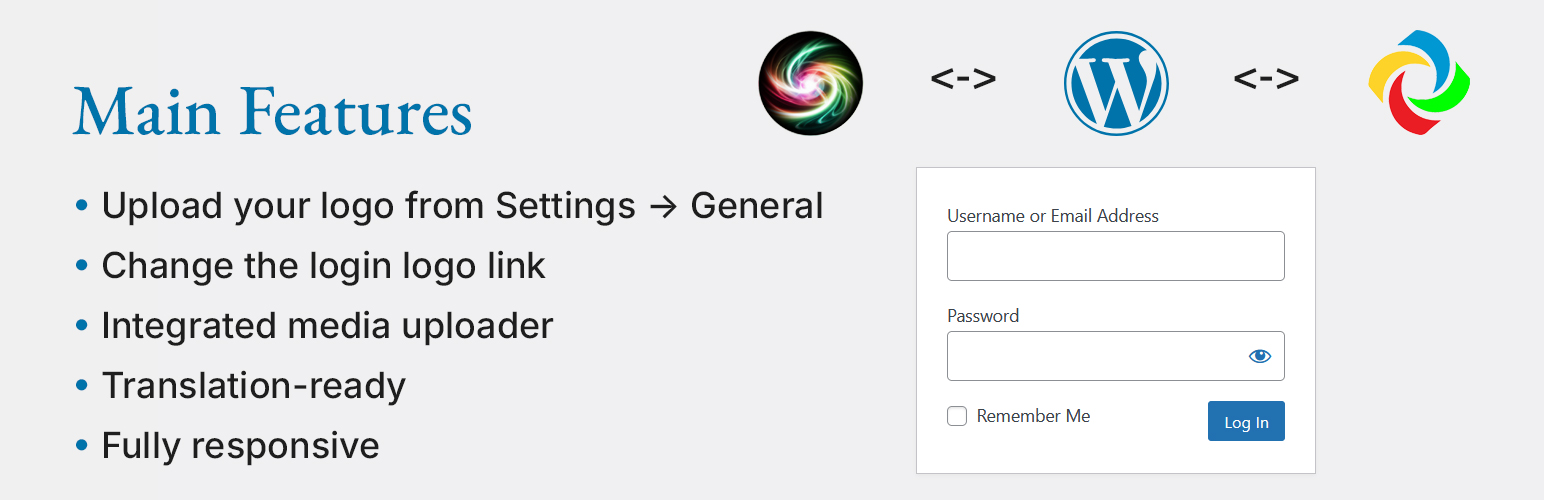
🎨 Main Features:
✅ Upload your logo from Settings → General
✅ Change the login logo link
✅ Fully responsive on mobile and tablet
✅ Translation-ready
✅ If no custom or theme logo is selected, the default WordPress logo is displayed
✅ Integrated media uploader – select images directly from the Media Library
✅ cill-admin.js – enhances media uploader functionality for better user experience

🆕 New in Version 1.4:
– Optimized CSS loading – styles are now loaded from a separate CSS file
– Fixed theme logo detection – now correctly applies the theme’s custom logo
– Enhanced sanitization – improved security for stored settings
– Integrated cill-admin.js – improves media library selection and image removal
– If no custom or theme logo is selected, the default WordPress logo is displayed

📌 Want to contribute a translation? Submit your translation via WordPress.org!

Usage

  1. Upload your logo:

    • Navigate to Settings > General
    • Enter or select an image URL from the Media Library
  2. Customize login page settings:

    • Set the login logo link (default: homepage)
  3. Fallback to default WordPress logo:

    • If no custom or theme logo is selected, the default WordPress logo will be used
  4. Use Media Library for logo selection:

    • cill-admin.js enables smooth integration with WordPress media uploader
    • Supports selecting, previewing, and removing images easily

How do I restore the default WordPress logo?

Q: How do I restore the default WordPress logo?
A: Just deactivate the plugin.

Is this plugin compatible with multisite?

Q: Is this plugin compatible with multisite?
A: Yes, it works with WordPress Multisite.

Does the plugin support translations?

Q: Does the plugin support translations?
A: Yes! The plugin is fully translation-ready.

Author

Volodymyr Hannibal
🌍 https://volhan.com

  • Ownership Verification: This plugin is officially developed and maintained by Volodymyr Hannibal (volhan) – https://volhan.com

If you find this plugin useful, please leave a ⭐⭐⭐⭐⭐ rating on WordPress.org!

  1. Install via WordPress Admin

    • Go to Plugins > Add New
    • Search for Custom Image Login Logo
    • Click Install Now and Activate
  2. Manual Installation

    • Download the .zip file
    • Go to Plugins > Add New > Upload Plugin
    • Select the .zip file and install it
  3. FTP Installation

    • Extract the .zip file
    • Upload the custom-image-login-logo folder to /wp-content/plugins/
    • Activate the plugin via Plugins menu

سوالات متداول

پرسش و پاسخی برای این آیتم موجود نیست.
اسکرین‌شات 1 از Custom Image Login Logo
اسکرین‌شات 1
اسکرین‌شات 2 از Custom Image Login Logo
اسکرین‌شات 2
×
❮
❯
نظری برای این آیتم موجود نیست.
0 0 رای ها
امتیازدهی
اشتراک در
وارد شدن
اطلاع از
0 نظرات
قدیمی‌ترین
تازه‌ترین بیشترین رأی
نسخه حجم فایل SHA256 تغییرات دانلود
1.4.4 6 کیلوبایت -
دانلود برای دانلود باید وارد سایت شوید
ورود / ثبت نام

عنوان

×
بدون امتیاز

قیمت:

رایگان

نگارش

1.4.4

آخرین انتشار

19 اردیبهشت 1405

آخرین بروزرسانی

3 ماه پیش

نصب های فعال

-

نگارش وردپرس

وردپرس 5.0+

تست شده از نسخه

وردپرس 6.9.4

نگارش PHP

-

تگ ها

branding custom-login customizer login logo

نسخه ها

1 نسخه

نیاز به پشتیبانی دارید ؟

کارشناسان ما آماده پاسخگویی هستند

افزونه های مرتبط

Cache by Folium

★★★★☆ 84.0/۱۰۰

(10 امتیاز)

Fast, easy to use cache for WordPress with option for up-to 3 separate CDN’s – for js, css & images from 3 providers. Added

  • jody nesbitt
  • 200+
  • وردپرس 7.0

Dienstplan

Dienstplan is a self-hosted shift and duty roster planner for WordPress. It is built for organisations that run on volunteers — fire departments, emergency

  • Alexander Nusselt
  • وردپرس 7.0

Cashu For WooCommerce

A secure Cashu payment gateway for your WooCommerce store. This plugin adds a checkout that accepts Lightning or Cashu ecash, paying out to your

  • Rob Woodgate
  • وردپرس 7.0

Quote & Cut

Quote & Cut connects WooCommerce to the Quote & Cut cloud service for laser-cutting and sheet-optimization workflows. With this plugin you can: Accept DXF

  • quoteandcut
  • وردپرس 7.0

Simple Stopwatch Easy to Use

Simple Stopwatch Easy to Use lets you embed a fully functional stopwatch anywhere on your WordPress site using a simple shortcode. Features: Start, Stop,

  • Ajay K
  • وردپرس 6.7.5

RoidNet URL Shortener and Link Tracker

A lightweight, secure, and self-hosted solution to shorten URLs, track link clicks, and generate WhatsApp chat links. RoidNet URL Shortener and Link Tracker is

  • RoidNet
  • وردپرس 7.0
دسترسی سریع
  • افزونه ها
  • قالب ها
  • دانلود وردپرس
راهنما
  • نحوه دانلود
  • پشتیبانی
  • درباره ما
قوانین
  • قوانین و مقررات
منابع
  • ابر فرتاک
  • wordpress.org

© تمامی حقوق محفوظ است. طراحی با ❤️ توسط ابر فرتاک

Eaparat Ebale Telegram Instagram
wpDiscuz




