
وردپرس 118

مخزن داخلی

  • خانه
  • مخزن
    • وردپرس
    • افزونه ها
    • قالب ها
    • لودر ها
      • ionCube Loaders
      • SourceGuardian Loaders
  • پشتیبانی
  • طراحی سایت
  • درباره ما
    • قوانین و مقررات
  • خانه
  • مخزن
    • وردپرس
    • افزونه ها
    • قالب ها
    • لودر ها
      • ionCube Loaders
      • SourceGuardian Loaders
  • پشتیبانی
  • طراحی سایت
  • درباره ما
    • قوانین و مقررات
دریافت وردپرس
ورود/ثبت نام
Customize Login Image

Customize Login Image

توسط apasionados

ورود به سیستم برای دانلود

گزارش خرابی

اگر با مشکلی مواجه شده‌اید،
لطفاً آن را با جزئیات برای ما ارسال کنید.

🔒 برای ثبت گزارش خرابی باید وارد سایت شوید.

ورود / ثبت نام به سایت

ثبت گزارش خرابی

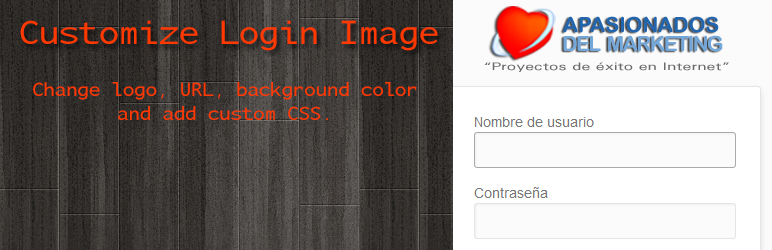
This plugin allows you to customize the image and the appearance of the WordPress Login Screen. You can change: The logo, the link of the logo and the background color.

There are three features we love:

1) If no logo is uploaded, the default WordPress logo is shown.

2) You can upload your own logo in PNG format to the WordPress UPLOADS folder (you just have to name it customize-login-image.png) and if no URL for the logo was set or no logo was uploaded, the plugin looks if this file exists and uses it.

3) You can translate the plugin into your own language. So far English and Spanish translations are included. Just translate the .po file in the /lang/ folder.

4) You can choose if you want to show the server IP and/or server hostname on the login screen.

What can I do with this plugin?

You can upload a custom image for the login screen and specify the link attached to the logo. By default you are redirected to the homepage of your site.

You can also set a custom background color for the login screen. Until version 3.5 you could also add your own CSS now this is not possible following the updated WordPress Plugin Security guidelines.

You can choose if you want to show the server IP and/or server hostname on the login screen. We find this extremly useful when changing the server of a WordPress installation. If you activate both checkboxes you will know inmediately if you are login in on the correct server.

What ideas is this plugin based on?

We had been using the WordPress plugin Customize Admin but we didn’t like that the default logo was the VanderWikj Consultancy logo (vanderwijk.png). This has been causing us problems with customers when updating their sites and this logo displaying on their login screen; because they though that something was wrong with their installation. Another thing we didn’t like about this plugin was the other settings it included; we want a plugin to change the login appearance and only that.

This is why we decided to create a new plugin that doesn’t have the two issues we found while using Customize Admin. Nervertheless it is a freat work from Johan van der Wijk.

Customize Login Image Plugin in your Language!

This first release is avaliable in English and Spanish. In the “lang” folder we have included the necessarry files to translate this plugin.

If you would like the plugin in your language and you’re good at translating, please drop us a line at Contact us.

Further Reading

You can access the description of the plugin in Spanish at: Customize Login Image en español.

Contact

For further information please send us an email.

  1. First you will have to upload the plugin to the /wp-content/plugins/ folder.
  2. Then activate the plugin in the plugin panel.
    If you have manage options rights you will see the new Cutomize Login Image Settings menu.
  3. Specify a clickthrough url for the logo if required.
  4. Specify the url for the custom logo. The path can be relative from the root or include the domain name.
  5. If you have not yet uploaded a logo, you can do so via the Upload Image button. Make sure you click ‘Insert into Post’. For the best result, use an image of maximum 70px height by 310px width.
  6. Click Save Changes.

Please note that the plugin should not be used together with other plugins with similar funcionalities like: Customize Admin.

سوالات متداول

Why did you make another admin logo plugin?

We couldn’t find a plugin that would give us the functionality we were looking for:
1) If no logo is uploaded, the default WordPress logo is shown.
2) Upload of own logo in PNG format to the WordPress UPLOADS folder (you just have to name it customize-login-image.png) and if no URL for the logo was set or no logo was uploaded, the plugin looks if this file exists and uses it.
3) Easy translation of the plugin into other languages. So far English and Spanish translations are included.

How can I remove Customize Login Image?

You can simply activate, deactivate or delete it in your plugin management section.

Which size is the logo?

For the best result, use an image of maximum 70px height by 310px width.

Where can should I upload the logo if I don’t want to set it up in the administration of the plugin

If you upload a logo in PNG format named customize-login-image.png to your WordPress Uploads folder, this logo will be used if you have not introduced a URL or uploaded an image in the plugin administration.
You can check if you uploaded the logo correctly in the administration of the plugin, clicking on the image name customize-login-image.png. If the logo opens in a new browser windows, everything is OK; if it doen’t open in the new browser windows and you get a 404 error (not found), please check that you placed the logo in the correct folder and that it’s name is correct (all lowercase and png extension).
Please keep in mind that only PNG files are allowed.

What happens if I don’t introduce a logo URL or don’t upload a logo?

Then the default WordPress logo will be displayed. This logo can be found in the wp-admin folder of the WordPress installation in the images folder.

How can I show the server ip and/or hostname on the login screen?

Activate the checkboxes for the Server IP and HOSTNAME and SAVE.
You can choose to show both (both options checked), only one (one option checked) or none (nothing checked).

Are there any known incompatibilities?

The plugin should not be used together with other plugins with similar funcionalities like: Customize Admin.

Do you make use of Customize Login Image yourself?

Of course we do. That’s why we created it. 😉

اسکرین‌شات 1 از Customize Login Image
اسکرین‌شات 1
اسکرین‌شات 2 از Customize Login Image
اسکرین‌شات 2
اسکرین‌شات 3 از Customize Login Image
اسکرین‌شات 3
×
❮
❯
نظری برای این آیتم موجود نیست.
0 0 رای ها
امتیازدهی
اشتراک در
وارد شدن
اطلاع از
0 نظرات
قدیمی‌ترین
تازه‌ترین بیشترین رأی
نسخه حجم فایل SHA256 تغییرات دانلود
3.5.3 16 کیلوبایت -
دانلود برای دانلود باید وارد سایت شوید
ورود / ثبت نام

عنوان

×
★★★★★
★★★★★
5.0 /5 (10 نظر)

قیمت:

رایگان

نگارش

3.5.3

آخرین انتشار

12 اردیبهشت 1405

آخرین بروزرسانی

4 ماه پیش

نصب های فعال

3,000+

نگارش وردپرس

وردپرس 3.0.1+

تست شده از نسخه

وردپرس 6.3.8

نگارش PHP

PHP 5.6+

تگ ها

admin custom customize login logo

نسخه ها

1 نسخه

نیاز به پشتیبانی دارید ؟

کارشناسان ما آماده پاسخگویی هستند

افزونه های مرتبط

Cache by Folium

★★★★☆ 84.0/۱۰۰

(10 امتیاز)

Fast, easy to use cache for WordPress with option for up-to 3 separate CDN’s – for js, css & images from 3 providers. Added

  • jody nesbitt
  • 200+
  • وردپرس 7.0

Dienstplan

Dienstplan is a self-hosted shift and duty roster planner for WordPress. It is built for organisations that run on volunteers — fire departments, emergency

  • Alexander Nusselt
  • وردپرس 7.0

Cashu For WooCommerce

A secure Cashu payment gateway for your WooCommerce store. This plugin adds a checkout that accepts Lightning or Cashu ecash, paying out to your

  • Rob Woodgate
  • وردپرس 7.0

Quote & Cut

Quote & Cut connects WooCommerce to the Quote & Cut cloud service for laser-cutting and sheet-optimization workflows. With this plugin you can: Accept DXF

  • quoteandcut
  • وردپرس 7.0

Simple Stopwatch Easy to Use

Simple Stopwatch Easy to Use lets you embed a fully functional stopwatch anywhere on your WordPress site using a simple shortcode. Features: Start, Stop,

  • Ajay K
  • وردپرس 6.7.5

RoidNet URL Shortener and Link Tracker

A lightweight, secure, and self-hosted solution to shorten URLs, track link clicks, and generate WhatsApp chat links. RoidNet URL Shortener and Link Tracker is

  • RoidNet
  • وردپرس 7.0
دسترسی سریع
  • افزونه ها
  • قالب ها
  • دانلود وردپرس
راهنما
  • نحوه دانلود
  • پشتیبانی
  • درباره ما
قوانین
  • قوانین و مقررات
منابع
  • ابر فرتاک
  • wordpress.org

© تمامی حقوق محفوظ است. طراحی با ❤️ توسط ابر فرتاک

Eaparat Ebale Telegram Instagram
wpDiscuz




