
Debug Bar – Sidebars & Widgets

Debug Bar – Sidebars & Widgets

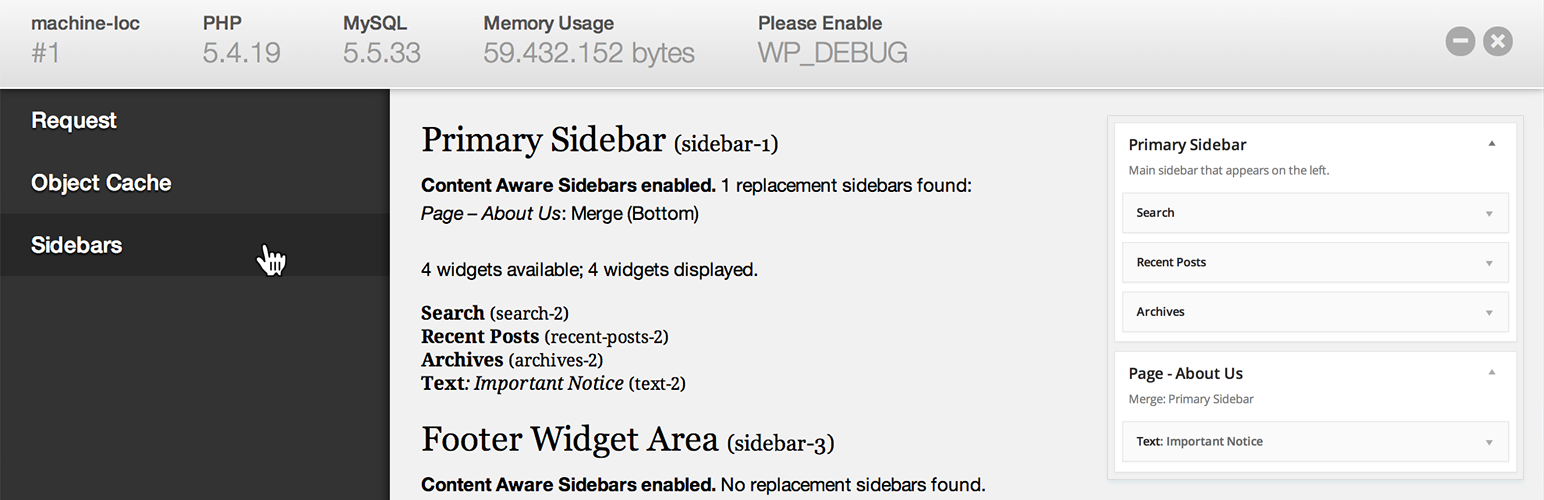
The Sidebars & Widgets extension for the Debug Bar shows you all you need to know about the sidebars and widgets on the current page. It shows the sidebars displayed and the widgets displayed in them, and tells you whether all widgets in the sidebar were actually displayed.

This plugin allows you to analyze the behaviour of your WordPress sidebars and wigets, and is aimed at WordPress developers.

This plugin is an extension to the Debug Bar plugin, which is required for this plugin to work.

This plugin integrates nicely with Content Aware Sidebars, telling you what sidebars were replaced and merged. It is an essential plugin if you use Content Aware Sidebars with a big number of sidebars.


For automatic installation, all you have to do is install and activate the plugin from the Plugins screen in your WordPress admin panel!

For manual installation, please download the plugin and follow these steps:
1. Make sure the debug-bar plugin is installed and activated.
1. Upload the folder debug-bar-sidebars to the /wp-content/plugins/ directory
1. Activate the plugin through the ‘Plugins’ menu in WordPress
1. An option to view information about the sidebars is displayed in the debug bar

سوالات متداول

پرسش و پاسخی برای این آیتم موجود نیست.
تصویری برای این آیتم موجود نیست.
نظری برای این آیتم موجود نیست.
0 0 رای ها
امتیازدهی
اشتراک در
اطلاع از
0 نظرات
قدیمی‌ترین
تازه‌ترین بیشترین رأی
هیچ نسخه‌ای برای این آیتم موجود نیست.
بدون امتیاز

قیمت:

رایگان

نگارش

آخرین انتشار

30 اردیبهشت 1405

آخرین بروزرسانی

3 ماه پیش

نصب های فعال

10+

نگارش وردپرس

وردپرس 3.5+

تست شده از نسخه

وردپرس 3.9.40

نگارش PHP

-

نسخه ها

0 نسخه


