

Debug Log Manager allows you to:
- Enable WP_DEBUG with one click to log PHP, database and JavaScript errors when you need to, and disable it when you’re done. No need to manually edit wp-config.php file.
- Create the debug.log file for you in a non-default location with a custom file name for enhanced security.
- Copy the content of the default / existing debug.log file into the custom debug.log file, and delete the default / existing debug.log file. So there is continuation in logging and enhanced security going forward.
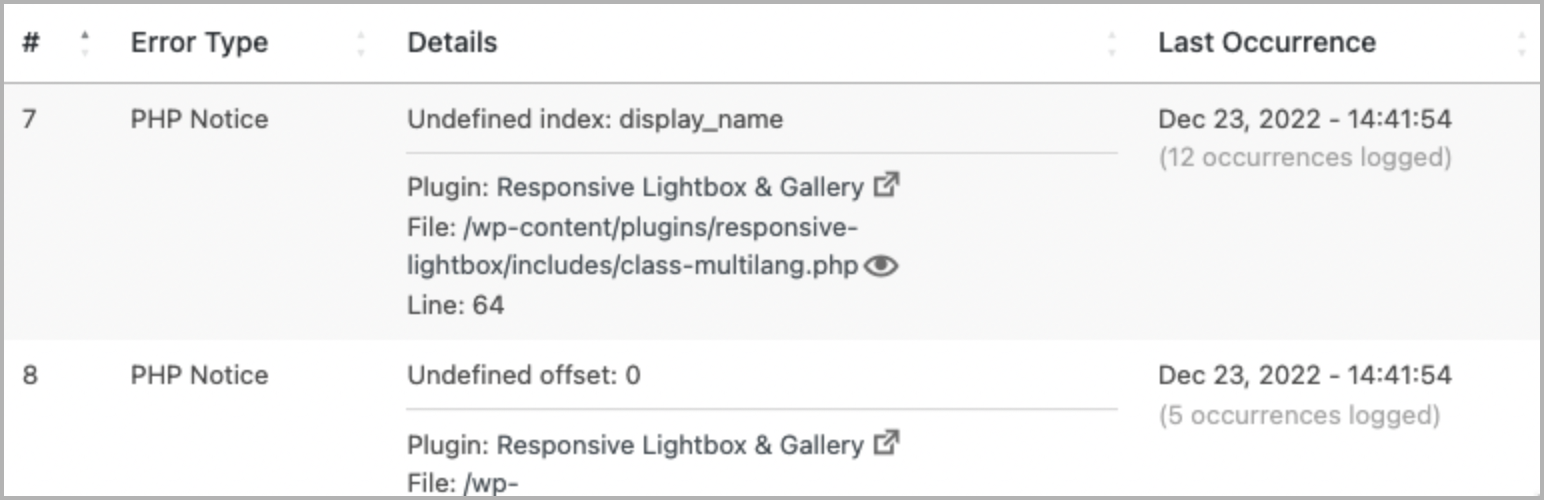
- Parse the debug.log file and view distinct errors and when they last occurred, which is better than looking at the raw log file (potentially) full of repetitive errors.
- Quickly find and filter more specific errors for your debugging work.
- Make error details easier to read by identifying error source (core / plugin / theme) and separating file path and line number.
- Easily view files where PHP errors occurred. This includes WordPress core, plugin and theme files.
- Enable auto-refresh to automatically load new log entries. No need to manually reload the browser tab, or to
tail -fthe log file on the command line. - Easily clear the debug.log file to save disk space and more easily observe newly occurring errors on your site.
- Show an indicator on the admin bar when error logging is enabled.
- Add a dashboard widget showing the latest errors logged.
- Use
error_log()to output error info into your debug log. e.g.error_log( $error_message )for simple, string-based error message, orerror_log( json_encode( $error ) )when inspecting a more complex error info, e.g. array or object.
A simpler and more compact version of Debug Log Manager is included as part of the System Dashboard plugin, should you prefer a single plugin that does more.
What Users Say
“This is a great plugin for dev especially for people who tinker in the code.” ~PK Son
“I have used a couple of other logger plugins and this is by far the best one.” ~Brian Henry
“Another massive time-saving tool.“ ~Jeff Starr
Give Back
- A nice review would be great!
- Give feedback and help improve future versions.
- Help translate into your language.
- Github repo to contribute code.
- Sponsor my work.
Check These Out Too
- System Dashboard: Central dashboard to monitor various WordPress components, processes and data, including the server.
- Variable Inspector: Inspect PHP variables on a central dashboard in wp-admin for convenient debugging.
- Admin and Site Enhancements helps you to easily enhance various admin workflows and site aspects while replacing multiple plugins doing it.
- WordPress Newsboard: The latest news, articles, podcasts and videos from 100+ WordPress-focused sources.






