
Disable Blog

Disable Blog

Build a blog-less WordPress site.

Disable Blog is a comprehensive plugin to disable the built-in blogging functionality on your site. You’ll be free to use pages and custom post types without a blog.

The blog is “disabled” when the plugin is activated, which removes support for the core ‘post’ type, hides blog-related admin pages/settings, and redirects urls on both the public and admin portions of the site. Refer to the GitHub readme file for a detailed functionality list.

Important

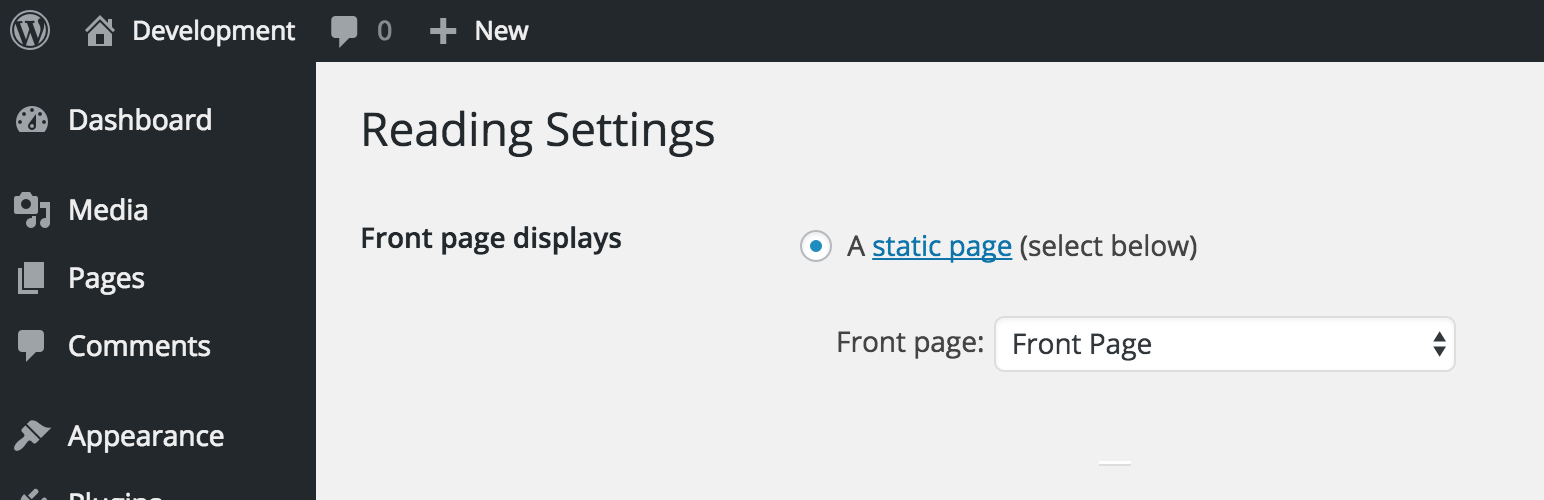
You need to select a page to act as the home page. If Settings > Reading > “Front Page Displays” is not set to show a page, then this plugin will not function correctly. Not doing so will mean that your post page can still be visible on the front-end of the site. It’s not required, but it is recommended you select a page for the “posts page” setting, this page will be automatically redirected to the static “home page.”

Site Content & Data

This plugin will not delete any of your site’s data, however existing blog related content will not be accessible while this plugins is active. This includes posts, categories, tags, and related comments.

If you have content and wish to remove it, either delete that content prior to activation or deactivate this plugin, delete it, and re-active.

Comments

Comments remain enabled, unless the ‘post’ type is the only type supporting comments (pages also support comments by default, so the comments section won’t disappear in most cases). If you’re looking to disable comments more thoroughly, check out the Disable Comments plugin.

Categories & Tags

These are disabled unless they are supported by a custom post type.

Custom Post Types

This plugin includes extensive support for custom post types and taxonomies. If you are using a custom post type that supports the built-in category and/or post_tag taxonomies, they will be visible and accessible through that post type.

Support

This plugin is maintained for free but please reach out and I will assist you as soon as possible. You can visit the WordPress.org support forums or create an issue on the GitHub repository.

View on GitHub & Contribute

View this plugin on GitHub to contribute as well as log any issues (or visit the WP support forums).

Please feel free to contribute! Refer to the Github Repo for specifics.

This section describes how to install the plugin and get it working.

  1. Add the plugin via Plugins > Add New, or manually upload the disable-blog plugin folder to the /wp-content/plugins/ directory.
  2. Activate the plugin through the ‘Plugins’ menu in WordPress

سوالات متداول

Can I Disable Comments?

Other post types (like Pages) may have comment support and other great plugins exist that can disable comments, so this feature was not part of the initial development of this plugin. A future release will include options to disable comments, but until then if you would like to disable comments, try the Disable Comments plugin.

I want to delete my posts and comments.

Deactivate the plugin, delete your posts (which will delete related comments), and delete any tags or categories you might want to remove as well. Then reactivate the Disable Blog to hide everything again.

How can I disable author archives?

Author archives are automatically created by WordPress for every user (example url: example.com/author/author-name). Typically these archives show posts by that user and possibly some biographical information. So many plugins and themes use author archives for other purposes – account page, profile page, etc. For that reason disabling author archives is currently only available with this plugin via a filter.

If you’re not using the built-in WP author archives for other purposes and would like to disable them entirely, add the following to your theme functions.php file or a custom plugin file:

add_filter( 'dwpb_disable_author_archives', '__return_true' );.

If author archives are not disabled, the plugin adds functionality to support custom post types on author archives by passing an array of post type slugs to dwpb_author_archive_post_types filter – however, theme support is usually needed to disable custom content types correctly.

How can I change the plugin’s behavior?

There are numerous filters available to change the way this plugin works. Refer to the GitHub page for more details or reach out on the support forums if you have any questions.

تصویری برای این آیتم موجود نیست.
نظری برای این آیتم موجود نیست.
0 0 رای ها
امتیازدهی
اشتراک در
اطلاع از
0 نظرات
قدیمی‌ترین
تازه‌ترین بیشترین رأی
نسخه حجم فایل SHA256 تغییرات دانلود
0.5.5 63 کیلوبایت -
دانلود
×
★★★★★
★★★★★
4.7 /5 (14 نظر)

قیمت:

رایگان

نگارش

0.5.5

آخرین انتشار

10 اردیبهشت 1405

آخرین بروزرسانی

4 ماه پیش

نصب های فعال

20,000+

نگارش وردپرس

وردپرس 5.9+

تست شده از نسخه

وردپرس 6.9.4

نگارش PHP

PHP 7.4+

نسخه ها

1 نسخه



