
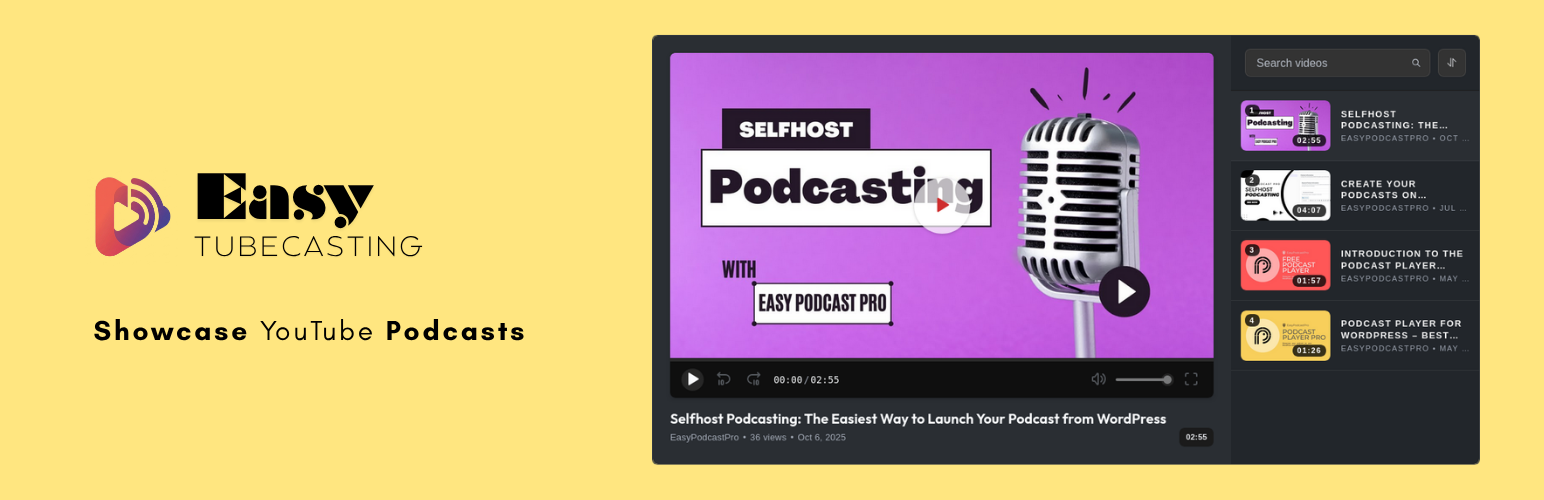

Easy TubeCasting helps you turn YouTube videos, playlists, channels, handles, and video podcasts into a clean WordPress video experience. Add the block, paste a YouTube URL, choose your display settings, and publish a responsive YouTube player with an interactive playlist.
The plugin is useful for creators, podcasters, course publishers, churches, educators, businesses, and anyone who wants a better way to showcase YouTube content on a WordPress site.
What you can display
- A single YouTube video.
- Multiple selected YouTube videos using comma-separated URLs.
- A YouTube playlist.
- A YouTube channel, custom channel URL, username URL, or @handle.
- A video podcast or recurring YouTube show.
Key features
- Easy TubeCasting block for the WordPress block editor.
- Responsive Spotlight player with a large video area and playlist rail.
- Support for YouTube video, playlist, channel, username, and handle URLs.
- Comma-separated video URLs for custom video lists.
- Frontend playlist search, sorting, and Load More controls when multiple videos are available.
- Custom player controls including play/pause, seek, volume, fullscreen, and captions when available.
- Dark and light theme modes.
- Accent color control for the player interface.
- Videos per batch setting, with the option to show only a single player.
- Optional YouTube Data API v3 key for playlist and channel imports, richer metadata, and syncing.
- Admin dashboard showing indexed collections and videos.
- Manual sync, single collection sync, collection reset, and configurable automatic sync.
- Local caching of YouTube metadata to reduce repeated API calls.
- RTL stylesheet support.
YouTube Data API key
Single videos and custom lists of specific video URLs can work without a YouTube Data API key by using YouTube oEmbed fallback data.
A valid YouTube Data API v3 key is required for playlists, channels, usernames, and handles because the plugin must ask YouTube which videos belong to that collection. The plugin includes a setup guide in Easy TubeCasting -> Settings, validates the key before saving it, masks it in the admin UI, and stores it in plugin options.
Supported URL examples
https://www.youtube.com/watch?v=VIDEO_IDhttps://youtu.be/VIDEO_IDhttps://www.youtube.com/embed/VIDEO_IDhttps://www.youtube.com/playlist?list=PLAYLIST_IDhttps://www.youtube.com/watch?v=VIDEO_ID&list=PLAYLIST_IDhttps://www.youtube.com/channel/CHANNEL_IDhttps://www.youtube.com/c/CHANNEL_NAMEhttps://www.youtube.com/user/USERNAMEhttps://www.youtube.com/@HANDLE
Privacy and data
Easy TubeCasting does not add separate analytics or plugin telemetry. It does connect to YouTube and Google services when needed to display videos, fetch metadata, validate an API key, and sync playlist or channel data. See the External services section below for details.
The plugin stores settings in WordPress options and stores fetched video, playlist, channel, and mapping data in custom database tables. When the plugin is uninstalled, its options and custom tables are removed.
External services
This plugin connects to YouTube and Google services to display videos, fetch video metadata, validate a YouTube Data API key, and keep playlists or channels synced.
YouTube IFrame Player API and embedded player
- Service provider: YouTube / Google.
- Purpose: Loads the YouTube player so visitors can watch videos on the front end.
- Data sent: The visitor’s browser requests player assets from YouTube. This may include the selected YouTube video ID, IP address, browser details, and cookies handled by YouTube or Google.
- When: When a visitor opens a page containing an Easy TubeCasting player and the YouTube player is initialized or playback starts.
- Terms: https://www.youtube.com/t/terms
- Privacy policy: https://policies.google.com/privacy
YouTube Data API v3 and YouTube oEmbed
- Service provider: YouTube / Google.
- Purpose: Validates API keys, fetches video metadata, fetches playlist and channel video lists, and supports manual or automatic syncing.
- Data sent: The site server sends YouTube video IDs, playlist IDs, channel identifiers, usernames, handles, or YouTube URLs to YouTube or Google. When an administrator saves or revalidates an API key, the key is also sent to Google for validation.
- When: When an administrator saves or revalidates an API key, when metadata is needed for a block, and when manual or automatic sync runs.
- API terms: https://developers.google.com/youtube/terms/api-services-terms-of-service
- Privacy policy: https://policies.google.com/privacy
YouTube thumbnail image CDN
- Service provider: YouTube / Google.
- Purpose: Displays YouTube thumbnail images for videos and playlists.
- Data sent: The visitor’s browser requests thumbnail images from YouTube or Google using the relevant video ID.
- When: When a visitor views a page containing video artwork or playlist items.
- Terms: https://www.youtube.com/t/terms
- Privacy policy: https://policies.google.com/privacy
Development
The plugin includes source JavaScript files alongside built JavaScript assets. Frontend source files are in frontend/js/ and admin/editor source files are in backend/js/.






