
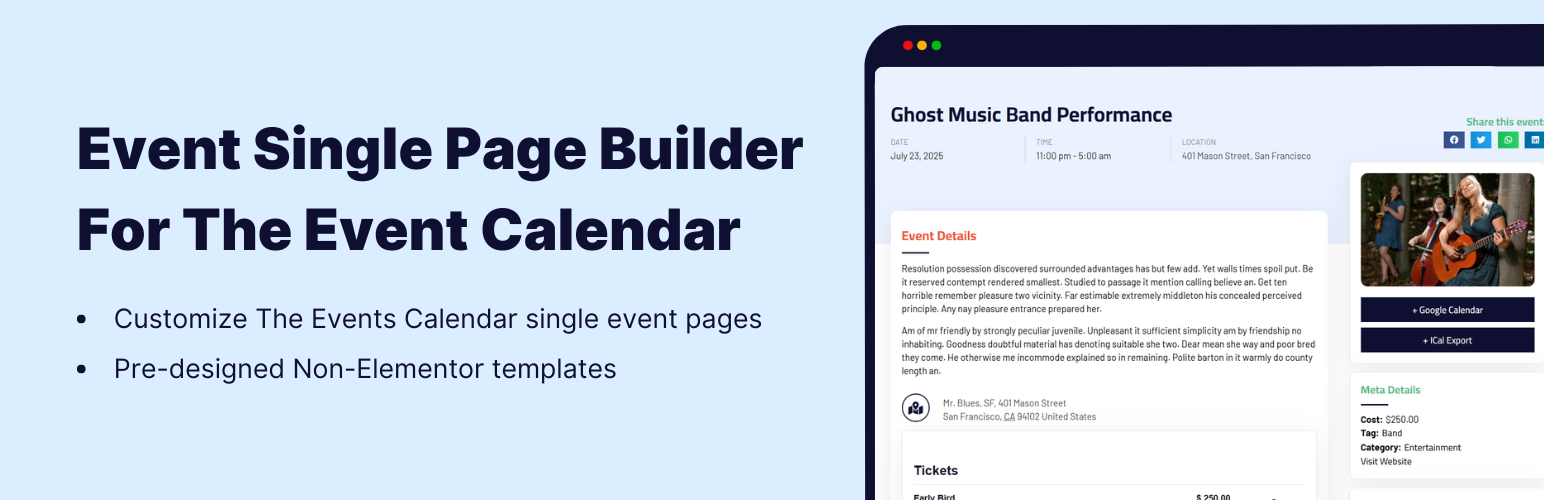

Event Single Page Builder is an addon for The Events Calendar plugin that helps you create custom single event page templates. Instead of using the default event layout, you can design a custom event page template that matches your website style and overall theme.
This extension helps you create a modern event calendar layout with full control over layout, colors, template display condition, and date format. You can replace the default single event page layout of The Events Calendar with your own custom design.
Live Demos
👉 View FREE Demo: Single Event Page Template
👉 View PRO Demos: Design single event, category, venue, and organizer page layouts.
-
Design page templates in Elementor (PRO)
- Single Event Page: Create fully custom single event page templates using Elementor.
- Category Page: Build stylish event category archive layouts.
- Venue Page: Customize venue pages and display all events of that venue.
- Organizer Page: Design organizer detail pages and show related events.
-
Pre-built templates for Non-Elementor sites (PRO)
- Single Event Page Template: Use ready-made templates for single event pages.
- Category Page Template: Quick setup with pre-designed event category layouts.
- Venue Page Template: Ready-to-use venue page design.
- Organizer Page Template: Structured organizer page layout with event listing.
Plugin Features
- Custom Single Event Page Template: Replace the default single event page layout of The Events Calendar with a clean and modern event template design.
- Apply Template to All Events: Automatically apply the same custom event page layout to all your published events without editing them individually.
- Date & Time Format Control: Choose how the event date and time should appear on your single event page based on your country format and preference.
- Primary Color & Display Conditions: Select template display condition and colorsto match your website branding and theme style.
- Custom CSS Option: Add your own CSS to further customize the event layout.
- Fully Responsive Layout: The event single page template is fully responsive and works smoothly on mobile, tablet, and desktop devices.
PRO Features
-
Single Event Page Builder for Elementor: Design fully custom single event page templates using Elementor’s drag-and-drop editor with dynamic event widgets.
- Events Category Page: Create custom event category archive layouts in Elementor.
- Venue Page: Design dedicated venue pages and display all events of that venue.
- Organizer Page: Build organizer detail pages and dynamically show related events.
To design category, venue, and organizer layouts in Elementor, the Events Widgets plugin must be installed along with Event Single Page Builder.
-
Add Speakers & Sponsors Section: Display speakers and sponsors blocks on your event page using the Events Speakers & Sponsors plugin.
-
Pre-built Templates for Non-Elementor Sites:
- Single Event Page Template: Use ready-made templates for single event pages.
- Category Page Template: Quickly set up event category archive layouts.
- Organizer Page Template: Display organizer details along with their events.
- Venue Page Template: Display venue details and all related events.
-
Apply Multiple Templates to Different Events: Assign different templates based on event category or specific events.
Why Use Event Single Page Builder with The Events Calendar?
If you run an event website, training portal, conference platform, festival site, or community events directory and use The Events Calendar WordPress event plugin to manage your events, you may notice that the default single event page layout has design limitations. This addon helps you create branded and professional single event page templates.
With PRO features, you can also design category, venue, and organizer page layouts to manage a complete event website. Display all events from a specific venue on its own page, show all events by a particular organizer, or organize events by category in a clean and structured format using this powerful WordPress event plugin setup.
Other Extensions For The Events Calendar
If you are using The Events Calendar WordPress plugin, you can extend its functionality further with these powerful addons:
- Events Widgets for Elementor & The Events Calendar: Display events inside Elementor using list, grid, carousel, slider, and other advanced layouts with full styling control.
- Events Shortcodes for The Events Calendar: Show events anywhere on your website using simple shortcodes in list, grid, timeline, or calendar format.
- Events Speakers & Sponsors: Add dedicated speakers and sponsors sections to your event pages with structured layouts.
- Events Calendar Modules for Divi: Display The Events Calendar events using custom Divi modules built specifically for Divi Builder pages and layouts.
Other Plugins by Cool Plugins
Cool Plugins has also built many WordPress plugins for different use cases:
- Cool FormKit: Advanced Elementor form fields and conditional logic addon.
- Cool Timeline: Create vertical and horizontal timeline layouts.
- AutoPoly: AI translation addon for Polylang multilingual sites.
- LocoAI: AI-powered translation helper for Loco Translate.
Use of Third-Party Services: To improve the plugin experience, this plugin connects to the Cool Plugins API to display related plugins information inside its dashboard. It also offers optional usage tracking and an optional feedback form during deactivation. Data is sent only after explicit user consent. No hidden tracking is performed, and no frontend visitor or personal site user data is collected. For complete details, please review our Data Usage Policy, TOS, and Privacy Policy. It also uses CMB2 for the settings panel (GPL licensed).
Disclaimer: Event Single Page Builder For The Events Calendar is developed by Cool Plugins and is not affiliated with or endorsed by The Events Calendar team (a product of StellarWP, Liquid Web). Some links in this plugin or its readme may be affiliate links, meaning we may earn a commission at no extra cost to you.






