
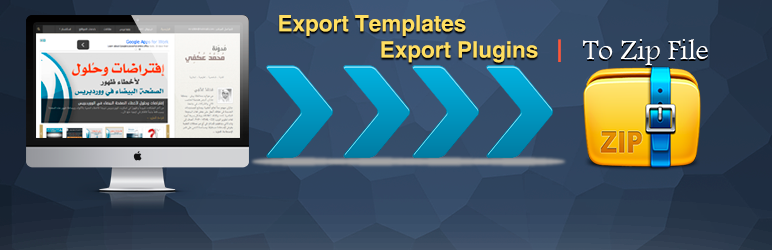
Export Plugins and Templates

Export Plugins and Templates

In this plugin you will be able to export your plugins and templates by easy way so, the file after export it will be zip file you can upload zip file to another sites if you want that’s.

Features

  • Export Your Plugins.
  • Export Your Templates.

Usage

Export Plugins

  • After installing the plugin, you need to go to the “Export Plugins” subsection in the “Plugins” menu.
    Just select the plugin you want and then click in the “Export Plugin Now” button. You will get a .zip file to download.

Export Templates

  • After installing the plugin, you need to go to the “Export Templates” subsection in the “Appearence” menu.
    Just select the template you want and then click in the “Export Template Now” button. You will get a .zip file to download.

Installation Automatically

  1. Click Plugins in the menu dashboard.
  2. Click Add New.
  3. Upload and choose “export-plugins-and-templates.zip” file and activate directly.
  4. After activated plugin you can see export plugin in “Plugins” menu and export templets in “Appearance” menu.

Installation Manually

  1. Download the plugin to your computer.
  2. Unzip the file and upload it to the “/wp-content/plugins/” from FTP or Cpanel.
  3. Activate the plugin through the ‘Plugins’ menu in WordPress dashboard.
  4. After activated plugin you can see export plugin in “Plugins” menu and export templets in “Appearance” menu.

سوالات متداول

پرسش و پاسخی برای این آیتم موجود نیست.
×
نظری برای این آیتم موجود نیست.
0 0 رای ها
امتیازدهی
اشتراک در
اطلاع از
0 نظرات
قدیمی‌ترین
تازه‌ترین بیشترین رأی
نسخه حجم فایل SHA256 تغییرات دانلود
1.3 40 کیلوبایت -
دانلود
×
★★★★★
★★★★★
4.4 /5 (12 نظر)

قیمت:

رایگان

نگارش

1.3

آخرین انتشار

13 اردیبهشت 1405

آخرین بروزرسانی

4 ماه پیش

نصب های فعال

1,000+

نگارش وردپرس

وردپرس 4.0+

تست شده از نسخه

وردپرس 6.6.5

نگارش PHP

PHP 5.6+

نسخه ها

1 نسخه




