
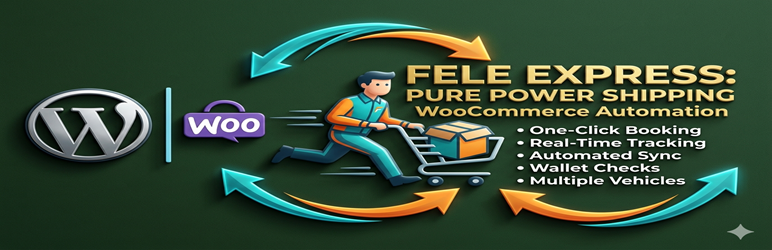
Fele Express Shipping for WooCommerce

Fele Express Shipping for WooCommerce

توسط

Fele Express Shipping for WooCommerce automates your delivery process by integrating Fele Express logistics directly into your WooCommerce store. Stop manually copying addresses – book deliveries with one click and track them in real-time.

Key Features

  • One-Click Booking – Book Fele Express deliveries directly from the WooCommerce order screen
  • Real-Time Tracking – Track deliveries with a single click to the Fele admin tracking page
  • Multiple Vehicle Types – Choose from motorcycles, cars, or buses based on your delivery needs
  • Wallet Balance Check – Automatic verification before booking to prevent failed orders
  • Customer Notifications – Optional email tracking information for customers
  • Order Status Sync – Automatic WooCommerce order status updates via webhooks
  • Webhook Support – Real-time order status updates from Fele Express

How It Works

  1. Configure – Enter your Fele Express API key and pickup location in WooCommerce settings
  2. Book – Click “Book Fele Delivery” on any WooCommerce order screen
  3. Track – Click the tracking button to open the Fele business admin tracking page
  4. Deliver – Get real-time updates as your order is delivered

Perfect For

  • Restaurants delivering food orders
  • E-commerce stores shipping products
  • Pharmacies delivering medications
  • Any business using Fele Express for last-mile delivery

External Services

This plugin connects to the Fele Express API service to book deliveries, check wallet balances, and track orders in real-time. This service is required for the plugin’s core functionality.

What data is sent and when:
– When booking a delivery: Order details including customer name, phone number, delivery address, pickup address, parcel description, and total weight
– When checking wallet balance: API authentication token (sent with every request)
– When tracking a delivery: Fele order ID to retrieve rider location and delivery status
– When viewing the Fele Express settings page: The plugin sends an API request with your bearer token to fetch available vehicle types for the dropdown menu
– Webhook endpoint: Order status updates received from Fele Express (no data is sent; this is a receiving endpoint)

API Endpoints Used:
– Production: https://api.feleexpress.com
– Sandbox/Testing: https://api-staging.feleexpress.com

Service provider: Fele Express
– Terms of Service: https://feleexpress.com/terms-conditions/
– Privacy Policy: https://feleexpress.com/privacy-policy
– Production Dashboard: https://api.feleexpress.com/business/dashboard
– Sandbox Dashboard: https://api-staging.feleexpress.com/business/dashboard
– API Documentation: https://api.feleexpress.com/business/api/docs

  1. Upload the fele-express-shipping-for-woocommerce folder to the /wp-content/plugins/ directory
  2. Activate the plugin through the ‘Plugins’ menu in WordPress
  3. Go to WooCommerce > Settings > Fele Express
  4. Enter your Fele Express API secret key (Bearer token)
  5. Configure your default pickup location (warehouse/store address)
  6. Select your preferred default vehicle type
  7. Save changes

Minimum Requirements

  • WordPress 5.0 or higher
  • WooCommerce 4.0 or higher
  • PHP 7.2 or higher
  • Fele Express business account with API access

سوالات متداول

Do I need a Fele Express account?

Yes, you need a Fele Express business account to use this plugin. Sign up at Fele Express Business.

Where do I find my API key?

Log in to your Fele Express business dashboard at https://api.feleexpress.com/business/dashboard, go to your profile settings, and copy your secret key (Bearer token).

What payment methods are accepted?

Deliveries are paid from your Fele Express wallet. Ensure you have sufficient balance before booking deliveries. You can fund your wallet from your Fele dashboard.

Can I track deliveries in real-time?

Yes! Once a delivery is booked, click the “Track Delivery” button on the order screen to open the Fele admin tracking page. You’ll see the rider’s location, order timeline, and delivery status.

What vehicle types are available?

Available vehicles include:
* Motorcycle – For small items, food, documents, and paper bags
* Cars (Sedan) – For small boxes, cakes, and multiple parcels
* Bus – For multiple boxes or piles of stock

Does it support multiple pickup locations?

Currently, the plugin uses one default pickup location (your warehouse/store). Support for multiple pickup locations is planned for a future release.

What happens if my wallet balance is insufficient?

The API will return an error message and the booking will not be completed. You’ll need to fund your Fele wallet and try again.

Can I customize the order status after booking?

Yes, in the settings you can choose which WooCommerce order status to set after a successful Fele booking (e.g., Processing, Completed, etc.).

Is there a test mode?

Yes, the plugin supports both Sandbox (testing) and Production (live) modes. Use Sandbox mode while testing the integration.

×
نظری برای این آیتم موجود نیست.
0 0 رای ها
امتیازدهی
اشتراک در
اطلاع از
0 نظرات
قدیمی‌ترین
تازه‌ترین بیشترین رأی
نسخه حجم فایل SHA256 تغییرات دانلود
1.1.1 21 کیلوبایت -
دانلود
×
بدون امتیاز

قیمت:

رایگان

نگارش

1.1.1

آخرین انتشار

1 خرداد 1405

آخرین بروزرسانی

3 ماه پیش

نصب های فعال

-

نگارش وردپرس

وردپرس 5.0+

تست شده از نسخه

وردپرس 6.9.4

نگارش PHP

PHP 7.2+

نسخه ها

1 نسخه




