

🌐 Demo | 📖 Documentation | 💬 Community | 🚀 Upgrade to PRO
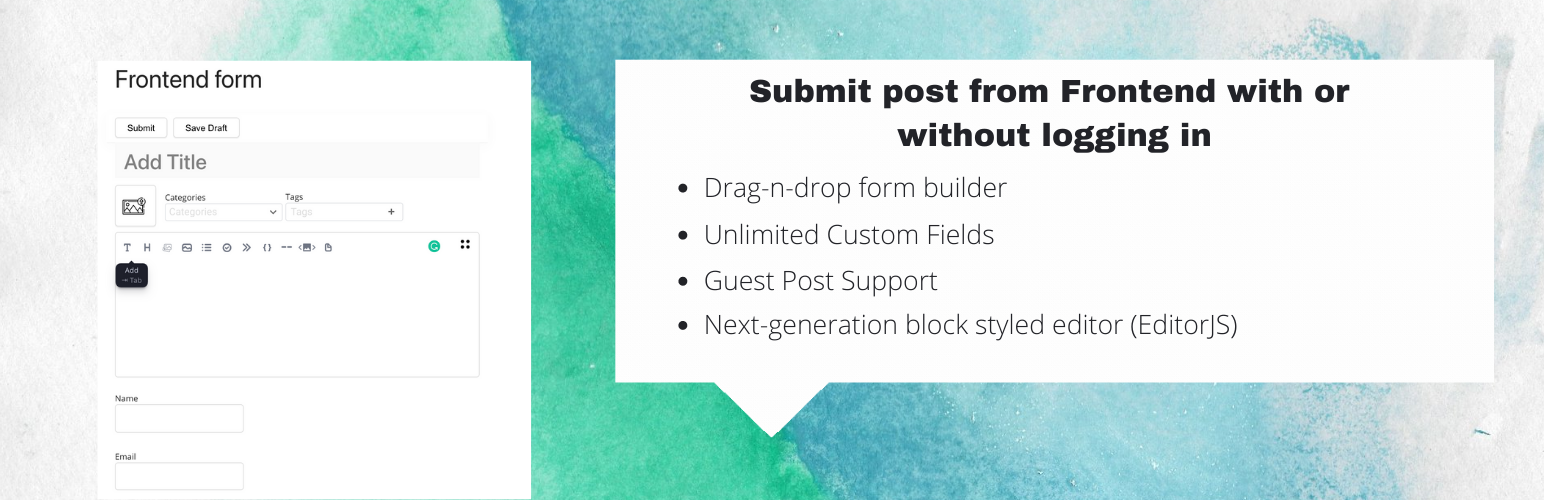
WP Front User Submit is a versatile WordPress plugin designed to enable post submissions from the frontend with or without user login. Packed with configurable options, it offers a comprehensive solution for guest posting.
✨ Core Features
- Includes a fast & secure post-submission form
- Includes a simple login/register/password form
- Display forms anywhere via shortcode or template tag
- Flexibility for Admins
- Drag and Drop Form Builder
- Guest Post Support
- Admin and User Notification Configurations
- Redirection Options After Submission
- Configure Submitted Post Status
- Enable/Disable Form Components
- Multiple Text Editors (EditorJS, MD Editor, TinyMCE Editor, Simple Text Area)
- Use anywhere easily with shortcodes
- Simple Login and Registration Forms [fus_form_login] & [fus_form_register]
- Redirect user to any URL or current page after submission
- Use the default form styles or add your own custom CSS
- Form fields may be set as optional or required
- Includes shortcode to display a list of submitted posts [fe_fs_user_admin]
- Post Images
- Google reCAPTCHA Integration
- Responsive and Browser Compatible
- Developer Documentation Available
- WooCommerce integration: Enable payment collection for each post submission.
Detailed Features
Flexibility for Admins
Manage users from the frontend and configure backend access for specific users.
Files & attachments
Allow users to upload attachments, including post featured images, directly from the frontend.
Drag-n-Drop Form Builder
Build and customize forms with ease using the drag-and-drop form builder with real-time preview.
Shortcodes
Use unique shortcodes to embed forms anywhere on your site without breaking your theme’s style.
Guest Post Submission
Enable guests to submit posts from the frontend without registering.
Frontend Content Management
Users can upload files, fill out forms, and update their posts directly from the frontend.
Next-Generation Block Styled Editor (EditorJS)
Enhance post content with block-styled editing capabilities.
Customizable Post Status and Messages
Set default post statuses, customize submission messages, and modify submit button text.
Display Custom Fields Data in Post
Custom fields data are viewable to visitors on frontend on single post pages. Admins can disable this feature also.
User Admin Panel
Manage posts with ease, including editing and deleting capabilities, using the [fe_fs_user_admin] shortcode.
Integrations
- Compatible with the User Role Editor plugin for advanced permission configurations.
- Compatible with ACF plugin.
✨ Premium Features
- Custom taxonomy support
- Custom post types
- Custom field support
- FilePond integration for file uploads
- Custom field with various field types
– Textfield
– Textarea
– Number
– Email
– URL
– Tel - Enhanced EditorJS features (Gallery, Image uploading, Table, Carousel, etc.)
- Thumbnail using WP Media Uploader
- Multiple categories selection
- Files and images advanced uploader field using Filepond JavaScript library
- Google Map Field
- Date Field
- Hidden field
- Radio Group field
- Number field
- Button field
- Header field
- Checkbox Group field
- Paragraph field
- Action hook field
- hCaptcha field
- WooCommerce integration
Boost your site value with user-generated content!
Try It Out
* Online Demo of the FREE & PRO version.
* Login Here
* Username: Demo
* Password: Demo
Please help us to improve the plugin
For revision and issues here
Pro Version
- Front Editor Pro* now available here.
Community
https://wpfronteditor.com/docs/
Documentation
- Check documentation here
For more information please visit our site .
Translations
- English – default, always included
- Russian – ru_RU






