
Getsitecontrol — Email Marketing Plugin | Popup Maker, Automations & Newsletters

Getsitecontrol — Email Marketing Plugin | Popup Maker, Automations & Newsletters

توسط

Send promo newsletters, build email marketing automations.
Create popups to capture emails, promote deals, and survey visitors.

Getsitecontrol is an Email Marketing plugin that houses everything you need to generate leads and turn them into returning customers.

Send email newsletters to promote products, announce special offers, drive traffic to your website, and boost sales. Craft professional emails using a full-featured editor and a modern email template gallery.

Create newsletter popups, announcement bars, promo banners, coupon boxes, survey and contact form that align with your website’s branding.

Tag new subscribers based on their interests, send follow-ups, and keep them engaged using email marketing automations.

Works well with WooCommerce. Support is available 24/5 via live chat.

★★★★★

“It is fairly easy to set up and works great for my store! Plus if you want to make things more customizable they have a help center to edit the CCS.” — Gozzy Gxmz store

Widgets

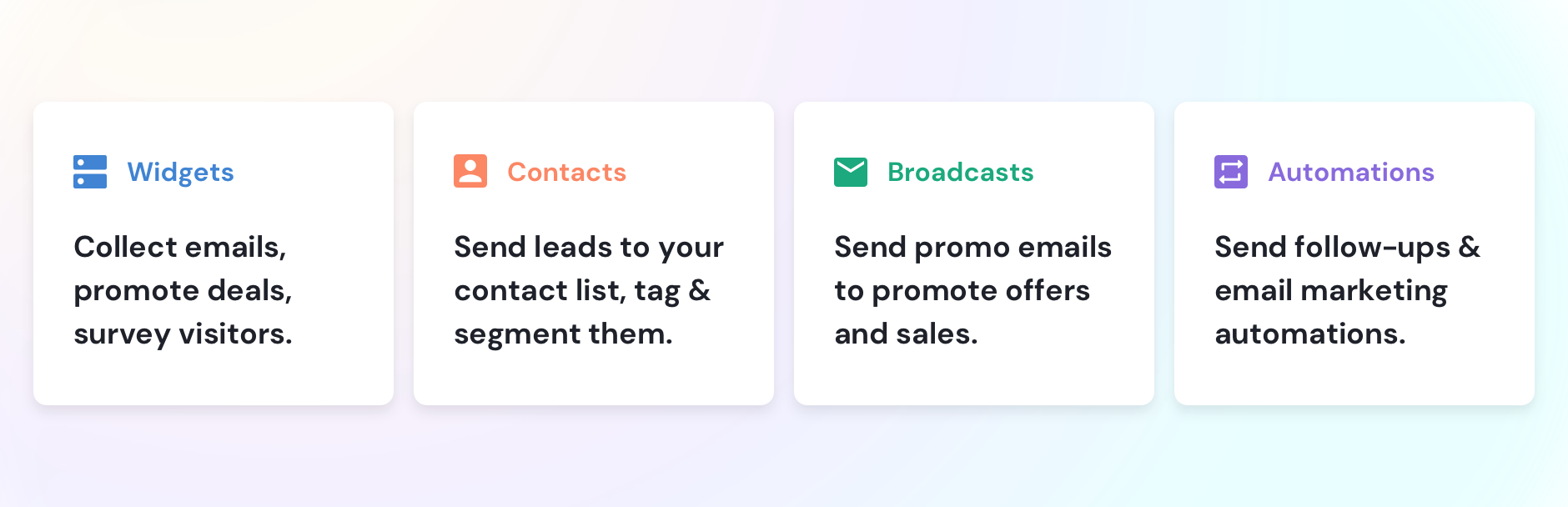
Create pop-up widgets, inline forms, sticky bars, slide-ins, sidebars, and panels to engage with your website visitors.

Explore the collection of templates for email opt-in forms, promo banners, coupons, and surveys. Pick one and customize it within minutes.

Here is what you can do with widgets

• Grow your email list
• Promote sales and deals
• Prevent abandonment
• Make announcements
• Collect feedback

Contacts

Organize your email contacts in a structured database. Tag them through email automations or upon signup based on interests, newsletter preferences, or other attributes.

Build audience segments and launch personalized email campaigns.

Here is what you can do with contacts

• Manage your contact database
• Benefit from built-in filters
• Apply field mapping for tagging
• Review interaction history
• Plan well-targeted campaigns

Automations

Build email marketing automations to convert your subscribers into customers on autopilot. Send emails and tag your contacts when they complete an email form, join your list, or click through links in your emails.

Save time and enhance your ROI from email marketing.

Here is what you can do with automations

• Welcome new subscribers
• Recommend products or services
• Re-engage dormant customers
• Create reusable sequences
• Add tags based on email interactions

Broadcasts

Create email broadcasts for all contacts or a particular audience segment to keep them informed about the company’s news, promote sales, products, and deals.

Craft professional-looking emails and send them right away or schedule them for a later date.

Here is what you can do with broadcasts

• Announce new product launches
• Notify customers about back-in-stock items
• Boost email CTR with product cards
• Add a countdown to create a sense of urgency
• Drive sales with personalized campaigns

  1. Navigate to the Plugins section in your WordPress dashboard and search for GetsiteControl. Click Install Now.
  2. Activate the plugin using the Activate button. A new GetsiteControl section will appear in the left panel of your WordPress dashboard.
  3. If you already have a registered GetsiteControl account, opt to Sign In. If you don’t have a GetsiteControl account yet, choose to Sign Up.
  4. If you have a single website registered in your GetsiteControl account, the Go to Dashboard button will appear.
  5. For multiple registered websites in your GetsiteControl account, you can select the relevant site from the list and click the Go to Dashboard button.
  6. You will be redirected to your GetsiteControl dashboard.
  7. Success! The GetsiteControl plugin is now installed on your WordPress site, and you can start building your first campaign.

Refer to the detailed guide

سوالات متداول

Do I need a Getsiteсontrol account to use this plugin?

Yes, you do. You can create an account during plugin installation, or create an account first and then install the plugin afterward.

Create an account now

Can I use Getsiteсontrol for WooCommerce?

Absolutely. Similar to WooCommerce, this plugin is tailored for ecommerce brands selling products or services online, and the two platforms work well together.

Explore ecommerce widget templates

What integrations are available?

You can use built-in integrations to connect email marketing apps like Mailchimp, AWeber, Constant Contact, and others. You can also integrate Getsitecontrol with Google Analytics, Google Sheets, CRMs, and automation tools such as Hubspot, Omnisend, Intercom, and Keap. Additionally, you can integrate Getsiteсontrol with numerous apps from the Zapier library and receive data submitted through website forms using Webhooks.

See the full list of integrations

Do you offer an API?

Yes, we do. Discover how you can use it to transmit collected data to third-party applications, trigger popups based on link clicks, and more.

Read the developer’s documentation

How can I get support?

Our dedicated team is available 24 hours a day, 5 days a week via live chat in your GetsiteControl dashboard or directly on the website. You can also email us with your questions, explore our Help Center, or join our Slack community.

×
نظری برای این آیتم موجود نیست.
0 0 رای ها
امتیازدهی
اشتراک در
اطلاع از
0 نظرات
قدیمی‌ترین
تازه‌ترین بیشترین رأی
هیچ نسخه‌ای برای این آیتم موجود نیست.
★★★★★
★★★★★
4.1 /5 (23 نظر)

قیمت:

رایگان

نگارش

آخرین انتشار

13 اردیبهشت 1405

آخرین بروزرسانی

4 ماه پیش

نصب های فعال

1,000+

نگارش وردپرس

وردپرس 3.0.1+

تست شده از نسخه

وردپرس 6.8.5

نگارش PHP

-

نسخه ها

0 نسخه




