
Gold Price Live

Gold Price Live

توسط

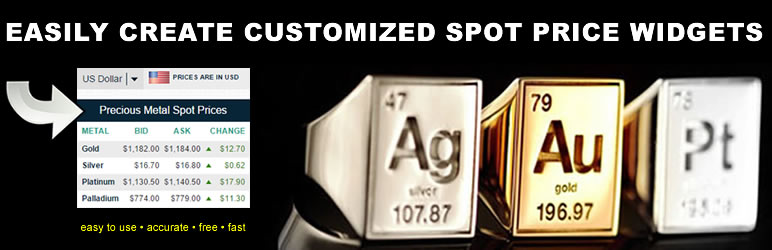
Using only shortcode you can place a gold, silver, platinum and palladium spot price or a chart on your website in pages, posts, widgets. The gold price output is simple plain text allowing you to easily edit the style and look with the WordPress editor. Our FREE Gold Price Live plugin updates 1 time per day in the morning at open. If you need real time pricing or custom branded chart we also have a paid live pricing version on our website that also allows you to integrate real time precious metals pricing into your WooCommerce products. Our paid version also comes with spot price ticker generator. Our paid version also includes the ability to add live precious metals pricing to your Shopify and BigCommerce products! If you have any questions or require assistance email info@gold-feed.com.

WANT UP TO THE MINUTE PRICING AND YOUR OWN LOGO ON THE GOLD AND SILVER CHARTS??

In your WordPress Dashboard go to Settings > Gold_Price_Live and upgrade using the form at the bottom of the page. Your upgrade will include all currencies as well as 30 second updates. It also allows you to price your WooCommerce using live precious metals pricing!

Advantages over other solutions:

  1. You do not have to hire a developer to place real time precious metals pricing on your WordPress website or blog.
  2. The prices output are very accurate. Our free plugin updates pricing 1 time per day in the morning when the market opens.

If you have any questions or need help with the plugin please email us at info@gold-feed.com.

Acknowledgments

This plugin uses:

Gold and Silver API from www.gold-feed.com

Dashboard

  1. Log into your WordPress as an administrator.
  2. Click on “Plugins” then do a search for “Gold Price Live”.
  3. Click on “Install Now”.
  4. Activate the plugin.
  5. The plugin is now ready to work. Just place shortcode in posts, pages and widgets as follows: [gold_chart], [silver_chart], [gold_bid], [gold_ask], gold_high], [gold_low], [gold_dollar_change], [gold_percent_change], [silver_bid], [silver_ask], silver_high], [silver_low], [silver_dollar_change], [silver_percent_change], [platinum_bid], [platinum_ask], platinum_high], [platinum_low], [platinum_dollar_change], [platinum_percent_change], [palladium_bid], [palladium_ask], palladium_high], [palladium_low], [palladium_dollar_change] or [palladium_percent_change]. You must include the square brackets as well.

Manual

  1. Download the plugin from this page.
  2. Login to your weblog administration area.
  3. Click on “Plugins” then “Add New” and then “Upload” the .zip file.
  4. Activate the plugin.
  5. The plugin is now ready to work. Just place shortcode in posts, pages and widgets as follows: [gold_chart], [silver_chart], [gold_bid], [gold_ask], gold_high], [gold_low], [gold_dollar_change], [gold_percent_change], [silver_bid], [silver_ask], silver_high], [silver_low], [silver_dollar_change], [silver_percent_change], [platinum_bid], [platinum_ask], platinum_high], [platinum_low], [platinum_dollar_change], [platinum_percent_change], [palladium_bid], [palladium_ask], palladium_high], [palladium_low], [palladium_dollar_change] or [palladium_percent_change]. You must include the square brackets as well.

سوالات متداول

HOW DO I UPGRADE TO GET UP TO THE MINUTE PRICING AND MY OWN LOGO ON THE CHARTS?

In your WordPress Dashboard go to Settings > Gold_Price_Live and upgrade using the form at the bottom of the page.

How do I place the gold, silver, platinum or palladium price or chart on my WordPress website or blog?

After following the installation instructions you place this text: [gold_chart], [silver_chart], [gold_bid], [gold_ask], gold_high], [gold_low], [gold_dollar_change], [gold_percent_change], [silver_bid], [silver_ask], silver_high], [silver_low], [silver_dollar_change], [silver_percent_change], [platinum_bid], [platinum_ask], platinum_high], [platinum_low], [platinum_dollar_change], [platinum_percent_change], [palladium_bid], [palladium_ask], palladium_high], [palladium_low], [palladium_dollar_change] or [palladium_percent_change], including the square brackets in pages, posts, widgets of your WordPress blog or website.

Are the charts responsive?

Yes.

Where can I place the Gold Feed Live shortcode?

In Pages, Posts and Widgets.

What happens when I disable Gold Feed Live?

All that happens is your shortcode will show the shortcode instead of the spot price or change.

Who can access the settings and the PHP code?

Only the administrator of the blog or website.

Who can use the defined shortcodes?

Only the administrator of the blog or website.

×
نظری برای این آیتم موجود نیست.
0 0 رای ها
امتیازدهی
اشتراک در
اطلاع از
0 نظرات
قدیمی‌ترین
تازه‌ترین بیشترین رأی
نسخه حجم فایل SHA256 تغییرات دانلود
20.20 226 کیلوبایت -
دانلود
×
★★★★★
★★★★★
2.5 /5 (8 نظر)

قیمت:

رایگان

نگارش

20.20

آخرین انتشار

21 اردیبهشت 1405

آخرین بروزرسانی

3 ماه پیش

نصب های فعال

300+

نگارش وردپرس

وردپرس 2.0+

تست شده از نسخه

وردپرس 5.3.21

نگارش PHP

-

نسخه ها

1 نسخه




