
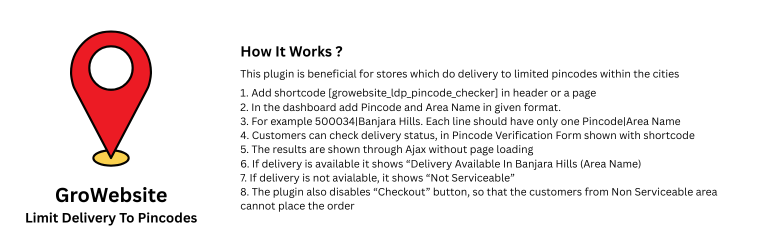

GroWebsite Limit Delivery To Pincodes allows WooCommerce store owners to restrict checkout to specific pincodes (postcodes).
If a customer enters a non-serviceable pincode, the checkout process is automatically blocked to prevent invalid orders.
The plugin also provides a shortcode-based delivery availability checker that customers can use to verify whether delivery is available in their area before placing an order.
This plugin works seamlessly with WooCommerce checkout and supports modern WordPress themes, Elementor, and Gutenberg.
Why Use This Plugin?
GroWebsite Limit Delivery To Pincodes is designed for WooCommerce stores that deliver only to selected serviceable locations.
It helps prevent orders from unsupported areas and improves customer experience by allowing users to check delivery availability before checkout.
Perfect For
- Grocery delivery stores
- Local food delivery websites
- Pharmacy delivery stores
- Hyperlocal ecommerce websites
- Businesses delivering only to selected pincodes
Key Features
- Restrict WooCommerce checkout to selected pincodes
- Automatic checkout validation
- Disable “Place Order” button for non-serviceable areas
- AJAX-based frontend pincode checker
- Shortcode: [pincode_checker]
- Mobile responsive design
- Lightweight and optimized
- Fully translation ready
- Secure nonce-based AJAX handling
Usage
Restrict Checkout
- Go to Admin Pincode Delivery.
- Enter one pincode per line.
- Save settings.
Customers will only be able to place orders if their billing postcode matches one of the allowed pincodes.
Frontend Delivery Checker
Use the shortcode:
[growebsite_ldp_pincode_checker]
You can place this shortcode:
- On product pages
- On homepage
- On landing pages
- Inside Elementor or Gutenberg blocks
Support
For support and documentation please visit:
https://growebsite.in/limit-delivery-pincodes/
License
This plugin is licensed under the GPLv2 or later.






