
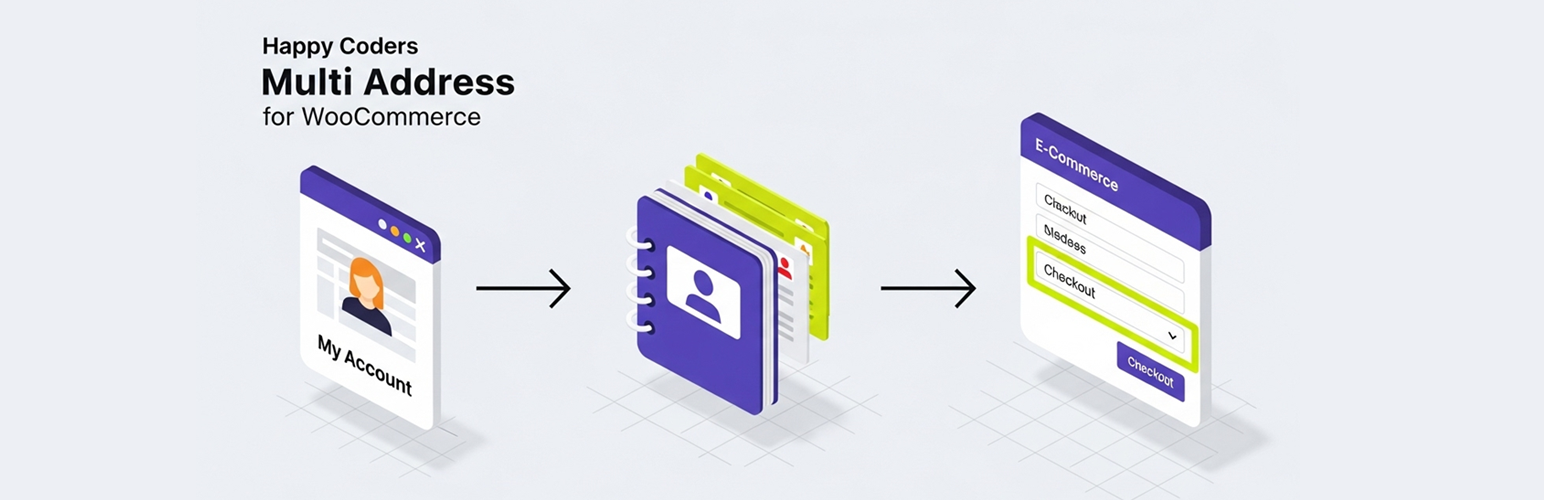
Happy Coders Multi Address for WooCommerce

Happy Coders Multi Address for WooCommerce

توسط

Tired of customers having to re-type addresses for different shipping locations or billing details? HappyCoders Multiple Addresses for WooCommerce enhances the WooCommerce “My Account” area and Checkout process by providing a robust address book feature.

Logged-in customers can save multiple billing and shipping addresses, give them nicknames for easy recognition (like “Home”, “Work”, “Parents’ House”), set defaults, and edit or delete addresses as needed.

During checkout, customers can quickly select from their saved addresses using a dropdown or list format (configurable by the admin), streamlining the process and reducing errors. This plugin integrates with both the Classic WooCommerce Checkout (using the [woocommerce_checkout] shortcode) and the modern Block-Based Checkout experience.

Key Features:

  • Multi Address Book: A dedicated section in the “My Account” page.
  • Automatic Import: Seamlessly imports a customer’s existing default WooCommerce address into the address book on their first visit.
  • Automatic Saving of New Checkout Addresses: Any new, unique address a customer enters during checkout is automatically saved to their address book and set as the new default for future use.
  • Save Multiple Addresses: Customers can save distinct billing and shipping addresses.
  • Address Nicknames & Types: Easily label and identify saved addresses with custom nicknames and predefined types (Home, Work, Other).
  • Set Default Addresses: Designate default billing and shipping addresses.
  • Easy Editing/Deletion: Customers can manage their saved addresses.
  • Checkout Selection: Choose saved addresses directly on the checkout page.
    • Admin option for Dropdown or Radio List display.
    • Admin option to allow/disallow entering a brand new address at checkout.
  • Address Limits: Admin can set maximum number of billing/shipping addresses per user.
  • Customizable Menu Text: Admin can change the “Multi Address Book” menu item text.
  • Auto-Default New Address: Newly added addresses automatically become the default.
  • Classic & Block Checkout Integration: Works with both checkout types.
    • Classic: Uses standard WooCommerce hooks.
    • Block: Uses modern JavaScript integration with the WooCommerce Blocks API (registerCheckoutBlock).
  • Multisite Compatible: Includes support for Multisite installations, ensuring endpoints and functionality work correctly across the network.
  • My Account Address Display Style: Admin can choose to display saved addresses in the “My Account” page as a carousel or a list.

Building from Source

This plugin uses modern JavaScript tools for development. The source code is included for transparency and to allow developers to contribute or modify the code. You do not need to follow these steps to use the plugin; the pre-built files are included.

If you wish to modify the JavaScript or CSS source files (/src directory), you will need to have Node.js and npm installed on your machine.

  1. Navigate to the Plugin Directory:
    Open your terminal and navigate to the plugin’s root directory:
    cd path/to/wp-content/plugins/happycoders-multiple-addresses/

  2. Install Dependencies:
    Run the following command to install the necessary development packages listed in package.json:
    npm install

  3. Build for Production:
    To compile and minify the source files for a production environment, run:
    npm run build
    This will generate the final JavaScript and CSS files in the /build directory.

  4. Run in Development Mode:
    For active development, use this command to watch for changes in the /src directory and automatically re-compile the files:
    npm run start

The source files for the block integration can be found in the /src directory.

Minimum Requirements:

  • WordPress 5.6 or greater
  • WooCommerce 6.0 or greater
  • PHP 7.4 or greater

Automatic Installation (Easiest):

  1. Log in to your WordPress admin dashboard.
  2. Navigate to Plugins > Add New.
  3. Search for “Happy Coders Multi Address for WooCommerce”.
  4. Click “Install Now” and then “Activate”.

Manual Installation:

  1. Download the plugin zip file.
  2. Log in to your WordPress admin dashboard.
  3. Navigate to Plugins > Add New.
  4. Click the “Upload Plugin” button at the top.
  5. Choose the downloaded zip file and click “Install Now”.
  6. Click “Activate Plugin”.

Manual Installation (FTP):

  1. Download the plugin zip file and unzip it.
  2. Using an FTP client or your hosting file manager, upload the unzipped plugin folder (happycoders-multiple-addresses) to the wp-content/plugins/ directory on your server.
  3. Log in to your WordPress admin dashboard.
  4. Navigate to the Plugins screen.
  5. Find “HappyCoders Multiple Addresses for WooCommerce” in the list and click “Activate”.

After Activation:

  1. A new “Multi Address Book” menu item will appear in the WooCommerce “My Account” page for logged-in users.
  2. Configure plugin settings under WooCommerce > Settings > HC Multiple Addresses.
  3. If you encounter issues with the “Multi Address Book” page showing a “Not Found” error after activation or changing themes/settings, please go to Settings > Permalinks in your admin dashboard and simply click Save Changes (no changes needed) to flush the rewrite rules.

سوالات متداول

Does this work with the new Block Checkout?

Yes! The plugin includes integration for both the Classic ([woocommerce_checkout] shortcode) and the modern Block-Based Checkout experience introduced in recent WooCommerce versions. The address selectors will appear automatically in the appropriate sections.

What happens to my existing customers’ addresses?

When an existing customer visits their “Multi Address Book” page for the first time after you install the plugin, their current default billing and shipping addresses (from the standard WooCommerce “Addresses” tab) will be automatically imported into the new address book. This provides a seamless experience so they don’t have to re-enter their primary address.

What happens when a customer uses a new address at checkout?

If a logged-in customer enters a new, unique address when placing an order, the plugin will automatically save that address to their address book and set it as their new default. This makes it instantly available for their next purchase without needing to manually add it first.

How do customers manage their addresses?

Logged-in customers can find a new “Multi Address Book” tab within their main “My Account” page (usually /my-account/hc-address-book/). From there, they can add, view, edit, delete, and set default billing/shipping addresses.

Can I change how the addresses are selected at checkout?

Yes. Go to WooCommerce > Settings > HC Multiple Addresses. You can choose between a “Dropdown Select Box” or a “List (Radio Buttons)” for the selector style.

Can I prevent customers from adding new addresses at checkout?

Yes. In the plugin settings (WooCommerce > Settings > HC Multiple Addresses), you can set the “Allow New Address Entry” option to “No”. This will remove the “Enter a new address” option from the selectors.

Can I limit how many addresses a user saves?

Yes. The plugin settings include options to set a maximum number of saved billing addresses and shipping addresses per user. Set to 0 or leave blank for unlimited.

Will this conflict with my theme or other plugins?

The plugin aims to use standard WooCommerce hooks and APIs where possible. However, themes or plugins that heavily modify the “My Account” page structure or the Checkout process (especially Block Checkout customizations beyond the standard blocks) could potentially cause conflicts. If you experience issues, try temporarily switching to a default theme (like Storefront) and deactivating other plugins to identify a conflict.

×
نظری برای این آیتم موجود نیست.
0 0 رای ها
امتیازدهی
اشتراک در
اطلاع از
0 نظرات
قدیمی‌ترین
تازه‌ترین بیشترین رأی
هیچ نسخه‌ای برای این آیتم موجود نیست.
★★★★★
★★★★★
5.0 /5 (8 نظر)

قیمت:

رایگان

نگارش

آخرین انتشار

22 اردیبهشت 1405

آخرین بروزرسانی

3 ماه پیش

نصب های فعال

70+

نگارش وردپرس

وردپرس 5.6+

تست شده از نسخه

وردپرس 6.8.5

نگارش PHP

PHP 7.4+

نسخه ها

0 نسخه




