
Hide Admin Menu

Hide Admin Menu

توسط

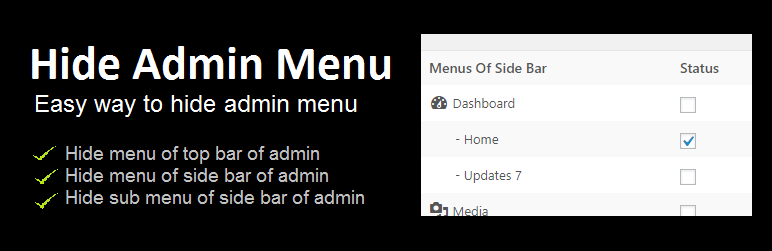
This plugin gives the facility for hiding and showing the admin menu of the side and top bars.

This plugin gives an easy way to hide admin menus by checking the checkbox of a particular menu in the form and then submitting the form so that checked menus hide from the admin.

Admin also can hide menu according to the role of users.

  1. Upload hide-admin-menu to the /wp-content/plugins/ directory
  2. Activate the plugin through the ‘Plugins’ menu in WordPress
  3. Open Hide Menu from the menu bar and then check or tick mark those menus that you won’t hide from the admin bar.

سوالات متداول

How can I show hide menus?

You can show the menu that is hidden by this plugin doing the uncheck those menus from the menu list in the form.

What should you do when you hide all the menus with this plugin?

You should open the below URL
YOUR-WEBSITE-URL/wp-admin/admin.php?page=hide-admin-menu

Update the necessary setting to show any menu again by this URL.

×
نظری برای این آیتم موجود نیست.
0 0 رای ها
امتیازدهی
اشتراک در
اطلاع از
0 نظرات
قدیمی‌ترین
تازه‌ترین بیشترین رأی
نسخه حجم فایل SHA256 تغییرات دانلود
1.1.2 7 کیلوبایت -
دانلود
×
★★★★★
★★★★★
4.9 /5 (13 نظر)

قیمت:

رایگان

نگارش

1.1.2

آخرین انتشار

10 اردیبهشت 1405

آخرین بروزرسانی

4 ماه پیش

نصب های فعال

20,000+

نگارش وردپرس

وردپرس 4.6+

تست شده از نسخه

وردپرس 6.8.5

نگارش PHP

-

نسخه ها

1 نسخه




