
Highlight and Share – Unobtrusive and Lightweight Content Sharing

Highlight and Share – Unobtrusive and Lightweight Content Sharing

توسط

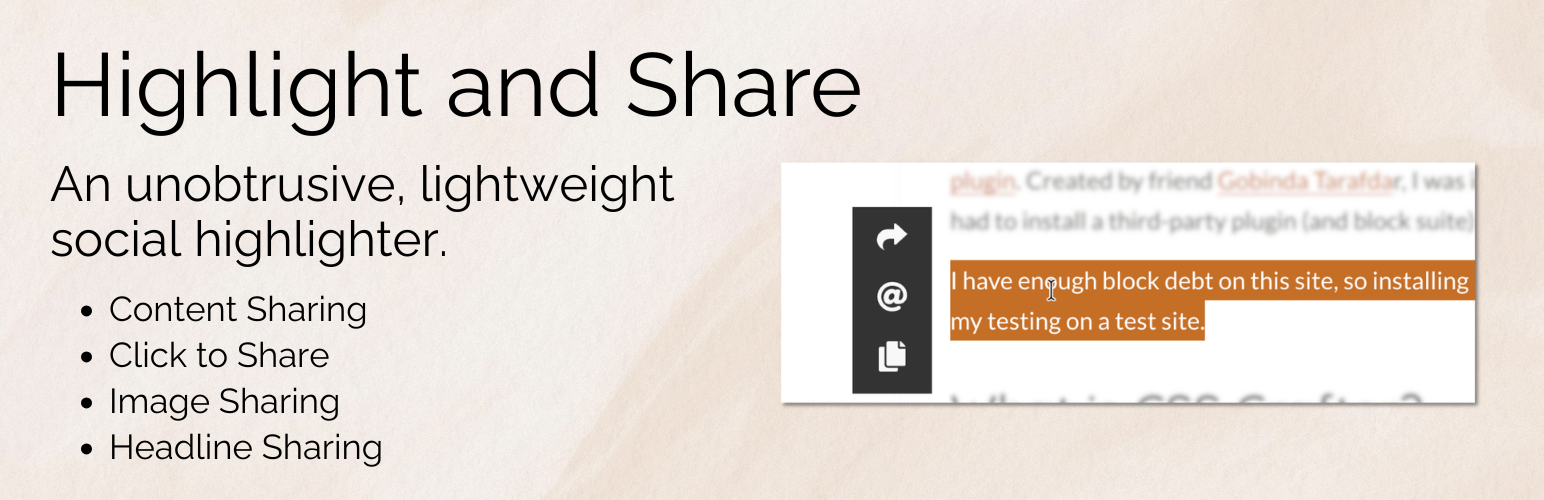
Highlight and Share is a lightweight and unobtrusive social network WordPress plugin designed to help readers share meaningful parts of your content. Instead of placing large social sharing buttons throughout your website, Highlight and Share appears only when users interact with your content. This keeps pages clean while still encouraging natural social sharing.

Visitors can highlight text, share images, copy quotes, or link directly to headlines. Sharing options appear exactly when they are needed, allowing readers to share interesting passages, statistics, or insights without interrupting the reading experience.

Highlight and Share works great for content sharing, social highlights, image sharing, headline sharing, and for those wanting a comprehensive Click to Share block/shortcode with inline highlighting supported.

The plugin is built with flexibility and performance in mind. Most features are optional and can be enabled or disabled depending on your needs. This makes Highlight and Share a great solution for blogs, news sites, documentation sites, and long-form content where readers may want to reference specific sections or quickly copy and share passages.

  • Show social media networks upon text selection (a text highlighter). This provides an unobtrusive way to allow content highlighting without getting in a user’s way. With shortcuts like Copy and Email, Highlight and Share can become part of an essential timesaving workflow for a user who needs quick shortcuts to common items like Web Share and other content highlighter shortcuts.
  • Show Pinterest and Webshare on images. With image sharing enabled, Highlight and Share will seamlessly integrate Pinterest and Webshare on any found images. With features like skipping the leading image, you’ll find that Image Sharing is intuitive and useful for your users.
  • Show sharing options with headline sharing. Headline sharing allows users to bookmark certain headlines and revisit them later. Additional networks like Webshare or X can provide additional context such as sharing the headline itself.
  • A Click to Share Block/Shortcode is included. An easy-to-use Click to Share block is included, with setup available in seconds. The Content Sharing networks display above the share box when clicked, providing an easy way to share the quote.
  • Set up email sharing with easy spam protection integration. Set up emails with spam protection from Akismet, Cloudflare Turnstile, and Google reCAPTCHA Enterprise.

Launch a free, fully-featured demo via InstaWP.

Quick Links

Comprehensive Documentation | Sponsor Us | Support | Homepage

If you have a feature request, please leave a support request..

Available Features

Highlight and Share at its core is a content highlighter, but it has many other sharing features, most of which are opt-in.

  • Show social networks on text highlight (content highlight).
  • Add an inline highlight to text and show social networks on click. An optional tooltip shows on hover explaining the highlight.
  • An easy to use Click to Share block is included, and can be disabled if needed.
  • A comprehensive Click to Share shortcode is included.
  • Image sharing via Pinterest and the Web Share API is included. You can select which post types it’s enabled for, and also enable it on a per post basis via a post’s sidebar settings.
  • Enable or disable individual networks for content sharing. Reorder the networks, change the theme, or even choose a custom theme for matching your site’s design.
  • Use advanced selectors to choose how content highlighting works, which makes Highlight and Share a powerful tool when combined with your favorite page builder.
  • Customize the appearance of inline highlighting, including the background and text colors.
  • Enable social networks in the comments section when highlighting text.
  • Enable or disable on main content and excerpts. Selectively disable on a per post type basis, or enable in a post’s sidebar settings.
  • Translate the labels and tooltips into your language, or just change up the text.
  • Customize the Twitter/X username used.
  • Enable hashtags on posts/pages
  • Email protection via Akismet, Cloudflare Turnstile, and reCAPTCHA Enterprise

integrations

  • Block Editor: Native support for Adobe Fonts with free Custom Adobe Fonts plugin.
  • Block Editor: Native support for Local Google Fonts via free Custom Fonts plugin.
  • Block Editor: Compatible with Blocksy Companion Pro Local Google Fonts and Adobe Fonts extensions.
  • Block Editor: Compatible With SimpleTOC.

Launch a free, fully-featured demo via InstaWP.

❤️ A TON of work has gone into making this plugin great. Please share your appreciation by leaving a rating/review and by telling others about the plugin.

  1. Search Highlight and Share in the plugin’s screen.
  2. Install and activate.

In-depth Documentation – Please check out our thorough documentation ❤️️

سوالات متداول

What is a text highlighter for WordPress?

Highlight and Share works as a text highlighter plugin for WordPress. When a visitor selects text on your site, a small sharing interface appears allowing them to share the selected text to social networks, copy it, or send it via email.

This makes it easy for readers to highlight important quotes, statistics, or passages and share them instantly.

Additional sharing features such as image sharing, headline sharing, and a Click to Share block/shortcode allow for more sharing options.

Can visitors share highlighted text from my articles?

Yes. Highlight and Share allows users to select and highlight text directly within your content. Once text is selected, social sharing options appear automatically.

Visitors can then:

  • Share the highlighted text to supported social networks
  • Copy the text to their clipboard
  • Send the text via email
  • Use the Web Share API on supported devices

This makes it easy to enable content highlighter functionality in WordPress.

What is headline sharing?

Headline sharing allows visitors to share individual headings within your content.

When enabled, a small link icon appears next to headings such as H2 or H3. Clicking the icon allows users to copy a link directly to that section or share the headline to social networks.

This feature works especially well for long articles, tutorials, and documentation where users may want to reference a specific section.

Does this plugin support image sharing?

Yes. Highlight and Share includes image sharing support for Pinterest and the Web Share API.

When enabled, sharing icons appear when users interact with images, allowing them to quickly share images from your content.

You can control where image sharing appears, including:

  • Post content
  • Featured images
  • Archive excerpts
What is the Click to Share block?

The Click to Share block allows you to add a shareable quote or message directly inside your content.

When readers click the share box, they can instantly share the text to social networks or copy it to their clipboard. This is useful for quotes, key takeaways, statistics, or other shareable snippets.

A shortcode version is also available if you prefer not to use the block editor.

Can I control where text highlighting works?

Yes. Highlight and Share includes advanced selectors and post type settings that allow you to control exactly where highlighting appears.

You can:

  • Enable highlighting only within post content
  • Enable highlighting in comments
  • Disable highlighting on specific post types
  • Use custom selectors for page builders

This flexibility makes Highlight and Share compatible with most themes and page builders.

Does Highlight and Share track user data?

Highlight and Share does not collect personal information or set tracking cookies.

The plugin does allow for advanced stats tracking, which is opt-in and is designed for developers. Stats are compatible with GA4, GTM, and synthetic JS events.

Is this a Click to Tweet plugin?

Highlight and Share includes a Click to Share block that works similarly to traditional Click to Tweet plugins, but with additional flexibility, showing more than just one network.

Instead of limiting sharing to a single network, users can choose from multiple social networks, copy the text, or share using the Web Share API.

What social networks does this plugin work with?

Highlight and Share works with the following networks:

  • X (formerly Twitter) (allows text sharing)
  • Facebook
  • Threads (allows text sharing)
  • WhatsApp (allows text sharing)
  • Mastodon (allows text sharing)
  • Bluesky (allows text sharing)
  • Reddit
  • Telegram (allows text sharing)
  • LinkedIn
  • Xing
  • Copy (allows text sharing)
  • Email (allows text sharing)
  • Pinterest (for image sharing only)
  • Web Share API (allows text sharing)
How does Highlight and Share work?

Highlight and Share is designed to be unobtrusive and lightweight, with only advanced sharing features being opt-in such as image and headline sharing.

Highlight and Share shows social networks as users interact with content on your site. This can be in the form of content highlighting, text selection, image sharing, headline sharing, or using the inline highlighting mechanism or Click to Share block/shortcode.

Since Highlight and Share can provide some useful shortcuts, the plugin can provide your users with some useful shortcuts to enhance their reading and editing workflows.

How can I customize the look of Highlight and Share?

Higlight and Share is extremely customizable through a theming system and through custom CSS.

In general, you can:

  • Customize all the social networks as far as order, colors, size, and orientation.
  • Customize all the image sharing features, such as Pinterest and Web Share. You can change how the icons appear, what colors they appear as, and for which images.
  • Completely customize a Click to Share block/shortcode and use the customized icons to show the social networks to the user.
Will you be adding more sharing services?

If the social network has an endpoint, it can be added. Please see the available social networks and their specifications. Please request a new network via support.

I want to include my own CSS. How can I do that?

You can turn off the theme and include CSS in your own theme.

See Customizing Highlight and Share through custom CSS

Does this plugin work on mobile devices?

Yes, Highlight and Share works well for mobile devices and also supports the Web Share API, which is one of the options of social sharing networks.

Most mobile devices already have their own sharing features on text selection, but Highlight and Share works especially well for inline highlighting and the Click to Share block.

Image Sharing and Headline sharing also make the plugin useful for mobile devices.

What Browsers Have You Tested This In?

So far, the latest versions of Chrome, Firefox, Safari, Edge, and IE9+.

iOS Safari and Chrome work well, but the text selection is a bit different than on desktop browsers.

Where do I report security bugs found in this plugin?

Please report security bugs found in the source code of the undefined plugin through the Patchstack Vulnerability Disclosure  Program. The Patchstack team will assist you with verification, CVE assignment, and notify the developers of this plugin.

×
نظری برای این آیتم موجود نیست.
0 0 رای ها
امتیازدهی
اشتراک در
اطلاع از
0 نظرات
قدیمی‌ترین
تازه‌ترین بیشترین رأی
نسخه حجم فایل SHA256 تغییرات دانلود
6.0.1 1 مگابایت -
دانلود
×
★★★★★
★★★★★
4.9 /5 (29 نظر)

قیمت:

رایگان

نگارش

6.0.1

آخرین انتشار

15 اردیبهشت 1405

آخرین بروزرسانی

3 ماه پیش

نصب های فعال

800+

نگارش وردپرس

وردپرس 6.5+

تست شده از نسخه

وردپرس 7.0

نگارش PHP

PHP 7.2+

نسخه ها

1 نسخه




