
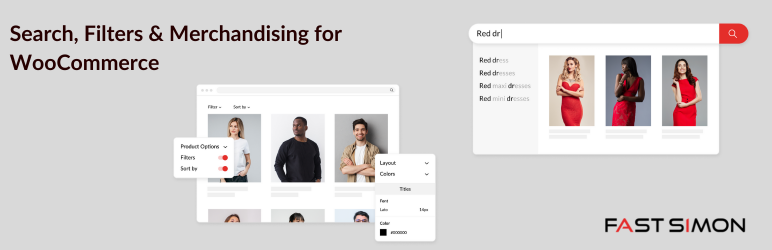
Search, Filters & Merchandising for WooCommerce

Search, Filters & Merchandising for WooCommerce

توسط

Search, Filters & Merchandising for WooCommerce, by Fast Simon is the leading search solution for merchants. It drives eCommerce search, AI-powered merchandising, and personalization, based on shopper behavior, store inventory, data, and visual signals for thousands of fast-growing online merchants.

Easily integrate this powerful search plugin into your WooCommerce store. Quickly index all of your website’s content and provide fast and accurate search results instantly.

Fast Simon is helping merchants maximize the value of their online traffic to spark, sustain, and boost their growth. Current Fast Simon merchants report growth of up to 40% year-over-year after adopting the powerful search platform.

Boost Conversion with Search, Filters & Merchandising

  • Shoppers using search are on 4X more likely to buy
  • Great Search can boost conversion by 30-150%
  • Cross-sell & Upsell increases sales by up to 30%

Platform Overview

Key Features:

  • Search Filters
  • Search by product title, long and short description
  • Search by SKU
  • Show product image in live search results
  • Show product price in live search results
  • Show product description in live search results
  • Responsive AI-Based Search
  • Search the product category and tags
  • Smart AutoComplete
  • Mobile Optimized search
  • Natural Language search
  • Advanced Search Results page
  • Did you mean & typo-correction
  • Product promotion based on visitors sessions
  • Product suggestions based on WooCommerce catalog
  • Synonyms and Antonyms
  • Semantic Search
  • Product Merchandising
  • Search Merchandising

Premium Features:

  • Automatic Rule-Based Merchandising
  • Mobile Optimized search
  • Categories Merchandising
  • Recommendation Merchandising
  • Display Merchandising & Optimization
  • A/B test your merchandising strategy
  • Expand Product Variants Display
  • Landing Pages
  • Optimized Product Ranking
  • Smart Collection Filters
  • Color Swatch Filters
  • Variant Color Swatches
  • SEO Pack
  • Personalisation
  • Visual search & Complete-the-Look
  • Look-a-like Products
  • Similar Styles Products
  • Product Finder
  • Big Data Product Recommendations

Read more – WooCommerce Search

See it in action – View Demo

External services

We are using the API of external services under the fastsimon.com domain.
This is the data that is sent : site URL, user email, user ID, full products catalog (including prices),
categories IDs and names, blog-id/blogs-ids, WP version , WC version, sitemap.xml.
The name and IDs of posts, or other specific taxonomy data is sent if the user wishes to display additional
content inside the SERP and product category archives.
The data is sent in order to fully control the SERP and collection pages.
Read more about our terms of service – Terms of service

  1. Navigate to the ‘Add New’ in the plugins dashboard
  2. Search for ‘WooCommerce Search, Filters & Merchandising’
  3. Click ‘Install Now’
  4. Activate the plugin on the Plugin dashboard
  5. In case you do not have a search box do one of the following:
    • Add search box widget – go to WordPress admin page ==> Appearance ==> Widgets and drag Fast Simon Search Box widget (or any other search widget) to your preferred location.
    • Add html code to your theme – Simply add HTML based form to your WordPress theme like this and we’ll pick it from there

Having issues? contact support@fastsimon.com

سوالات متداول

Do I need to sign up for this service?

No. Once you install the plugin you will have our dashboard and customization right in the WordPress admin.

What is the difference between the free and the Premium service versions

Full details are here: https://www.fastsimon.com/woocommerce/
Basically our Premium versions contain more advanced customization, support, additional service capacity and monitoring. You can always start with our Free plan and upgrade.

Do you offer Trials?

Yes – 14 days free trial

Can Fast Simon work with my searchbox?

Yes – Fast Simon can work with any html inputbox on your page. Be that a WordPress Widget or a custom template

How can I add a searchbox to my site header?

Go to WordPress admin => Appearance => Widgets and include the Fast Simon Search Widget.

How can I add a search box to my web page using shortcode?

Add the shortcode isp_search_box to your prefered location:
simply add [isp_search_box] or you can add search box with some extra configurations
[isp_search_box width=10 height=2.3 text_size=1 inner_text=”Search…”]
* parameters: width – search box’s horizontal measurement | height – search box’s vertical measurement |
text_size – text size | inner_text – the text inside the search box

I want to add a searchbox to my theme and make it work with Fast Simon – how can I?

Simply add HTML based form to your WordPress theme like this and we’ll pick it from there:

Does Fast Simon support multisites?

Yes, we support multisites from Version 1.3.1 and above.
Simply install our plugin –
https://wordpress.org/plugins/instantsearch-for-woocommerce/
After activating the plugin you will see the Fast Simon banner on
each store.
Give us a few minutes to learn about your products and categories.
Start typing in the search box and experience the magic of autocomplete.

×
نظری برای این آیتم موجود نیست.
0 0 رای ها
امتیازدهی
اشتراک در
اطلاع از
0 نظرات
قدیمی‌ترین
تازه‌ترین بیشترین رأی
نسخه حجم فایل SHA256 تغییرات دانلود
3.0.68 2 مگابایت -
دانلود
×
★★★★★
★★★★★
4.6 /5 (169 نظر)

قیمت:

رایگان

نگارش

3.0.68

آخرین انتشار

17 اردیبهشت 1405

آخرین بروزرسانی

3 ماه پیش

نصب های فعال

200+

نگارش وردپرس

وردپرس 3.3+

تست شده از نسخه

وردپرس 6.9.4

نگارش PHP

PHP 7.0+

نسخه ها

1 نسخه




