
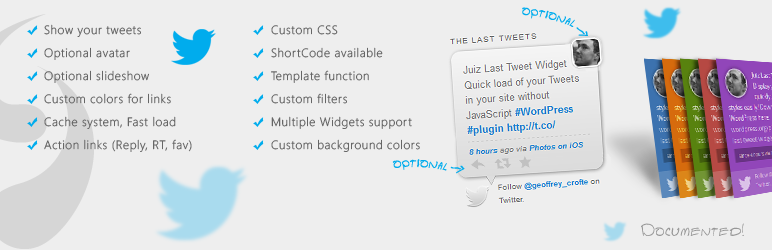

Add a widget to your sidebar to show your latest tweet(s) with style and without JavaScript! Retweet, Favorite and Reply links are available.
This sidebar’s widget offer you the possibility to show your last tweet(s) (THE last by default) in your WordPress web site.
The advantage of this plugin is the absence of JavaScript script to load tweets from twitter : a very good point for your page speed.
Another advantage is the possibility to use a cache system with an adjustable period.
You also can show your avatar, action links (Favorite, Reply, Retweet), activate a slideshow of latest tweets, and customize the CSS.
Features
In admin:
- Easy to install.
- Panel for easy configuration (Appearance -> Widgets).
- Show or hide your avatar
- Default CSS can be disabled or customized
- Unlimited customization (colors of the widget, several default styles, etc.)
- Adjustable period for cache system
- Can active the action links
- Can active an auto slideshow script and chose delay between two tweets
- Shortcode to insert the widget where you want
- Included: Tutorial to create a Twitter plugin (needed for API 1.1)
In your site:
- Smart default style (CSS) and compatible with Social Subscribers Counter styles
- Flat styles with customizable colors
- Display link (with special CSS classes) for hastags, users, and web link (
nofollowlinks) - Display twitter’s user link and statut’s link
- Display source (web, Tweetdeck, etc.) when it’s possible
- In option: Show action links like Retweet, Reply and Fav
- In option: little slideshow of one tweet in a list of tweets
For developpers, numerous hooks are available, template function is available (see FAQ for more info) 😉
Languages
- English
- German
- Spannish
- French
- Turkish (thanks to Hakaner!)
- Nowegian (thanks to Nilsel!)
- Italian (thanks to superciccio14!)
- Portuguese (Brazilian) (thanks to trindademeier!)
- Dutch (thanks to Jan Willem Wilmsen!)
Thanks to Greg and Julien for your advices in some parts of this plugin 😉
Informations
Another plugin :
* Juiz Social Post Sharer
You like it ? You can donate or tweet for this plugin.
Thank you !
Donate
Full documentation in the plugin folder ! (documentation.html)
Or here: Documentation






