
Link View

Link View

توسط

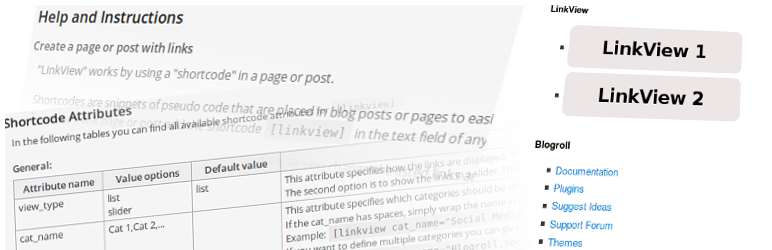
The purpose of this plugin is to to show the wordpress integrated links in a list or a slider by using a shortcode or a widget.

Current Features:

  • the shortcode [linkview] can be used to add the links in a post or page
  • the widget “LinkView” can be used to add links in a sidebar
  • the links can be displayed in a list or in a slider
  • there are many options available to adjust the output of the links (see shortcode options in the “About LinkView” page)
  • the image of the link can also be displayed
  • categories and/or links can be displayed in multicolumn layout
  • option to set additional css styles for the link-lists and link-sliders
  • the required user roles to edit links can be adjusted in the settings page

Development:

If you want to follow the development status have a look at the git-repository on github.
Feel free to add your merge requests there, if you want to help to improve the plugin.

Translations:

Please help translating this plugin into multiple languages.
You can submit your translations at transifex.com.
There the source strings will be kept in sync with the actual development version. And in each plugin release the available translation files will be updated.

The easiest version of installing is to go to the admin page. There you can install new plugins in the menu Plugins -> Add new. Search for “Link View” and press “Install now”.

If you want to install the plugin manually download the zip-file and extract the files into your wp-content/plugins folder.

سوالات متداول

Is it possible to use the shortcode in a widget?

Yes, a widget especially for the use of the [linkview] shortcode is included in this plugin. Insert the widget LinkView in your sidebar and set all attributes you want to change in the appropriate field.

Is it possible to add multiple slider on one site?

Yes, since version 0.3.0 you can use as much sliders as you want on one site.

Can I call the shortcode directly via php e.g. for my own template, theme or plugin?

Yes, you can create an instance of the “SC_Linkview” class which located in “php/sc_linkview.php” in the plugin folder and call the function show_html($atts).With $atts you can specify all the shortcode attributes you require. Another possibility would be to call the wordpress function “do_shortcode()”.

×
نظری برای این آیتم موجود نیست.
0 0 رای ها
امتیازدهی
اشتراک در
اطلاع از
0 نظرات
قدیمی‌ترین
تازه‌ترین بیشترین رأی
بازخورد (Feedback) های اینلاین
مشاهده همه دیدگاه ها
نسخه حجم فایل SHA256 تغییرات دانلود
0.8.0 92 کیلوبایت -
دانلود
×
★★★★★
★★★★★
4.7 /5 (11 نظر)

قیمت:

رایگان

نگارش

0.8.0

آخرین انتشار

15 اردیبهشت 1405

آخرین بروزرسانی

2 ماه پیش

نصب های فعال

800+

نگارش وردپرس

وردپرس 4.9+

تست شده از نسخه

وردپرس 5.6.17

نگارش PHP

PHP 5.6+

نسخه ها

1 نسخه




