
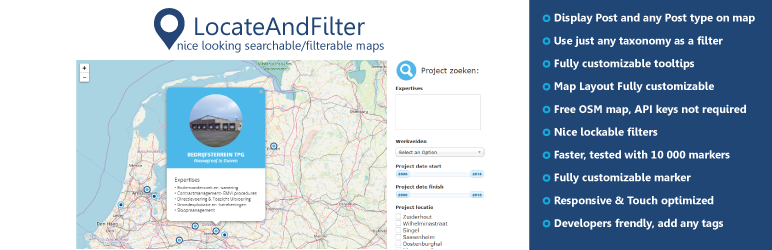

LocateAndFilter is a versatile and highly customizable WordPress plugin aimed at creating searchable/filterable maps.
Some of the features :
- Friendly :
LocateAndFilter has been built on the great library LeafletJs (https://leafletjs.com/) and coded with extensibility in mind : addons using LocateAndFilter in conjunction with another WP plugin. You no longer need Google API Key. - Use just any taxonomy as a filter : Easily use any taxonomy (custom taxonomies or regular taxonomies) to filter your maps.
- Supports Custom Post Types : Most of the WordPress plugins only support posts and pages. Not this one! Total support for any custom post type and their taxonomies! Post type USERS – available on pro version.
- Fully customizable marker icons : You can define a custom marker icon for each location or choose to use the same marker for the whole map. It’s up to you! Choose between the plugin’s predefined marker icons, create your own markers using Ionicon or just use any image from the media library. Total flexibility!
- Customizable Map Overlay : Choose between 4 different map overlays… Or use any overlay you want with the Custom Overlay Addon
- Additional fields : Need to display a specific info on the map? Create additional fields! Additional fields are custom fields specifically designed to be displayed on the map. Let’s say your map is about coffeshops and you want to show the opening hours and the name of the nearest subway station? Create 2 additional fields : openingHours and nearestSubway. Done! Those informations are ready to be displayed in the marker list and the tooltips.
- Fully customizable tooltips : Customize the tooltips EXACTLY as you want them : HTML, audios, videos, images,post content… Tooltips can display nearly anything. Customize the tooltip template for each marker independently, you have total control on the information that appears…or use a tooltip preset for instant styling!
- Fully customizable marker list : Customize the marker list as you please : HTML, audios, videos, images,post content…
- Ready to use : Need a map NOW? choose a map Layout, click, you are done! Not exactly what you had in mind? No worries! Just edit the layout CSS directly in the
admin! - ** Add your Custom tags to tooltip and navlist template: Use any functionality or shortcode
- Robust : LocateAndFilter has been tested with 10 000 markers containing images, videos and audio… and still ran smoothly
And many other features :
- Detection of user’s location
- Rounded corners / Squared corners tooltips
- Map Localization : Choose your map language
- Optional cache system : ready to handle thousands of markers
- Addons, Advanced filters, new marker icons, new map layouts
- Custom tags for map layouts
- Supports any shortcode in custom tag
- Geolocate address from nominatim
- Reset filters function
- Customizable select and Pretty checkbox
- Search location by google or leaflet autocomplete
- full HTML validation for all type filters
Online Demo :
demo map – PROJECTS
demo map – ACF FILTERS
demo map – SEARCH LOCATION BY AUTOCOPLETE AND RADIUS
demo map – USERS
Documentation :
See our website for more informations on how to configure the plugin
Pro version:
LocateAndFilter PRO version
- Addon overlays
- Fullscreen control
- FitBounds option
- Zoom to marker option
- Canvas Markers – faster load more then 10000 markers
- Custom marker icon from media library
- Sorting for filters
- Additional control layers by Bing satellite and Yandex satellite
- Marker Clustering, setup Max Cluster Radius
- Availability shortcode for single page
- Available shortcode attribute for current category
- Search markers by location
- Animation of marker bouncing
- Popup and navlist event
- ACF field on filters
- Sortby options for filters and nav list
- WordPress Users added to map source
- use your custom fields for source coordinates






