
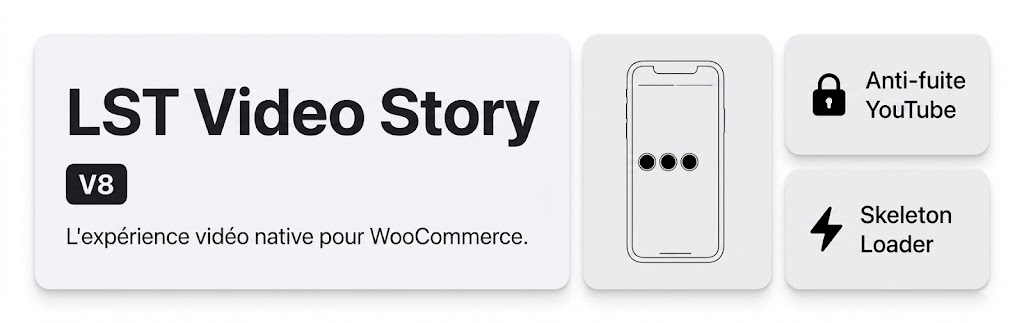
Product Video Story Bubble

Product Video Story Bubble

توسط

This plugin adds interactive Instagram-style video stories to WooCommerce product pages using a simple shortcode [bulle_video_finale].

Features:
* Adds up to 4 video story bubbles per product.
* Automatically integrates with YouTube videos (simply provide the URL or ID).
* Utilizes Advanced Custom Fields (ACF) to manage fields elegantly in the backend.
* Creates a modernized, app-like feeling for eCommerce web stores.
* Lightweight, secure, and fast!

Please note: This plugin relies on Advanced Custom Fields (ACF) to fetch its data. You need to configure fields (id_video_youtube_X, apercu_video_bulle_X, label_bulle_X) on the Product post type.

Configuration

Important behavior:

  • Up to 4 bubbles are supported per product (_1 to _4).
  • A bubble is displayed only when both id_video_youtube_X and apercu_video_bulle_X are provided.
  • If no complete story set is configured, the shortcode outputs nothing.
  1. Upload the plugin folder to the /wp-content/plugins/ directory, or install the plugin directly through the WordPress plugins screen.
  2. Ensure you have the Advanced Custom Fields (ACF) plugin installed and active.
  3. Activate the plugin through the ‘Plugins’ screen in WordPress.
  4. In Custom Fields > Add New, create a field group (for example: LST Video Stories).
  5. Add the following fields (Field Type in parentheses):
  • id_video_youtube_1 (Text)
  • apercu_video_bulle_1 (URL)
  • label_bulle_1 (Text)
  • id_video_youtube_2 (Text)
  • apercu_video_bulle_2 (URL)
  • label_bulle_2 (Text)
  • id_video_youtube_3 (Text)
  • apercu_video_bulle_3 (URL)
  • label_bulle_3 (Text)
  • id_video_youtube_4 (Text)
  • apercu_video_bulle_4 (URL)
  • label_bulle_4 (Text)
  1. In the field group Location Rules, set: Post Type is equal to Product.
  2. Save the field group.
  3. Edit a WooCommerce product and fill at least one complete story set:
  • id_video_youtube_X: YouTube video ID (example: GfUYq9lvZLQ) or full YouTube URL.
  • apercu_video_bulle_X: Direct MP4 preview URL used inside the bubble.
  • label_bulle_X: Bubble label shown under the circle (example: Texture).
  1. Place the shortcode [bulle_video_finale] in the product description (or template/builder area shown on the product page).
  2. View the product on the frontend. If id_video_youtube_X and apercu_video_bulle_X are both filled, the bubble appears.

سوالات متداول

Do I need Advanced Custom Fields (ACF)?

Yes, the plugin depends on ACF to load the parameters from the WooCommerce product page.

Can I use self-hosted videos?

Currently, the plugin focuses on embedding YouTube videos securely and cleanly.

The shortcode is visible but no bubble is shown. Why?

Check that for at least one index (1, 2, 3, or 4), both fields are filled:
id_video_youtube_X and apercu_video_bulle_X.

×
نظری برای این آیتم موجود نیست.
0 0 رای ها
امتیازدهی
اشتراک در
اطلاع از
0 نظرات
قدیمی‌ترین
تازه‌ترین بیشترین رأی
بازخورد (Feedback) های اینلاین
مشاهده همه دیدگاه ها
نسخه حجم فایل SHA256 تغییرات دانلود
1.1.6 7 کیلوبایت -
دانلود
×
بدون امتیاز

قیمت:

رایگان

نگارش

1.1.6

آخرین انتشار

1 خرداد 1405

آخرین بروزرسانی

4 هفته پیش

نصب های فعال

-

نگارش وردپرس

وردپرس 5.0+

تست شده از نسخه

وردپرس 6.9.4

نگارش PHP

PHP 7.2+

نسخه ها

1 نسخه




