
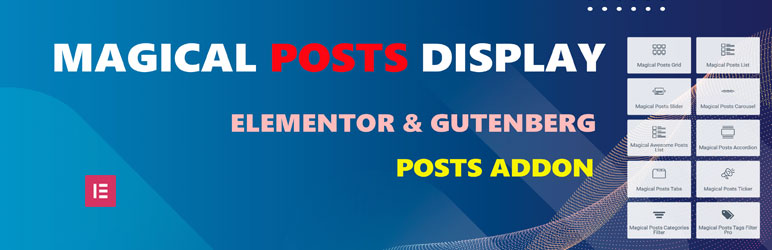

With just one click, you can easily generate posts Slider, posts carousels, posts Grids, posts accordions, posts tabs, posts tickers, and Categories & Tags Filters for Posts, Pages, and Custom Post Types. This addon helps you showcase your content in various formats, providing an engaging user experience for your visitors. Magical Posts Display is an Elementor addon that simplifies the creation of interactive content displays. Magical Posts Display is compatible with all custom post types.
✨ – Your All-in-One Tool for News, Magazines, and Blogs
Magical Posts Display is your ultimate solution for creating amazing News, Magazine, and Blog websites. Think of it as a supercharged plugin that does it all, whether you’re building a blog or a news and magazine site.
With Magical Posts Display, you get fantastic features like the Dynamic Site Builder, Popular Posts, Related Posts, Ajax Filter and Pagination, Post Carousel, Post slider, and much more. Now, with added support for Pages and Custom Post Types, it’s your secret weapon for unlocking your website’s full potential.
See live preview
Live preview Magical Posts Display
Upgrade Pro For All Features
See Short video
Magical Posts Display comes with a range of awesome Elementor widgets that make it easy to display your posts in unique and visually appealing ways. The latest addition includes the powerful News/Magazine Image Grid widget, featuring 5 distinct layout styles perfect for news, magazine, and blog websites.
Magical Posts Display is a user-friendly addon that offers many different ways to display your site posts. Our Elementor widgets allow you to customize and set new options for each Magical Posts item, giving you complete control over your content display. In addition, our addon supports post meta, categories, tags, comments, timestamps, and more, making it easy to create a personalized and engaging user experience for your visitors.
Most powerful features:
- Easily display posts, pages, and custom posts anywhere.
- Drag & Drop Elementor page builder Widgets.
- You can edit every single item
- Posts Group Grid
- Posts Categories Filter Live preview
- Posts Tags Filter Live preview
- Posts Slider Live preview
- Posts Ticker (Latest News) Live preview
- Posts carousel. Live preview | Video Tutorial
- Posts grid card. Live preview | Video Tutorial
- News/Magazine Image Grid – Modern magazine-style layouts with image overlays and 5 unique styles (Classic Magazine, Grid Layout, Compact Grid, Featured Focus, Equal Heights)
- News/Magazine Grid – Modern News-style layouts with image and 4 unique styles
- Posts Accordion. Live preview | Video Tutorial
- Posts Tab. Live preview | Video Tutorial
- Awesome Posts list. Live preview | Video Tutorial
- Posts list card. Live preview | Video Tutorial
- Categories gird.
- Popular posts widget with image.
- Recent posts widget with image.
- Posts grid show by shortcode.
- Posts time show.
- Posts category show.
- Posts tag show.
- All options show hide features.
- User-friendly Editor.
- Ajax Loadmore button.
- Ajax Categories filter.
- Post Position Control – Select specific posts (1st, 2nd, 3rd, 4th) or offset from any position for grid layouts.
Translations
- English
Privacy Policy
Magical Posts Display – Elementor Advanced Posts widgets uses Appsero SDK to collect some telemetry data upon user’s confirmation. This helps us to troubleshoot problems faster & make product improvements.
Appsero SDK does not gather any data by default. The SDK only starts gathering basic telemetry data when a user allows it via the admin notice. We collect the data to ensure a great user experience for all our users.
Integrating Appsero SDK DOES NOT IMMEDIATELY start gathering data, without confirmation from users in any case.
Learn more about how Appsero collects and uses this data.






