
Mandate App Security

Mandate App Security

توسط

WordPress Application Passwords prove identity. They do not limit what an authenticated request can do. If the user behind a password is an admin, every tool that authenticates as that user has admin-level access — with no native way to narrow it.

Today, REST clients, automation platforms, AI agents, management tools, and MCP connectors all authenticate with Application Passwords. Any of them, if misconfigured or compromised, can do anything that user can do.

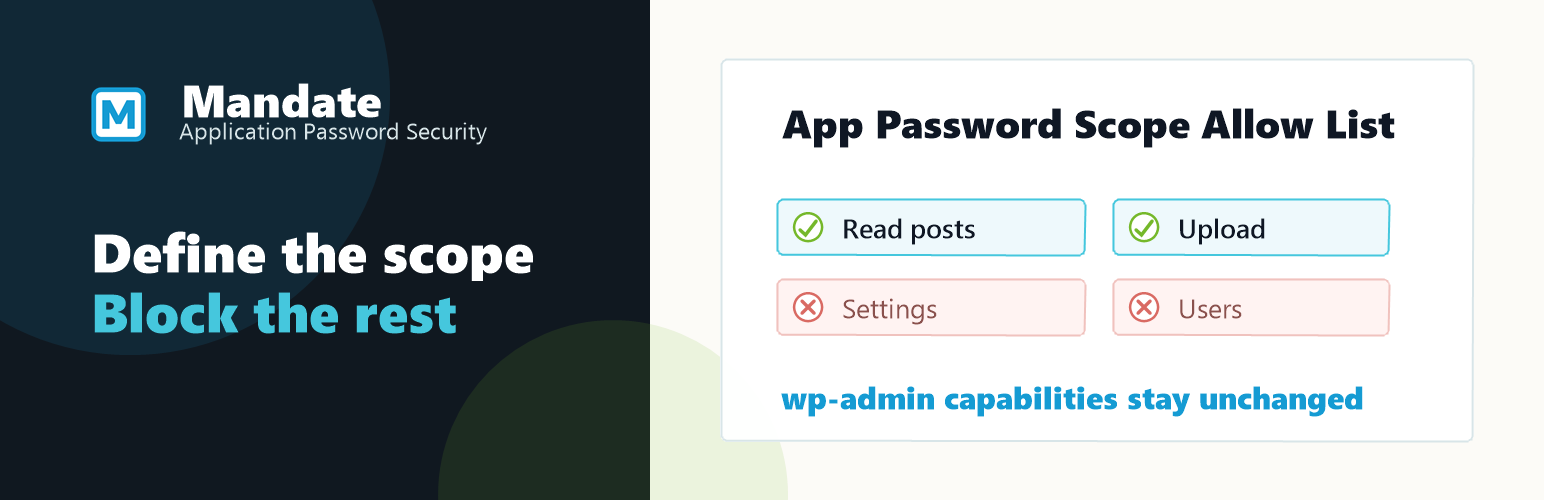
Mandate App Security adds the missing layer: a capability policy per Application Password. You define what each credential is allowed to do. Mandate App Security enforces it on every request. Normal wp-admin sessions and user roles are unaffected.

Instead of treating every Application Password as equally trusted, Mandate App Security lets administrators and password owners save a capability allowlist per password.

An administrator can choose:

  • a WordPress user
  • one of that user’s Application Passwords
  • the capabilities that password should be allowed to use
  • an optional expiration date for that password
  • whether the scope is locked so the password owner can view it but not edit it

Users can scope their own Application Passwords when WordPress allows Application Passwords for their account. Only administrators can edit another user’s scope or lock a scope against owner edits.

When a request is authenticated with that Application Password, Mandate App Security checks the saved allowlist and removes capabilities that are not allowed for that password.

Mandate App Security never grants new permissions. It only narrows an Application Password to capabilities the selected user already receives from assigned roles. If the selected Application Password is past its saved expiration date, Mandate App Security removes all capabilities for that request. Normal browser and wp-admin sessions for the same user are not changed.

Example scopes

A reporting dashboard that only needs to read posts and media should never be able to edit settings or manage users. A content automation tool that publishes posts has no reason to access WooCommerce orders. An AI writing assistant does not need plugin management access.

With Mandate App Security, each of those tools gets a dedicated Application Password scoped to exactly what it needs. Nothing more.

Source Code

Mandate App Security is available at https://wpmandate.com.

The public development repository, release packages, and build documentation are at https://github.com/FernleafSystems/Mandate-for-WordPress.


  1. Upload the plugin files to the /wp-content/plugins/mandate-app-security directory, or install the plugin through the WordPress plugins screen.
  2. Activate the plugin through the Plugins screen in WordPress.
  3. Open Tools > Mandate App Security to select an application password and save its allowed capabilities.

سوالات متداول

Does this create or manage Application Passwords?

No. Mandate App Security scopes existing Application Passwords. You create and manage Application Passwords from the WordPress user profile screen.

What integrations does this work with?

Any tool that authenticates using a WordPress Application Password: REST API clients, automation platforms, AI agents, management tools, and MCP connectors. If it uses an Application Password to authenticate, Mandate App Security can scope its access.

Does this change the user’s normal role capabilities?

No. Scope enforcement only applies to requests authenticated by a scoped application password.

What happens when no scope is saved for an application password?

The application password keeps its normal WordPress behavior until an administrator or the password owner saves a scope or expiration date for it.

Can users scope their own application passwords?

Yes. Users can scope their own Application Passwords when WordPress allows Application Passwords for their account, unless an administrator has locked that scope. Administrators can edit any user’s scope.

How do expiration dates work?

Expiration dates use the site’s calendar date. A password remains valid through the selected date, expires on the following day, and is then revoked by a daily WordPress cron task.

Can this grant new permissions to an application password?

No. Mandate App Security can only remove capabilities from an authenticated application-password request. It does not grant capabilities the selected user does not already receive from assigned roles.

Does this replace careful roles and integration security?

No. It is an extra layer for reducing the blast radius of broad Application Password access. You should still use appropriate user roles, secure integrations, and normal operational controls.

Does this scope multisite super-admin passwords?

No. Scopes for multisite super admins are not supported.

تصویری برای این آیتم موجود نیست.
نظری برای این آیتم موجود نیست.
0 0 رای ها
امتیازدهی
اشتراک در
اطلاع از
0 نظرات
قدیمی‌ترین
تازه‌ترین بیشترین رأی
بازخورد (Feedback) های اینلاین
مشاهده همه دیدگاه ها
هیچ نسخه‌ای برای این آیتم موجود نیست.
بدون امتیاز

قیمت:

رایگان

نگارش

آخرین انتشار

21 خرداد 1405

آخرین بروزرسانی

1 هفته پیش

نصب های فعال

-

نگارش وردپرس

وردپرس 7.0+

تست شده از نسخه

وردپرس 7.0

نگارش PHP

PHP 8.2+

نسخه ها

0 نسخه


