
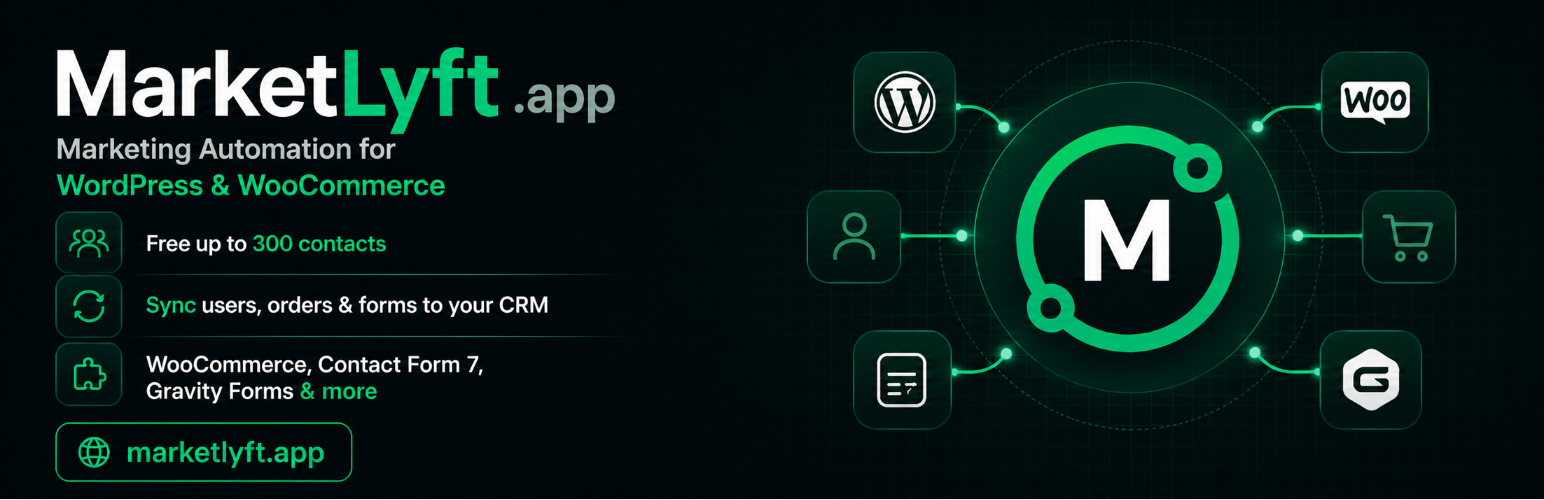
MarketLyft – Email Marketing & Automation

MarketLyft – Email Marketing & Automation

توسط

MarketLyft is a complete marketing automation platform — free up to 300 contacts, no credit card. Capture leads, segment your audience, send targeted email campaigns, and automate customer journeys.

This plugin connects your WordPress site to MarketLyft in 2 minutes. Every new user, customer, form submission, and newsletter signup flows automatically into your marketing automation — no manual exports, no Zapier, no extra cost.

Create your free MarketLyft account

What you get with MarketLyft:

  • Email campaigns — design and send broadcast and triggered emails with built-in templates
  • Marketing automation workflows — drip sequences, welcome flows, re-engagement campaigns
  • Contact segmentation — group contacts by tags, behaviour, properties, and engagement
  • Lead scoring — identify your most engaged contacts automatically
  • Reporting & analytics — track open rates, click-through, conversions, and revenue
  • Free tier — up to 300 contacts, no credit card required

Why MarketLyft instead of Mailchimp, ActiveCampaign, or HubSpot?

MarketLyft delivers the full marketing automation toolkit — email campaigns, automation workflows, contact segmentation, lead scoring, and reporting — with a generous free tier up to 300 contacts and no upsell traps. Built for small and growing businesses that need more than newsletters but don’t want enterprise pricing.

Supported data sources:

  • WordPress user registration, profile updates, login, deletion, role changes
  • WooCommerce customers, orders, order status changes, payments (HPOS + Block Checkout compatible)
  • Contact Form 7 submissions
  • Gravity Forms submissions
  • MailPoet 3 subscriber events
  • The Newsletter Plugin subscriber events

Key features:

  • Configurable field mapping (WP/WC/form fields MarketLyft contact fields)
  • Automatic tag management (add/remove tags based on events)
  • Background processing via WP Cron (built-in) with optional Action Scheduler upgrade
  • Encrypted credential storage (sodium)
  • Retry with exponential backoff on API failures
  • HPOS and Block Checkout (WC 8.3+) compatible

Third-Party Service

This plugin sends data to your MarketLyft instance — the URL you configure in Settings MarketLyft Sync. No data is sent to any other external service.

Data transmitted:

  • User profile information (name, email, website URL)
  • WooCommerce billing details (address, phone, company) when WooCommerce module is enabled
  • Form submission data (Contact Form 7, Gravity Forms) when Forms module is enabled
  • Newsletter subscriber data (MailPoet, Newsletter Plugin) when Newsletter module is enabled

When data is transmitted:

  • On user registration, profile update, login, deletion, and role change
  • On WooCommerce checkout, order status change, and payment completion
  • On form submission (Contact Form 7, Gravity Forms)
  • On newsletter subscription, update, and unsubscription events

Data is transmitted only to the MarketLyft URL you have configured. No data is collected by the plugin author.

Upgrade Notices

1.1.2

Bug fix.

1.1.1

Onboarding redesign for first-time users — welcome card with setup steps, on-page FAQ, and 24/7 support contact. No action required on update.

1.1.0

Adds a First Sync button so you can push existing users, customers, and newsletter subscribers to MarketLyft in one click. Background processing now works out of the box without Action Scheduler.

1.0.3

Adds OAuth2 support for WooCommerce.

1.0.0

Initial release.

  1. Upload the marketlyft-sync folder to /wp-content/plugins/ or install directly from the WordPress plugin directory.
  2. Activate the plugin.
  3. Go to Settings MarketLyft Sync.
  4. Enter your MarketLyft instance URL.
  5. Choose an authentication method (Basic Auth or OAuth2) and enter your API credentials.
  6. Enable the sync modules you need (Users, WooCommerce, Forms, Newsletter).
  7. Click “Test Connection” to verify the connection.

OAuth2 Setup

  1. In your MarketLyft/Mautic instance, go to Settings API Credentials and create a new OAuth2 client.
  2. Set the Redirect URI to the value shown on the plugin settings page.
  3. Copy the Client ID and Client Secret into the plugin settings.
  4. Click “Authorize” and follow the prompts.

Credential Encryption (Recommended)

To encrypt stored API credentials, add the following to your wp-config.php:

define( 'MLWPS_ENCRYPTION_KEY', 'your-64-char-hex-string' );

Generate a key with: php -r "echo bin2hex(random_bytes(32));"

Background Processing

The plugin processes sync jobs in the background using WordPress’s built-in WP Cron. No extra plugin is required. If Action Scheduler is already installed on your site (for example via WooCommerce), the plugin uses it automatically for better performance on large migrations and for the Tools Scheduled Actions admin UI.

سوالات متداول

What is MarketLyft?

MarketLyft is an all-in-one marketing automation platform for small and growing businesses. It includes email campaigns, contact segmentation, automation workflows, lead scoring, and reporting — with a free tier up to 300 contacts. Sign up at marketlyft.app.

Does this plugin work without WooCommerce?

Yes. WooCommerce is optional. The core Users module works with any WordPress installation. WooCommerce, Forms, and Newsletter modules can be enabled or disabled independently.

Does this plugin import data from MarketLyft into WordPress?

No. Synchronization is strictly one-way: WordPress MarketLyft. No data is ever pulled from MarketLyft into your WordPress database.

What happens if the MarketLyft API is unreachable?

API calls are queued via Action Scheduler and retried up to 5 times with exponential backoff (1, 2, 4, 8, 16 minutes). Client errors (4xx) are not retried and are logged immediately.

Is Action Scheduler required?

No. The plugin uses WordPress’s built-in WP Cron by default — no extra plugin is needed. If Action Scheduler is already installed (e.g. via WooCommerce), the plugin picks it up automatically, which scales better for very large migrations (10k+ contacts) and provides a detailed admin UI at Tools Scheduled Actions.

How are my API credentials stored?

If you define MLWPS_ENCRYPTION_KEY in wp-config.php, credentials are encrypted with XSalsa20-Poly1305 (libsodium) before being stored in the database. Without the key, credentials are stored in plain text.

Which WordPress hooks does this plugin use?

The plugin listens to 17 WordPress/WooCommerce/form/newsletter hooks. See the plugin documentation for the complete list.

تصویری برای این آیتم موجود نیست.
نظری برای این آیتم موجود نیست.
0 0 رای ها
امتیازدهی
اشتراک در
اطلاع از
0 نظرات
قدیمی‌ترین
تازه‌ترین بیشترین رأی
نسخه حجم فایل SHA256 تغییرات دانلود
1.1.2 71 کیلوبایت -
دانلود
×
★★★★★
★★★★★
5.0 /5 (1 نظر)

قیمت:

رایگان

نگارش

1.1.2

آخرین انتشار

16 اردیبهشت 1405

آخرین بروزرسانی

3 ماه پیش

نصب های فعال

-

نگارش وردپرس

وردپرس 6.0+

تست شده از نسخه

وردپرس 6.9.4

نگارش PHP

PHP 8.0+

نسخه ها

1 نسخه



