
MightyShare – Auto-Generated Social Media Images

MightyShare – Auto-Generated Social Media Images

توسط

MIGHTYSHARE: GENERATE SOCIAL SHARE OPEN GRAPH IMAGES

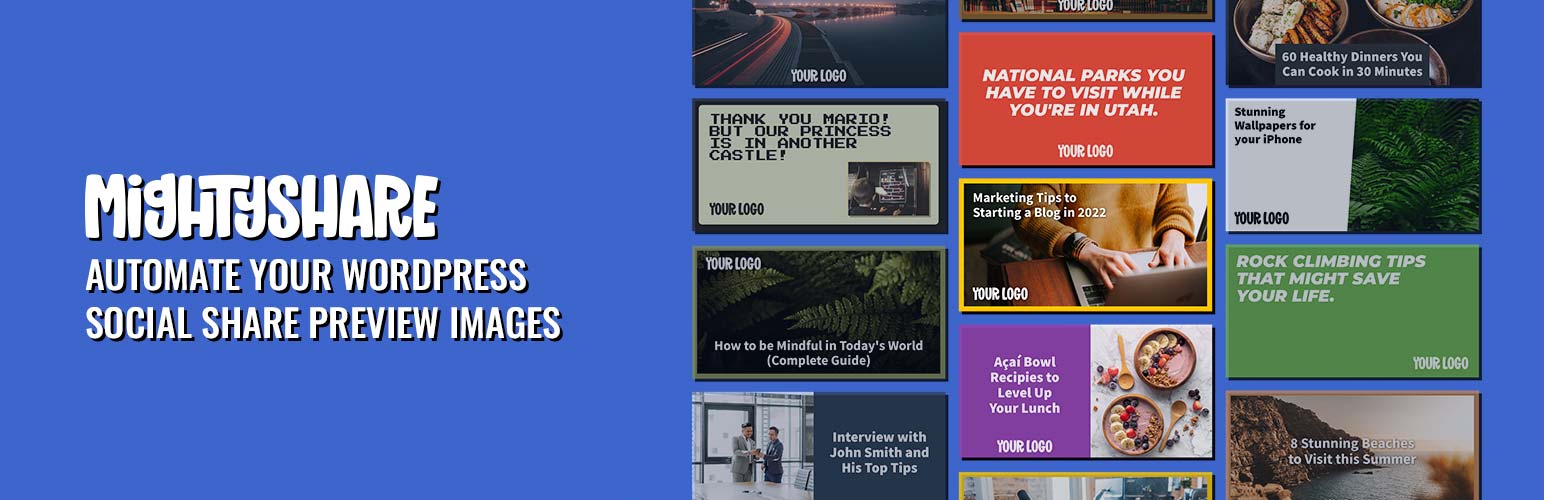
Automatically generate social share preview images (also known as Open Graph images) with MightyShare! MightyShare takes your post title and featured image to generate a beautiful share image for your content. Compatible with posts, pages, and custom post types your social shares will look stunning in no time. Customize templates with your brand colors, logo, and more.

To use the plugin you’ll need to create a free MightyShare account.

HOW DOES IT WORK?

MightyShare sends your post’s title, featured image, and post meta data to our server to generate a social share image on the fly using your API Key.

FEATURES

  • Automatically generate social share images for posts and pages!
  • Perfect solution for branded social images.
  • Robust customization.
  • SEO plugin compatibility: Yoast SEO, RankMath, All in One SEO, The SEO Framework, Slim SEO, Squirrly SEO, and SEOPress.
  • Adds open graph meta tags if you don’t have an SEO plugin.
  • Multiple templates to choose from.
  • New templates added all the time!
  • Works with custom post types.
  • Developer hooks for creating just about anything!
  • Pick any Google Font to use in templates for paid plans.
  • Option to screenshot pages themselves for social images.

To install this plugin:

  1. Download the plugin
  2. Upload the plugin to the wp-content/plugins directory,
  3. Go to “plugins” in your WordPress admin, then click activate.
  4. Add a MightyShare.io API key into settings > MightyShare.
  5. Ensure each post type is enabled you want MightyShare enabled on.

سوالات متداول

Is MightyShare free?

Yes! You can use MightyShare for free using our free account allowing you 50 renders a month. Paid plans start at $5 that allow you to generate hundreds of social images.

How does image generation work?

The image generation process is performed on our servers. This is done by the plugin creating a unique signed URL that allows your API Key to generate a social share image on our server. The URL is then put in your head tag to be used as an og:image. If you have Yoast SEO or RankMath installed the plugin will automatically write their og:images if enabled. Otherwise the plugin will create an og:image meta tag with your unique URL. Read our Privacy Policy

When is an image rendered?

The MightyShare plugin places a signed MightShare image URL onto your meta tags. Images aren’t rendered until that URL is visited (either by a user or crawler). Typically you’ll see a 5 second delay in a social preview image loading when it’s first shared.

Why aren’t my images showing up?

If you are using an SEO plugin be sure to have a default image set for the type of content you want MightyShare to show on. For example in Yoast SEO you need to go to the Facebook section and set a default Open Graph image, this allows MightyShare to run filtering those meta tags. Additionally make sure you’ve cleared any caching mechanisms you may have. Still having issues? Contact Us.

تصویری برای این آیتم موجود نیست.
نظری برای این آیتم موجود نیست.
0 0 رای ها
امتیازدهی
اشتراک در
اطلاع از
0 نظرات
قدیمی‌ترین
تازه‌ترین بیشترین رأی
نسخه حجم فایل SHA256 تغییرات دانلود
1.3.21 39 کیلوبایت -
دانلود
×
★★★★★
★★★★★
5.0 /5 (4 نظر)

قیمت:

رایگان

نگارش

1.3.21

آخرین انتشار

21 اردیبهشت 1405

آخرین بروزرسانی

3 ماه پیش

نصب های فعال

200+

نگارش وردپرس

وردپرس 5.4+

تست شده از نسخه

وردپرس 7.0

نگارش PHP

PHP 7.4+

نسخه ها

1 نسخه



